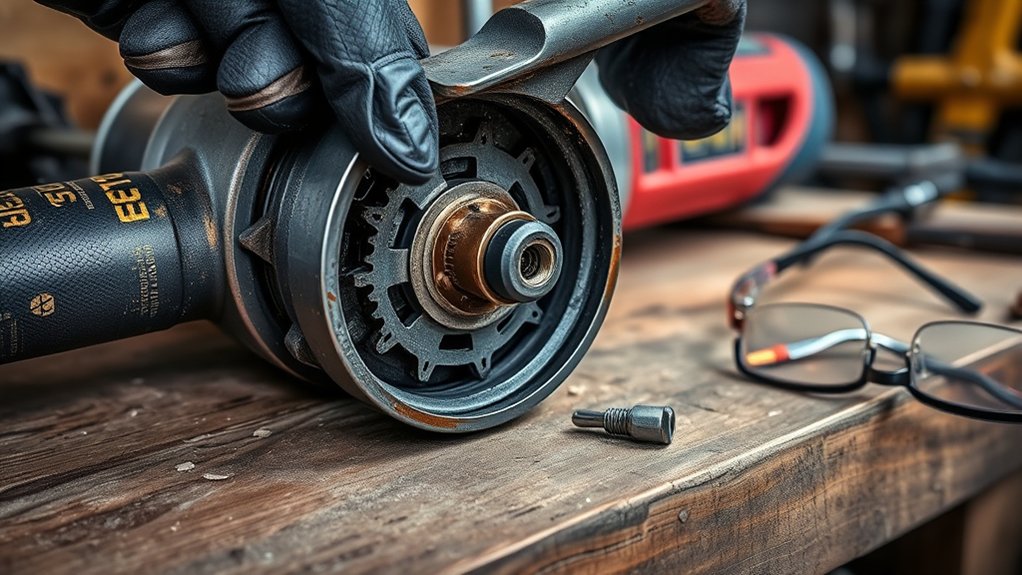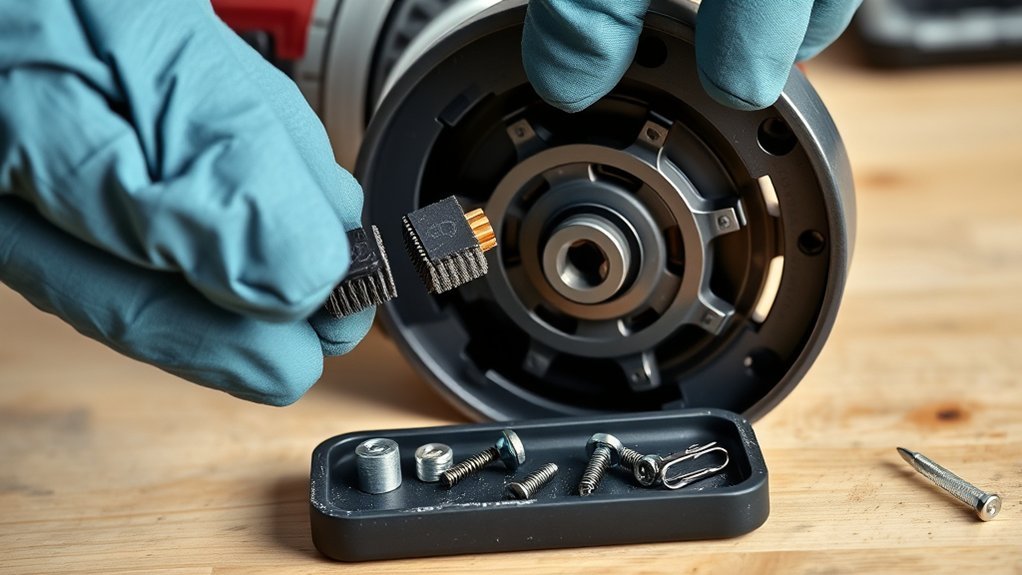
Worn carbon brushes can make a brushed angle grinder lose power, cut in and out, or spark more than usual. Replacing them is often a manageable repair, but only when the tool uses replaceable brushes and the new set matches its exact model and type number. Brush access varies, so the owner’s manual must control the procedure.
Quick Answer
Disconnect the power, confirm that the grinder has a brushed motor, and check its model-specific brush instructions. Remove the worn pair, inspect the holders and commutator, install two identical replacement brushes, reconnect the leads and springs, reassemble the tool, and perform a brief no-load test with the guard and handle installed.
Key Takeaways
- Confirm that the grinder is a brushed model before buying parts or opening the housing.
- Use the full model and type number to find the correct brush pair and access procedure.
- Replace both brushes together with identical, manufacturer-approved parts.
- Inspect the holders, springs, wiring, and commutator before installing the new brushes.
- Stop and use an authorized repair center if the manual requires it or internal parts are burned, melted, loose, or deeply damaged.
- Reinstall every cover, the guard, and the side handle before performing a controlled no-load test.
At a Glance
| Time Required | About 15–45 minutes, depending on the access design |
| Difficulty | Beginner to intermediate; service-only models require a professional |
| Tools Needed | Correct screwdriver or driver bit, needle-nose pliers, safety glasses, clean cloth, and a small parts container |
| Cost | Model-dependent; confirm the price of the exact replacement pair before ordering |
What’s in This Article
- Why Replace Carbon Brushes in Your Grinder?
- What You’ll Need Before Replacing Carbon Brushes
- Confirm Your Grinder Model and Brush Access
- How to Disassemble Your Angle Grinder Safely
- Signs Your Carbon Brushes Need Replacement
- Inspect the Brush Holders and Commutator
- How to Install New Carbon Brushes
- Best Practices for Connecting Carbon Brush Wires
- Ensure Everything Is Tightly Reassembled
- Troubleshooting After Carbon Brush Replacement
- Avoid These Common Mistakes When Replacing Brushes
- Maintain Your Grinder for Longer Life
- Where to Find Replacement Parts for Your Grinder
- Frequently Asked Questions
- Conclusion
- Sources
Why Replace Carbon Brushes in Your Grinder?
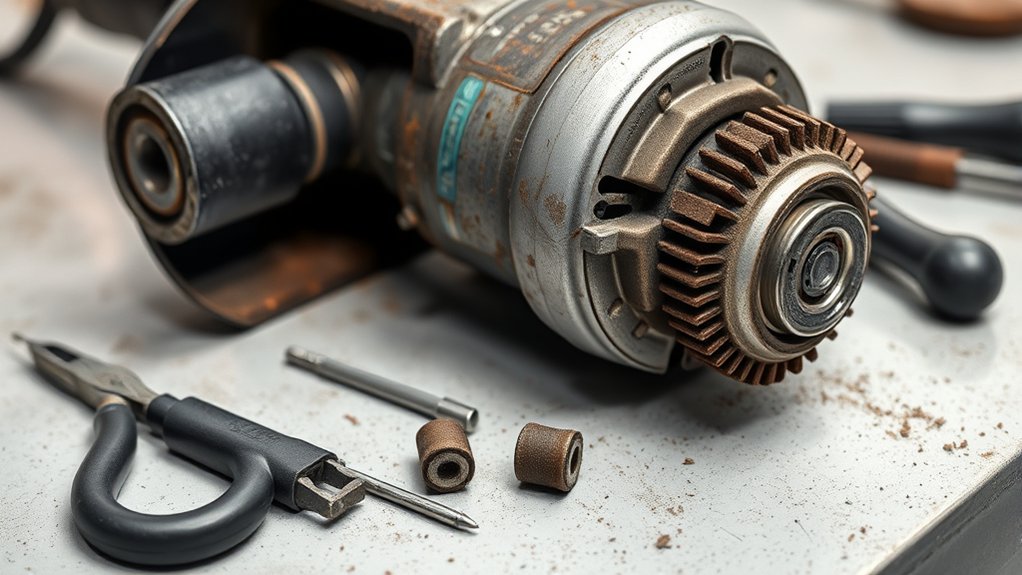
In a brushed motor, spring-loaded carbon brushes carry electrical current to the rotating commutator and armature. Friction, heat, load, and abrasive dust gradually wear the carbon blocks shorter. Manufacturer manuals therefore treat the brushes as service parts that must remain clean and free to move inside their holders.
Worn or sticking brushes can cause reduced power, uneven speed, intermittent operation, difficult starting, or increased sparking. Replacing them before they lose reliable contact can prevent additional heat and damage around the commutator.
Note: A brushless angle grinder has no carbon brushes to replace. Check the label, product page, parts diagram, or manual before ordering parts. For example, DEWALT identifies its brushless grinder motors as requiring no brush changes.
What You’ll Need Before Replacing Carbon Brushes
Set up a clean, well-lit work area before opening the grinder. A clear bench helps prevent small screws, springs, caps, and terminals from being lost.
- A replacement carbon-brush pair matched to the exact grinder model and type
- The grinder’s official owner’s manual or service instructions
- Phillips, slotted, Torx, or other driver required by the tool
- Needle-nose pliers for removable terminals
- A small container for screws, caps, and springs
- Safety glasses to protect your eyes from dust and loose parts
- A clean cloth, soft brush, or suitable vacuum for loose dust
- A phone or camera for recording wire and spring positions
The job may take about 15 to 45 minutes. Grinders with external brush caps are often faster to service than models that require a rear cover to be removed.
Warning: Switch off and unplug a corded grinder, or remove the battery from a cordless grinder, before touching a cover, brush cap, terminal, spring, switch, or internal component. Do not rely only on the trigger or power switch.
Products Worth Considering

[Compatibility]: Compatible With WS125, Black & Decker G720.

Premium Graphite & Copper Build – Crafted from high-quality graphite and copper, these carbon brushes deliver excellent conductivity, stable performance, and extended durability—ensuring your power tools and motors run at their best.

Material is Carbon and Metal, size is 13x9x6mm/0.51"x0.35"x0.23“
Confirm Your Grinder Model and Brush Access
Do not buy brushes by appearance alone. Similar-looking grinders may use different carbon grades, dimensions, leads, terminals, springs, or automatic shutoff features.
- Find the identification label. Record the complete model number, type number, and revision or serial information shown on the grinder.
- Download the official manual. Use the manufacturer’s product or service website. Bosch, for example, provides a searchable manual and parts-diagram library.
- Identify the access style. The grinder may have two external brush-holder caps, a removable rear cover, or brushes located deeper inside the housing.
- Check whether owner replacement is allowed. Some manuals give direct brush-replacement steps. Others, including certain Makita models, state that brush inspection and replacement should be performed by an authorized service center.
- Confirm the quantity. Determine whether the part package contains one brush or the complete pair.
Note: If the official manual does not provide an owner-service procedure, or it directs brush work to an authorized service center, follow that instruction instead of opening the motor housing.
How to Disassemble Your Angle Grinder Safely
Work slowly and follow the manual for your specific model. Brush springs, terminals, switch wires, and insulation can be damaged when a cover is pulled or twisted.
- Disconnect the power. Unplug the cord or remove the battery. Wait for the wheel to stop completely and allow a hot tool to cool.
- Remove an installed wheel if needed. Taking off the grinding or cutting accessory can make the tool easier to handle. Follow the manufacturer’s wheel-removal instructions.
- Remove only parts that block brush access. The side handle may be removed for easier handling. Do not remove the guard unless the model-specific procedure requires it.
- Clean the outside. Wipe loose dust away from caps and housing seams so it does not fall into the motor.
- Photograph the assembly. Record the position of the brush lead, connector, spring, and nearby wires before moving anything.
- Open the specified access point. Unscrew the external brush caps or remove the rear-cover fasteners described in the manual.
- Release the brush spring. Move the spring only far enough to remove its pressure from the brush.
- Disconnect the terminal. Grip a push-on connector by its metal terminal rather than pulling on the flexible lead.
- Remove the first brush. Slide it straight out and note the direction of its contact face, lead, and terminal.
- Remove the second brush. Keep the old pair together so both can be compared with the replacements.
Some grinders use brush-holder caps that can be removed with a screwdriver. The Makita 9005B manual, for example, instructs the user to remove two caps, replace both brushes, and reinstall the caps. This procedure must not be assumed for every grinder.
Pro Tip: Remove and inspect one brush before disturbing the second whenever the layout allows. The untouched side provides a reference for the spring, lead, terminal, and brush orientation.
Signs Your Carbon Brushes Need Replacement
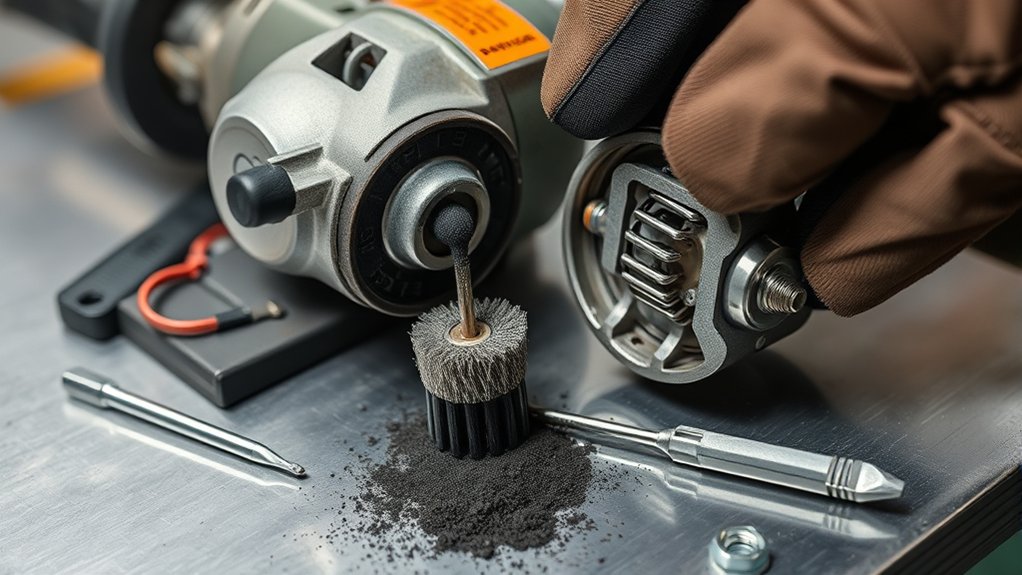
Inspect the brushes when the grinder loses power, operates intermittently, starts poorly, or sparks more than it normally does. These symptoms can point to brush trouble, but they can also come from the cord, battery, switch, holder, armature, field winding, or bearings.
Common Performance Issues
A worn or sticking brush may make the grinder slow under load, change speed without input, hesitate at startup, or stop when the body is moved. A damaged terminal or weak spring can create similar behavior.
Stop using the grinder if you see smoke, smell burning insulation, feel unusual heat near the motor, or observe heavy arcing through the vents. Continuing to run it may damage the commutator or windings.
Visual Wear Indicators
Compare each removed brush with the minimum length or limit mark specified in the manual. Replace a brush that has reached its limit mark or appears very short, chipped, cracked, scorched, pitted, or worn at a steep angle.
The carbon block should move smoothly in its holder. A brush that sticks after loose dust is removed may have the wrong dimensions, a swollen or damaged holder, a distorted lead, or heat damage.
Grinding Noise Changes
Rattling, squealing, scraping, or rough motor noise should not be blamed automatically on the brushes. These sounds may also indicate a loose component, damaged fan, bearing problem, armature fault, or debris inside the housing.
| Symptom | Possible Causes | What to Check |
|---|---|---|
| Reduced or changing power | Worn brush, weak spring, loose terminal, switch or battery problem | Brush length, movement, spring pressure, connector, and power source |
| Intermittent operation | Sticking brush, broken lead, loose connection, damaged cord or switch | Both brush assemblies, terminals, cord, battery contacts, and switch |
| Heavy or uneven sparking | Wrong brush, poor seating, damaged commutator, armature fault, or loose terminal | Part number, brush movement, contact face, commutator, and wiring |
| Rough, scraping, or high-pitched noise | Brush contact problem, bearing damage, fan contact, or loose internal part | Brushes, bearings, fan area, covers, and internal fasteners |
| Burning smell, smoke, or rapid heat | Severe arcing, shorted winding, stalled motor, melted holder, or damaged insulation | Disconnect immediately and arrange professional inspection |
A faint, even glow may be visible around the brushes on some brushed motors. Heavy, irregular, trailing, or heat-producing arcing is not a normal condition and requires inspection.
Inspect the Brush Holders and Commutator
Do not install the new brushes until the parts that support them have been checked. Replacing only the carbon blocks will not correct a damaged holder, weak spring, loose terminal, or defective commutator.
- Brush holders: Check for cracks, melting, distortion, heavy deposits, or sharp damage. Each new brush must slide freely without being loose enough to tilt.
- Springs: Confirm that each spring is present, seated correctly, and able to apply steady pressure. Replace damaged parts only with the correct manufacturer-approved components.
- Leads and terminals: Look for broken strands, loose connectors, dark heat marks, missing insulation, or contact with moving parts.
- Commutator: Look through the brush openings for severe grooves, lifted or loose copper segments, heavy blackening, burned areas, chips, or an uneven surface.
- Internal wiring: Stop if you find pinched, melted, brittle, or disconnected wires.
Warning: Do not attempt to repair a burned winding, loose commutator segment, melted holder, damaged armature, or badly worn bearing through a simple brush change. These conditions require a qualified repair technician or authorized service center.
Do not put grease, oil, penetrating fluid, contact lubricant, or general-purpose cleaner on the brush face or commutator. Do not sand or reshape internal motor parts unless the official service procedure specifically requires it and identifies the correct method.
How to Install New Carbon Brushes
Install the replacement pair according to the model-specific manual. Makita instructions for user-serviceable models specify that both brushes should be changed together and that identical brushes should be used.
- Compare the parts. Match the new and old brushes for carbon-block size, shape, contact face, lead length, terminal style, spring arrangement, and any insulating or automatic-stop feature.
- Check the contact-face direction. If the replacement has a pre-shaped or curved face, position it against the commutator in the orientation shown by the old brush or manual.
- Insert the first brush. Slide it straight into the holder without forcing it. It must move freely along the full usable travel.
- Reconnect the lead. Push the terminal fully into place while keeping the flexible lead away from sharp edges and moving parts.
- Reset the spring. Seat the spring over the brush in the same position it occupied before removal.
- Check movement again. Confirm that the spring pushes the brush toward the commutator without trapping the lead.
- Install the second brush. Repeat the same process on the opposite side with the matching replacement.
- Route the wires. Keep every lead clear of the armature, fan, screw posts, cover seams, and switch movement.
A carbon-brush replacement is a matched-pair repair: the correct parts, clean holders, steady spring pressure, and undamaged connections all matter.
Pro Tip: Before closing the housing, compare the finished side with your original photo. Check the spring position, terminal depth, lead route, and clearance around every moving component.
Best Practices for Connecting Carbon Brush Wires
The flexible brush leads carry motor current and must remain secure. A loose or overheated connection can cause intermittent operation, voltage loss, arcing, and additional heat.
Grip a removable terminal by its metal connector, not by the lead. Avoid sharp bends, crushed insulation, and tension that pulls the brush sideways inside its holder.
If the design uses an insulated connector, make sure the insulation still covers the intended metal surfaces. Do not modify, solder, splice, or replace the connection with a different terminal unless the official repair procedure calls for it.
| Step | Action | Tool |
|---|---|---|
| Inspect the terminal | Look for looseness, corrosion, dark heat marks, broken strands, or damaged insulation | Good lighting |
| Connect the lead | Press the correct terminal fully into its original connection point | Needle-nose pliers if required |
| Protect the connection | Keep insulation in place and prevent bare metal from touching unintended parts | None |
| Route the lead | Tuck it away from the armature, fan, switch, screws, and housing seams | Pliers or a non-sharp positioning tool if permitted |
Ensure Everything Is Tightly Reassembled
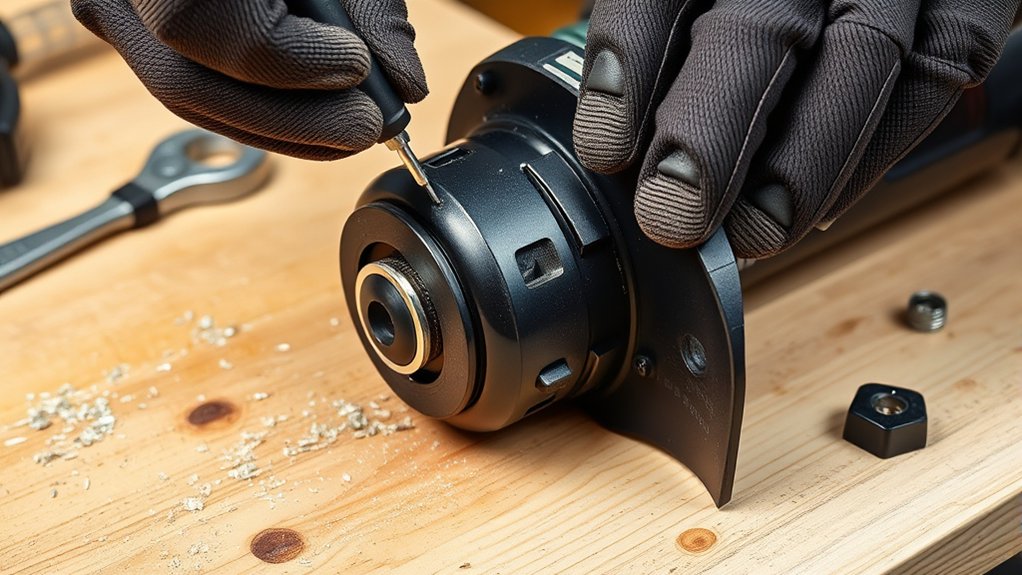
Loose covers, pinched wires, displaced springs, or missing safety components can make the grinder unsafe. Complete the following checks before reconnecting the power.
Check All Fasteners Securely
Reinstall each brush cap or housing fastener in its original location. Tighten small screws firmly enough to secure the cover, but do not overtighten them and strip the plastic or metal threads.
Reinstall the side handle, wheel guard, and any wheel or flange that was removed. OSHA requires the guard on a portable right-angle grinder to be positioned between the operator and the wheel during use. See 29 CFR 1910.243.
Inspect for Loose Parts
With the power still disconnected, inspect the complete tool and gently move it by hand. Do not power it if anything rattles inside the motor housing.
- Confirm that both caps or covers sit flush.
- Check that every external screw is present and snug.
- Verify that both brush springs are seated.
- Make sure no lead is visible in a cover seam.
- Confirm that the switch moves normally and is in the off position.
- Check that the side handle is secure.
- Position the guard correctly between the wheel and the operator.
- Inspect the wheel for damage and verify that it is mounted correctly.
Verify Functionality Before Use
- Put on eye protection and clear people and loose objects from the test area.
- Hold the grinder firmly with both hands and keep the wheel away from the bench and other objects.
- Reconnect the cord or battery only after confirming that the switch is off.
- Start the grinder and let it run briefly without contacting a workpiece.
- Listen for smooth operation and watch for smoke, heavy arcing, rattling, scraping, or sudden speed changes.
- Switch the grinder off and verify that it stops normally.
- Disconnect the power again before inspecting or reopening any part.
Warning: Stop the test immediately if the grinder smokes, smells hot, produces heavy or irregular sparks, makes a scraping or knocking sound, or fails to reach a steady speed. Do not keep running it in an attempt to make the new brushes “wear in.”
Troubleshooting After Carbon Brush Replacement
If the grinder does not operate normally after the repair, disconnect the power before checking it again. Do not bypass the switch, protective electronics, battery terminals, or other safety components.
| Problem | Checks | Next Action |
|---|---|---|
| The grinder will not start | Power source, charged battery, switch position, fully seated terminals, brush movement, and spring placement | Correct only visible assembly errors allowed by the manual; otherwise use a repair center |
| Heavy sparking continues | Correct brush part number, contact-face direction, free movement, terminal security, and commutator condition | Stop using the grinder if arcing remains heavy or uneven |
| The motor runs roughly or changes speed | Binding brush, weak spring, loose lead, pinched wire, bearing noise, or damaged armature | Arrange professional diagnosis if rechecking the brush assembly does not solve it |
| The housing becomes hot or smells burned | Melted holder, severe arcing, stalled armature, shorted winding, or wrong brush | Disconnect immediately and do not restart the grinder |
| One brush wears faster than the other | Unequal spring pressure, sticking holder, tilted brush, commutator damage, or mismatched parts | Correct the underlying fault before installing another pair |
Avoid These Common Mistakes When Replacing Brushes
Most brush-replacement problems come from using the wrong part, assuming every grinder opens the same way, or rushing the reassembly.
- Do not open the grinder while the cord or battery is connected.
- Do not buy brushes by shape or dimensions alone.
- Do not attempt this repair on a brushless grinder.
- Do not replace only one brush from a worn pair.
- Do not force a tight brush into its holder.
- Do not pull a brush lead by the flexible wire.
- Do not leave a spring beside the brush instead of seated over it.
- Do not lubricate the brush, holder, or commutator.
- Do not pinch leads under a cap or rear cover.
- Do not leave the guard or side handle off for the test run.
- Do not continue testing through smoke, heat, rough noise, or heavy arcing.
- Do not open a model whose manual directs brush work to an authorized service center.
Maintain Your Grinder for Longer Life
Regular care helps an angle grinder run cooler and makes developing problems easier to spot. Keep the ventilation openings clear, inspect the cord or battery contacts, check the switch, and confirm that the guard and handle remain secure.
Inspect carbon brushes at the interval specified in the owner’s manual and whenever performance changes. The Bosch GWS8-45 manual, for example, recommends examining its brushes every two to six months, but that interval should not be applied automatically to every grinder.
Use a soft brush, clean cloth, suitable vacuum, or the cleaning method approved by the tool manufacturer. If a manual permits compressed dry air, wear eye protection and direct dust away from yourself and other people.
Store the grinder in a dry place. Keep abrasive dust, metal filings, moisture, oil, and solvents away from its ventilation openings and internal electrical parts.
Where to Find Replacement Parts for Your Grinder
The safest starting point is the grinder manufacturer’s official manual, parts diagram, or service website. Search with the full model and type number printed on the tool rather than using only the wheel size or brand name.
Carbon brushes are available from manufacturers, authorized dealers, tool-repair shops, and replacement-parts retailers such as eReplacementParts.com. When using a retailer, cross-check the listing against the official part number and parts diagram before ordering.
- Confirm the complete model, type, and revision information.
- Use the official parts diagram to identify the brush part number.
- Check whether the package contains one brush or a pair.
- Compare the carbon size, contact face, lead, terminal, and shutoff feature.
- Use identical manufacturer-approved replacements.
- Keep the old brushes until the grinder has passed its test run.
- Return or exchange any brush that binds, tilts, or does not match the old assembly.
Products Worth Considering
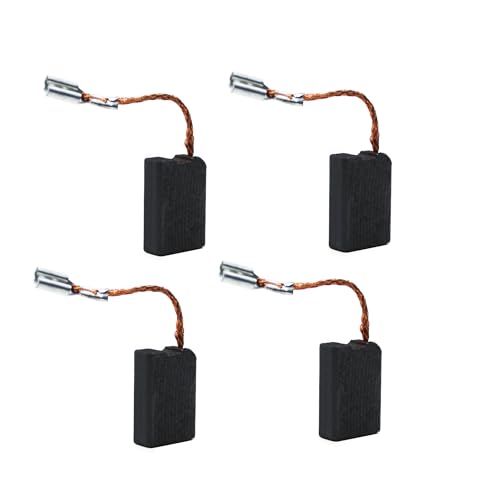
motor Carbon Brush for de-walt carbon brushes DW840 Powertools - With Automatic Stop, Spring, Cable and Connector - Replaces DW630, DW840, DW840K

Compatibility -- Fits all 4-1/2" angle grinders and grinders with 5/8"-11 threaded arbors. Easy to mount wire wheel for angle grinder for both professionals and DIY users. Do wear protective gear before operation for safe rust removal and cleaning!!!

UPGRADED THICKER COPPER WIRE: Engineered with thicker copper for higher conductivity and more stable current flow, delivering improved contact, greater durability, and extended service life.
Frequently Asked Questions
How long does it take to replace carbon brushes on an angle grinder?
A grinder with external brush caps may take about 15 minutes, while a model that requires rear-cover removal can take 30–45 minutes or longer. Stop rather than rush if screws are stuck, wires are difficult to route, or the manual requires professional service.
Do you need to replace both carbon brushes at the same time?
Yes. Replace both brushes with an identical matched pair. Installing only one new brush can leave the motor with unequal contact, spring behavior, and wear on opposite sides of the commutator.
Which way do carbon brushes go?
Install each brush in the direction shown by the old part or the owner’s manual. A pre-shaped contact face should sit against the commutator, while the lead and terminal must follow the original route without twisting or trapping the brush.
Do carbon brushes need to bed in?
New brushes may need a short period to develop full contact with the commutator. Perform only the brief no-load test permitted by the manual and avoid heavy work until the grinder runs smoothly. Do not keep running it through heavy arcing, smoke, heat, or rough noise.
What happens if you use a grinder with worn carbon brushes?
Worn or sticking brushes can cause poor starting, reduced power, intermittent operation, heat, and increased arcing. Continued use may damage the commutator, holders, terminals, or motor windings.
Can you replace carbon brushes in a brushless angle grinder?
No. A brushless motor does not use service carbon brushes. If a brushless grinder loses power or stops working, follow its diagnostic instructions or arrange manufacturer-authorized service instead of opening it to look for brushes.
Why is my grinder sparking heavily after I replaced the brushes?
Possible causes include the wrong brush set, a brush installed backward, binding in a holder, a loose terminal, weak spring pressure, a damaged commutator, or an armature fault. Disconnect the grinder and do not continue testing if the sparks are heavy, irregular, or accompanied by heat or smoke.
When should an angle grinder go to a professional repair center?
Use a qualified repair center when the manual requires authorized service or you find a melted holder, burned winding, damaged armature, loose commutator segment, deeply grooved commutator, broken internal wiring, bearing noise, persistent heavy arcing, smoke, or overheating.
Conclusion
Replacing carbon brushes can restore reliable power to a serviceable brushed angle grinder, but the repair begins with the model label and official manual. Confirm that the motor is not brushless, use the exact replacement pair, and follow the access procedure provided for that grinder.
Before restoring power, inspect the holders, springs, terminals, commutator, covers, guard, handle, and wheel. A brief controlled no-load test should produce smooth operation without heavy arcing, smoke, overheating, rattling, or sudden speed changes. Stop and arrange professional service whenever the damage goes beyond normal brush wear.
Sources
- Makita 9005B Instruction Manual — replacing both brushes together, using identical brushes, brush-cap access, cleaning, and authorized-service guidance.
- Makita GA7011C Instruction Manual — automatic-stop brush design, free brush movement, paired replacement, and installation through brush-holder caps.
- Makita 9566CV Instruction Manual — example of a model that directs carbon-brush inspection and replacement to authorized service centers.
- Bosch GWS8-45 Operating and Safety Instructions — inspection intervals, genuine replacement brushes, power disconnection, cleaning, and service precautions.
- DEWALT DCG413FB Product Information — confirms that a brushless grinder motor requires no brush changes.
- OSHA 29 CFR 1910.243 — guarding requirements for portable right-angle and other portable grinders.