To remove a stuck angle grinder nut, disconnect the grinder from power, wait for the wheel to stop, engage the spindle lock, seat the correct pin spanner fully in the flange nut and apply steady loosening pressure. Avoid hammers, heat and pipe extensions, and stop if the lock, nut, wheel or spindle threads are damaged.
Quick Answer
Disconnect the grinder from power, wait for the wheel to stop, and engage the spindle lock only after the tool is fully stopped. Seat the correct pin spanner or manufacturer-supplied wrench in the flange nut, then apply steady loosening pressure. If the lock, nut, wheel, or spindle threads are damaged, stop and arrange service.
Key Takeaways
- Unplug a corded grinder or remove the battery before touching the wheel, flange, nut, or guard.
- Use the spindle lock only after the wheel has stopped, and use the exact wrench or key specified for the grinder.
- Avoid hammers, chisels, heat, long leverage pipes, and other improvised methods that can damage the grinder or abrasive wheel.
- Clean and inspect the spindle, flanges, nut, and replacement wheel before reassembly.
At a Glance
| Time Required | About 5–15 minutes for a normal stuck nut; stop sooner if parts are damaged |
| Difficulty | Easy to moderate |
| Tools Needed | Correct pin spanner or manufacturer-supplied key, eye protection, work gloves, soft brush, and clean dry cloth |
| Cost | Usually no added cost if you have the supplied wrench; replacement hardware or service costs vary by model |
Warning: Never press the spindle-lock button while the wheel is moving. Do not strike the nut, wheel, wrench, or spindle with a hammer or punch. Avoid heat, pipe extensions, and uncontrolled force. These methods can damage the spindle lock, crack the wheel, or make the wrench slip.
Step-by-Step: How to Remove a Stuck Angle Grinder Nut
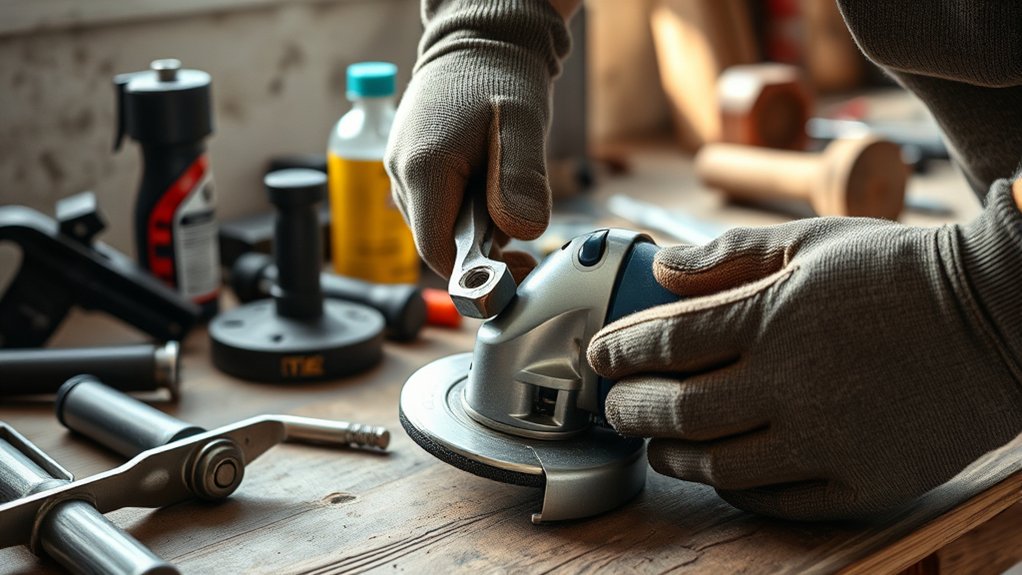
1. Identify the Nut and Wheel System
Check the grinder manual before applying force. A grinder may use a standard two-hole flange nut, a nut that also accepts a hex key, a tool-free quick-release nut, or a wheel with its own threaded hub. These systems do not all use the same removal method.
Look for the grinder model number and confirm:
- The spindle thread, commonly M14 or 5/8″-11 depending on the grinder and market
- The correct pin spanner, hex key, or quick-release mechanism
- The required flange orientation for the installed wheel
- Whether the wheel has a threaded hub and therefore does not use a separate flange nut
2. Disconnect the Grinder and Let It Stop
Move the power switch to the off position. Unplug a corded grinder or remove the battery from a cordless grinder. Wait until the wheel is completely still and cool enough to handle.
OSHA’s portable power-tool guidance says grinders should be disconnected before servicing, cleaning, or changing accessories.
3. Put on Protective Equipment
Wear safety glasses or goggles and work gloves before handling the wheel and mounting hardware. A face shield can provide additional protection if the wheel is chipped, cracked, or likely to shed fragments. Eye protection should fit securely and provide adequate coverage, as explained in the CDC/NIOSH eye-safety guidance.
4. Engage the Spindle Lock Correctly
Place the grinder on a stable surface where it cannot roll. Do not clamp the handheld grinder itself in a vise.
Press the spindle-lock button and slowly rotate the wheel by hand until the lock drops fully into place and the spindle no longer turns. Use the spindle lock only while the grinder is off, disconnected, and completely stopped. The DEWALT DWE4120 instruction manual warns that engaging the lock while the tool is operating can damage the grinder.
5. Seat the Correct Wrench Fully
Insert both pins of the pin spanner fully into the flange-nut holes. If the grinder uses a manufacturer-approved hex-key system, insert the specified key fully into the correct openings.
Keep one hand on the spindle-lock button and apply smooth, controlled pressure with the other hand. Standard right-hand threads loosen counterclockwise when you face the nut, but check the grinder manual because mounting systems can vary.
Pro Tip: Keep the wrench flat against the nut while turning it. If only one pin is engaged or the wrench is held at an angle, it can slip and damage the nut holes.
6. Remove the Nut, Wheel, and Flanges
Once the nut breaks free, unthread it by hand while supporting the wheel. Remove the wheel and any backing flange in the order shown in the grinder manual.
Do not reuse a wheel that is cracked, chipped, distorted, soaked with liquid, or damaged during removal. Abrasive wheels can fail when returned to service after impact or contamination.
7. Clean and Inspect the Mounting Parts
Use a soft brush and clean dry cloth to remove metal dust and abrasive debris from the spindle, flange faces, nut, and guard. Inspect the following:
- Spindle threads for flattening, cross-threading, rust, or missing sections
- Flange and nut faces for burrs, distortion, or embedded debris
- Pin-spanner holes for rounding or cracking
- The spindle lock for excessive movement or failure to hold
- The guard and its latch, clamp, or adjustment mechanism
Replace damaged mounting hardware with parts approved for the exact grinder. Do not grind, file, or reshape a flange nut to make it fit.
8. Reassemble Without Overtightening
Install the backing flange, wheel, and locking nut in the orientation shown in the manual. Thin cutting wheels and thicker grinding wheels may require different nut orientations.
Thread the nut by hand first so you can detect cross-threading. Tighten it only enough to secure the wheel using the manufacturer’s stated method. Excessive tightening can make the next wheel change difficult and may distort the wheel or mounting hardware.
For tightening details, read how to tighten an angle grinder backing nut, or how to change an angle grinder wheel from start to finish.
The correct removal tool is the one specified for your exact grinder and flange nut, not an improvised chisel, punch, locking pliers, or oversized lever.
Essential Tools for Removing Stuck Angle Grinder Nuts
You normally need only a few items, but they must match the grinder:
- Manufacturer-supplied pin spanner: Fits the two holes in a standard locking flange.
- Approved hex key: Some newer nut designs include hex-key holes in addition to pin-spanner holes. This is not universal.
- Work gloves: Protect your hands while handling a stationary wheel and sharp metal debris.
- Safety glasses or goggles: Protect your eyes from chips, dust, and damaged-wheel fragments.
- Soft brush and dry cloth: Remove debris from the spindle and flange faces without leaving oily residue.
- Replacement nut or wrench: Use the exact part specified for the grinder model if the original hardware is worn.
A so-called “Tappy Stick” is not a standard manufacturer-specified angle grinder nut-removal tool. Do not strike the nut or wrench as a substitute for using the correct spanner.
Products Worth Considering
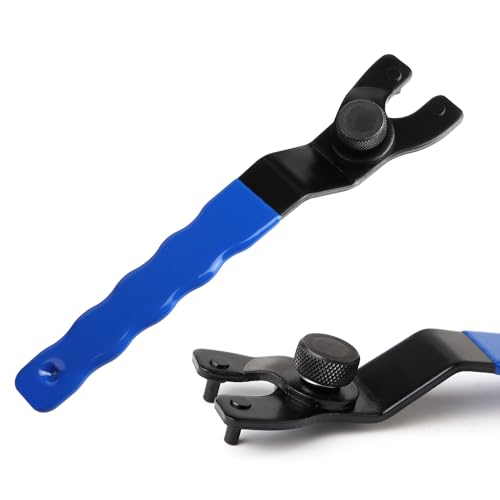
Material: Chisel Tool Steel

Adjustable Lock-nut Grinder Wrench

Material: Chisel Tool Steel
What If the Nut Still Won’t Move?
Stop increasing force if the nut does not move with the correct wrench and a fully engaged spindle lock. More force is not always safer or more effective.
Still stuck? See our angle grinder nut stuck troubleshooting guide, and spindle lock not working if the lock will not hold.
Check That the Spindle Lock Is Fully Engaged
Release the lock, rotate the wheel slightly by hand, and press the button again. The button should drop into place and prevent spindle rotation. If the lock skips, grinds, or will not hold, the internal lock may be damaged.
Check the Wrench and Nut Holes
Make sure both wrench pins fit fully and are not bent or worn. Stop if the pin holes are rounded, cracked, or too damaged to hold the wrench. A replacement nut or professional removal may be safer than continuing.
Check for the Correct Removal System
Some grinders use a dedicated hex wrench, integrated quick-release tab, or model-specific spanner. Confirm that you are not trying to remove a quick-release or threaded-hub accessory as though it were a standard two-hole nut.
Avoid Penetrating Oil as a Default Fix
Do not soak the wheel, flange, or clamping surfaces with penetrating oil. Oil or solvent can contaminate abrasive components and create uncertain clamping conditions. If corrosion or thread damage has seized the assembly, contact the grinder manufacturer or an authorized service center.
Stop When Damage Is Visible
Arrange service when:
- The spindle lock will not hold
- The nut or spindle threads are stripped
- The wheel is cracked or broken around the flange
- The wrench holes are destroyed
- The spindle is bent or visibly misaligned
- The guard must be forced out of position to reach the nut
- Controlled hand pressure with the correct tool does not release the nut
Why Is Safety Crucial When Removing Grinder Nuts?
An angle grinder can start unexpectedly if it remains connected to power. A damaged wheel can also release sharp fragments during removal or during the next startup.
Disconnecting the power source, waiting for a complete stop, and wearing eye protection reduce those risks. You should also keep the guard installed unless the grinder manual specifically requires its removal for the accessory change.
Do not test the spindle lock while the tool is running. Do not reconnect power until the wheel, flanges, nut, and guard are correctly installed and secure.
After installing a replacement wheel, move yourself and other people out of the wheel’s plane. Run the grinder without contacting the workpiece in a controlled area and stop immediately if you notice vibration, wobble, scraping, or unusual noise.
How to Use a FIXTEC Nut for Quick and Safe Disc Changes
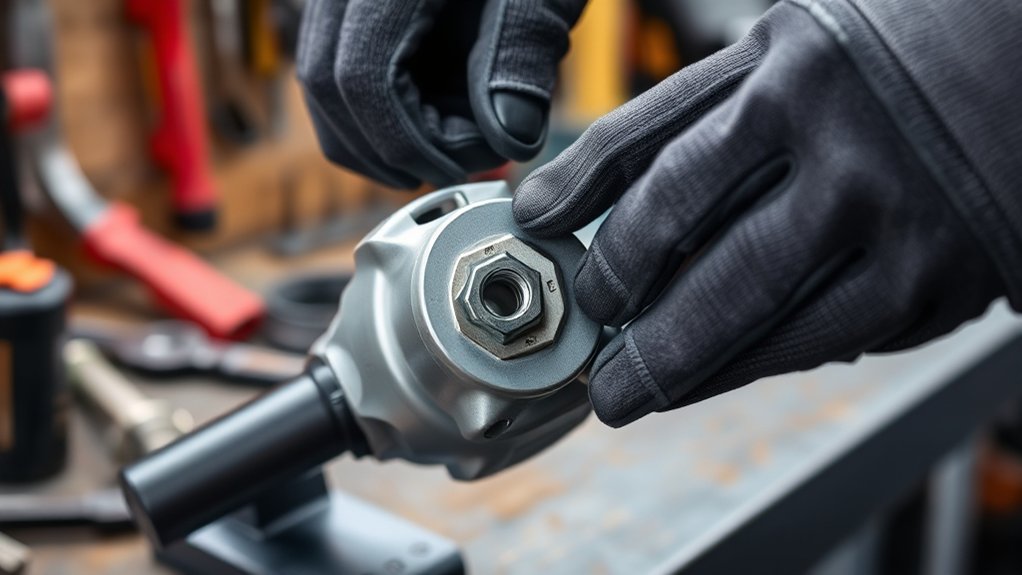
A Milwaukee FIXTEC nut is a quick-release locking nut used on certain grinders and spindle systems. Some versions include a lifting or tightening tab, while others include pin-spanner holes for backup removal when hand pressure is not enough.
Note: FIXTEC compatibility is model-specific. M14 and 5/8″-11 versions exist, and brake compatibility differs among generations. Match the nut to the grinder’s spindle thread, wheel diameter, braking system, flange design, and manual.
For example, Milwaukee’s older M14 FIXTEC nut is listed for grinders up to 150 mm and is not suitable for quick-stop systems. Its newer universal M14 version is listed for 115–230 mm grinders and supports automatic or rapid braking systems.
On compatible grinders, follow the exact manual instructions for flange placement, tab position, tightening, and removal. The Milwaukee 2980-20 and 2981-20 manual states that the flange, nut, and spindle should be cleaned and inspected before assembly. It also directs users to remove the battery and use the correct wrench if the FIXTEC nut becomes too tight to remove by hand.
Products Worth Considering

【Tool-Free Quick Release】Tighten or remove the angle grinder flange nut by hand only, no more fumbling for lost wrench. Save time and boost work efficiency

QUICK CHANGE DESIGN: Includes 2 pcs 5/8"-11 quick release angle grinder nuts designed for fast installation and removal. Tool-free operation saves working time and improves efficiency. Pre-lubricated with industrial-grade grease for smoother operation and reduced friction

【QUICK RELEASE NUT】Grinder lock nut screws on or off with just gentle finger pressure. Knurled nuts keep the wheel tight. You do not have to find the special wrench you misplaced, then balance the grinder while you hold the lock button, and struggle with the wrench.
How to Tackle Common Grinder Nut Removal Problems
The Nut Was Overtightened
Use steady pressure with the correct wrench rather than adding a pipe extension. When reinstalling the wheel, tighten the nut only as directed in the manual.
Dust Is Packed Between the Flanges
Remove the wheel and clean all mating surfaces with a dry cloth and soft brush. Debris between the flange and wheel can prevent even clamping and contribute to binding.
The Nut Was Installed in the Wrong Orientation
Some locking nuts have a raised pilot that faces toward a thick grinding wheel but away from a thin cutting wheel. Follow the flange diagrams for your model rather than assuming one orientation works for every accessory.
The Wrench Keeps Slipping
Replace a worn wrench and inspect the pin holes. Do not continue once the wrench can no longer seat fully because a slip can injure your hand or destroy the nut.
The Spindle Lock Does Not Hold
Rotate the stationary wheel slightly and try to engage the lock again. If it still will not hold, stop. Internal spindle-lock repair normally requires disassembly by a qualified technician.
The Wheel Is Broken Around the Nut
Do not crush the remaining wheel, grab the spindle with locking pliers, or strike the flange. Broken abrasive material can produce sharp fragments and may conceal damage to the mounting hardware. Use an authorized repair service.
How to Prevent the Nut From Sticking Again
- Clean the spindle, flanges, and nut during every wheel change.
- Start the nut by hand to prevent cross-threading.
- Use the flange orientation specified for the wheel type.
- Do not overtighten the nut.
- Use only compatible wheels, flanges, nuts, and guards.
- Replace damaged or distorted mounting hardware.
- Store the pin spanner or supplied key with the grinder.
Frequently Asked Questions
How do you remove a stuck angle grinder nut?
Disconnect the grinder, wait for the wheel to stop, engage the spindle lock, seat the correct pin spanner fully, and apply steady loosening pressure. Stop if the lock slips, the nut holes are damaged, or the wheel is cracked.
Which way does an angle grinder nut loosen?
A standard right-hand flange nut normally loosens counterclockwise when you face the nut. Check the model manual before turning it because threaded-hub wheels, quick-release nuts, and specialized grinders may use a different removal system.
How do you remove a grinder wheel when the wrench is missing?
Obtain the correct replacement pin spanner or use only the manufacturer-approved hex key or tool-free mechanism fitted to your grinder. Do not substitute screwdrivers, punches, locking pliers, or improvised leverage bars.
Can you use penetrating oil on a stuck grinder nut?
Penetrating oil should not be the default method because it can reach the wheel or clamping surfaces. Use the correct wrench and inspect the assembly first. If corrosion or thread damage has seized the nut, follow the manufacturer’s service advice.
What should you do if the spindle lock does not engage?
Make sure the grinder is disconnected and fully stopped, then rotate the wheel slightly by hand while pressing the lock. If the lock still does not hold, stop and have the grinder inspected because the internal locking parts may be damaged.
How do you remove an angle grinder guard?
Disconnect the grinder and follow the exact guard procedure in its manual. Depending on the model, you may need to open a latch, loosen a clamp, remove a screw, or align locking marks. Do not tap or force a stuck guard, and reinstall the correct guard before operating the grinder.
Why does an angle grinder nut keep getting stuck?
Common causes include overtightening, debris between the flange surfaces, incorrect nut orientation, cross-threading, damaged threads, incompatible mounting hardware, and a wheel that binds during use. Cleaning and inspecting the parts during every wheel change helps prevent repeat problems.
Conclusion
Most stuck angle grinder nuts can be removed by disconnecting the tool, engaging the spindle lock correctly, and using the proper wrench with steady pressure. Avoid improvised impact, heat, oil, and excessive leverage. If the spindle lock, nut, wheel, or threads are damaged, stop and use an authorized repair service rather than forcing the assembly apart.
Sources
- OSHA: Safe Use of Portable and Hand-Held Power Tools — power disconnection, grinder guards, eye protection, and manufacturer-approved accessories
- CDC/NIOSH: Eye Safety for Workers — selecting and fitting protective eyewear
- DEWALT DWE4100/DWE4120 Instruction Manual — spindle-lock use, flange orientation, nut removal, and guard procedures
- DEWALT: Hex-Wrench-Compatible Grinder Nuts — model-specific hex-key removal systems
- Milwaukee 2980-20 and 2981-20 Grinder Manual — FIXTEC removal, cleaning, inspection, and approved mounting hardware
- Milwaukee FIXTEC Nut M14 Universal — current size range, braking compatibility, and backup spanner holes