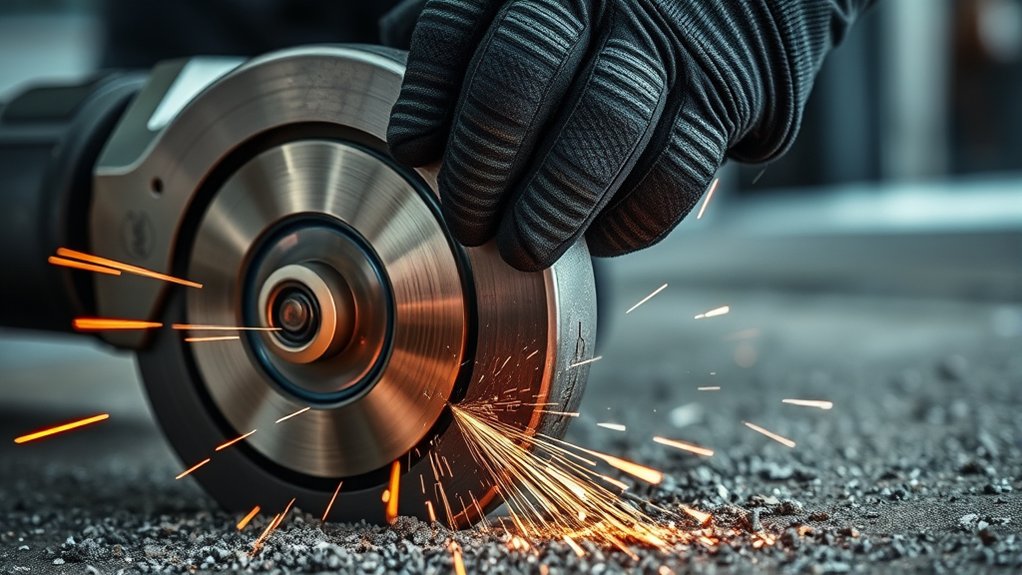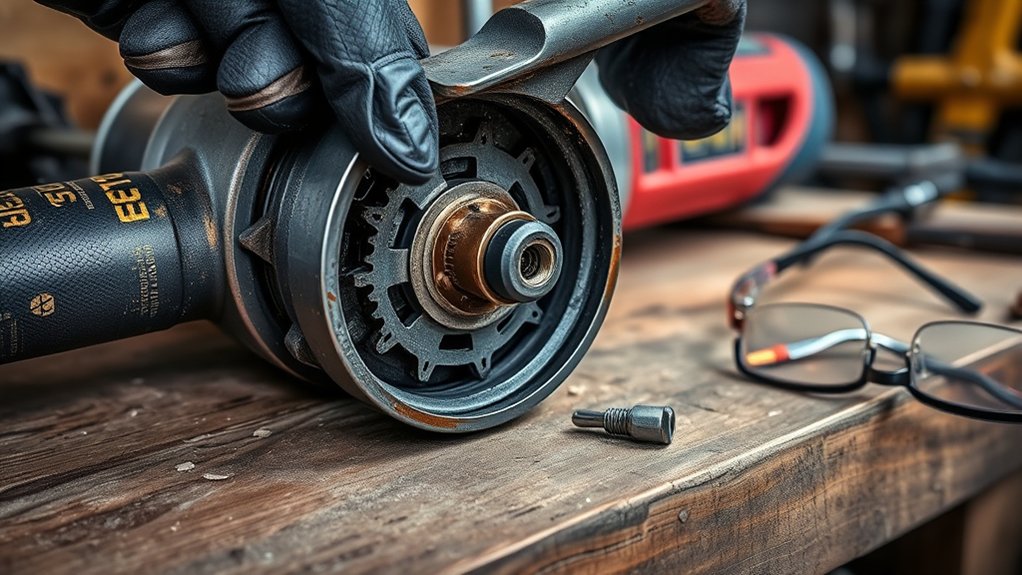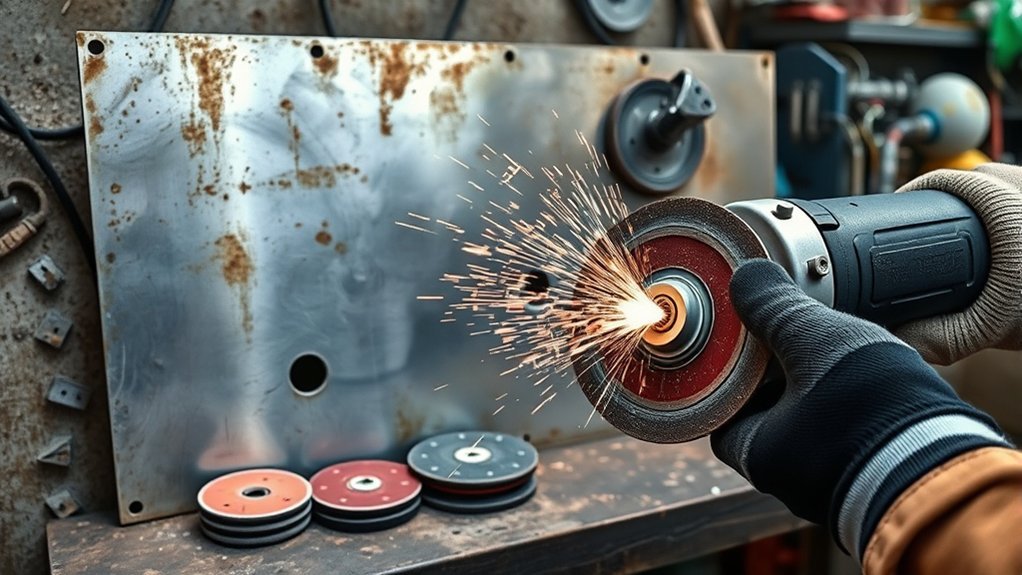
Swirl marks can spoil a surface that looked nearly finished, but the pattern usually reveals what went wrong. Excess pressure, a loaded abrasive, trapped debris, incorrect speed, skipped grits, or a damaged backing pad can all make an angle grinder cut unevenly. The right fix starts with identifying the mark before removing more material.
Quick Answer
An angle grinder leaves swirl marks when its abrasive does not contact the surface evenly. Common causes include excessive pressure, a dirty or loaded disc, skipped grit steps, incorrect speed, a steep working angle, or a damaged backing pad. Stop, inspect the setup, clean the surface, and refine the scratches with the correct grit.
Key Takeaways
- Identify whether you have broad swirls, short pigtail scratches, edge gouges, heat marks, or a repeating wobble pattern.
- Check the disc, backing pad, flanges, lock nut, spindle, guard, and accessory RPM rating before sanding again.
- Use light, controlled pressure and the contact angle specified for your grinder and abrasive.
- Remove the complete scratch pattern from one grit before moving to a finer grit.
- Clean the surface and abrasive between steps so coarse particles cannot create new scratches.
- Use a random-orbit sander or dedicated polisher when an angle grinder is too aggressive for the required finish.
At a Glance
| Time Required | About 15–60 minutes for a small area, depending on scratch depth and material |
| Difficulty | Beginner to intermediate |
| Tools Needed | Compatible grinder and sanding attachment, fresh abrasives, clamps, vacuum or dust extractor, clean cloths, inspection light, and required PPE |
| Cost | Usually limited to replacement abrasives and cleaning supplies if you already own a compatible tool, backing system, dust control, and PPE |
What’s in This Article
- Understanding Swirl Marks and What Causes Them
- Common Mistakes That Cause Swirl Marks
- Proper Techniques to Avoid Swirl Marks
- Essential Tools to Prevent Swirl Marks
- Dust Extraction and Surface Cleaning
- Choosing the Right Grit Progression
- How to Remove Swirl Marks Step by Step
- Troubleshooting Swirl Marks
- Safety Checks Before Using an Angle Grinder
- Final Sanding Techniques
- Frequently Asked Questions
- Conclusion
- Sources
Understanding Swirl Marks and What Causes Them
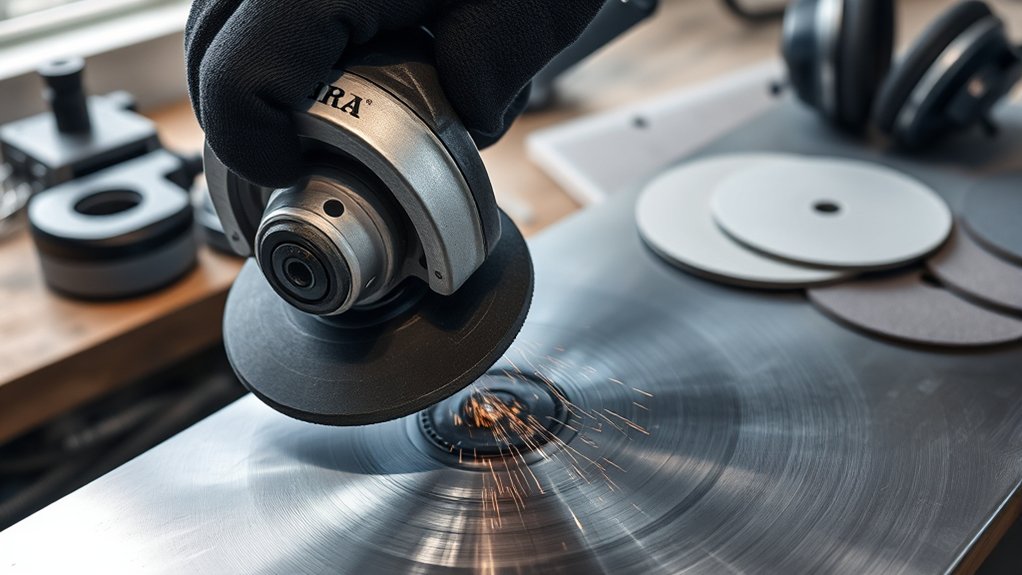
Swirl marks are curved scratches, hazy patches, or repeated circular patterns left after grinding, sanding, blending, or polishing. They appear when the abrasive cuts deeper in some places than others or carries a loose particle across the workpiece.
Not every circular defect has the same cause. Look closely at the shape before choosing a new abrasive.
| Visible Pattern | Likely Cause | First Check |
|---|---|---|
| Broad, even circular scratches | Abrasive is too coarse, movement is too slow, or passes do not overlap evenly | Grit, travel speed, pressure, and pass pattern |
| Short hooked or curly “pigtail” scratches | Trapped grit, abrasive loading, loose particles, or a contaminated pad | Clean the surface, disc, backing pad, and nearby work area |
| Deep crescent-shaped gouges | The disc edge dug in because the angle was too steep or the tool was lifted while contacting the surface | Working angle, wrist movement, and disc edge condition |
| A repeating mark at regular spacing | Off-center disc, warped backing pad, dirty flange, damaged spindle, or bearing play | Accessory mounting and no-load wobble |
| Dark, blue, smeared, or glossy patches | Excess heat, excessive pressure, a loaded abrasive, or staying in one spot | Surface temperature, disc condition, pressure, and dwell time |
Excessive pressure increases friction and heat. It can make an abrasive cut unevenly, smear some coatings, discolor metal, or dig a low spot into thin material. A loaded or worn abrasive can also stop cutting cleanly and begin rubbing the surface.
Dust and loose grit are especially troublesome. A single coarse particle trapped under a sanding disc can trace a visible hook or spiral as the disc rotates. Abrasive manufacturer 3M describes these swirl-like defects as “pigtails” and identifies loading, incorrect grit selection, dust, and inconsistent sanding technique as common contributors.
A finer abrasive cannot reliably hide a deep scratch. It must remove the complete scratch pattern left by the grit before it.
Common Mistakes That Cause Swirl Marks
Most swirl marks come from a combination of setup and technique. Check the hardware first. Changing your hand movement will not solve a warped pad or an off-center disc.
Using the Wrong Disc or a Damaged Backing Pad
A sanding disc needs the backing pad, lock nut, flange arrangement, and guard specified for the grinder and accessory. A pad that is too soft, too hard, warped, torn, or undersized can change how the abrasive contacts the surface.
Disconnect the grinder from power or remove its battery, then check that:
- The disc is centered and lies flat against the backing pad.
- The backing pad is not cracked, melted, deeply grooved, or warped.
- The flanges and mounting surfaces are clean and undamaged.
- The lock nut is the correct type and is tightened according to the manual.
- The spindle has no visible damage or side-to-side looseness.
- The accessory is approved for the grinder, task, material, diameter, and speed.
The Makita 9564CV/9565CV manual, for example, specifies a rubber pad for an abrasive disc, warns against forcing the tool, and instructs the user to watch for vibration or wobble before working.
Using an Incorrect or Unsafe Speed
There is no single correct RPM for every sanding or polishing job. Speed must suit the grinder, backing system, accessory, material, and finish. A fixed-speed grinder may run too fast for a polishing pad or fine finishing accessory even when that attachment physically fits the spindle.
Never exceed the maximum RPM printed on the disc, wheel, pad, or accessory. The accessory rating must meet or exceed the grinder’s no-load speed. Follow the tool and accessory manufacturers’ instructions rather than choosing a speed by guesswork.
High speed, excessive pressure, and slow travel can create heat quickly. Operating some variable-speed grinders continuously at their lowest setting can also overheat the motor, so use the permitted range and duty cycle stated in the manual.
Choosing the Wrong Abrasive
The wrong abrasive can cut too aggressively, load quickly, contaminate the surface, or leave a scratch that later grits cannot remove.
Match all of the following:
- Abrasive type: flap disc, fiber disc, coated abrasive disc, surface-conditioning disc, or polishing pad
- Backing system: the approved pad, nut, flange, and attachment method
- Substrate: carbon steel, stainless steel, aluminum, wood, paint, filler, or another coating
- Job: stock removal, weld blending, rust removal, scratch refinement, surface preparation, or polishing
- Required finish: coating-ready, brushed, satin, reflective, or polished
Aluminum oxide is commonly used for many ferrous-metal applications, but mineral type alone does not determine whether a disc is suitable. Check the full product label and manufacturer’s application list.
Note: Keep abrasives used on carbon steel separate from those used for stainless steel. Embedded carbon-steel particles can contaminate stainless surfaces and later show rust staining.
Using Uneven Pressure or a Steep Contact Angle
Uneven pressure makes the disc remove more material from one area than another. Forcing the tool also reduces control and may damage the abrasive.
Keep both hands on the grinder, hold your wrist steady, and guide the tool with light pressure. Use the working angle given for the exact disc and machine. OSHA guidance for right-angle grinding wheels describes a working angle of about 5–15 degrees, while the referenced Makita manual gives about 15 degrees for its grinding and sanding setup. Other attachments may require different contact.
Do not roll the grinder onto the disc edge or lift it while the spinning abrasive is still cutting the surface. Those movements can leave a deep crescent or gouge.
Sanding With Dust, Debris, or a Loaded Disc
A clogged abrasive may rub instead of cut. Heat rises, the scratch pattern becomes inconsistent, and loose particles can become trapped beneath the disc.
Stop when the abrasive face looks packed with dust, paint, resin, or soft metal. Clean it only by a method approved by its manufacturer, or replace it. Never keep pressing harder to make a loaded disc cut.
Proper Techniques to Avoid Swirl Marks
Start with a clean, securely clamped workpiece and an undamaged accessory. Make one short test pass in an inconspicuous area before sanding the full surface.
Use a Controlled Pass Pattern
Move at a steady rate and overlap each pass so the surface receives an even amount of sanding. Avoid stopping in one place while the disc remains in contact.
On flat material, work in an orderly direction rather than making random circles. When changing grit, alter the sanding direction slightly where the material and geometry allow. The new direction makes remaining scratches from the previous step easier to see.
Inspect Between Each Grit
Vacuum the workpiece and wipe it with a clean, material-compatible cloth. Inspect it under bright, low-angle light. Do not move to the next grit while isolated deep scratches remain.
A dry guide coat can help reveal scratches, high spots, and low spots on suitable bodywork and coating-preparation jobs. Follow the coating and abrasive manufacturers’ process because guide coats are not appropriate for every material or finish.
Replace Abrasives Before They Fail
Discard a disc that is torn, chipped, glazed, heavily loaded, unevenly worn, or no longer attached securely to its pad. A fresh disc costs less than repairing a gouged or contaminated surface.
| Technique | What to Do | Why It Helps |
|---|---|---|
| Consistent pressure | Guide the tool without forcing it into the surface | Reduces heat, gouging, and uneven material removal |
| Correct working angle | Follow the grinder and accessory instructions | Keeps the disc edge from digging into the workpiece |
| Steady movement | Use smooth, overlapping passes without dwelling | Creates a more uniform scratch pattern and limits heat |
| Clean grit changes | Vacuum and wipe the workpiece before fitting the next grit | Prevents coarse particles from scratching the finer finish |
| Frequent inspection | Check the surface under low-angle light after each stage | Finds defects before they are hidden by dust or coating |
Essential Tools to Prevent Swirl Marks
The correct setup depends on the material and finish, but most jobs benefit from the following equipment:
- Compatible sanding attachment: Use a disc, backing pad, flange, nut, and guard approved for the grinder.
- Fresh abrasives: Keep each grit clean, flat, and free from tears or heavy loading.
- Clamps or a vise: Secure the workpiece so it cannot shift or spin.
- Dust extraction: Use a compatible shroud, extraction attachment, or tool-integrated system when available.
- Clean cloths and a vacuum: Remove particles between every abrasive step.
- Inspection light: A bright light held at a shallow angle makes curved scratches easier to see.
- Guide coat where appropriate: Use it only as part of a compatible coating or bodywork process.
- PPE: Wear suitable eye or face protection, hearing protection, protective clothing, gloves appropriate for the task, and respiratory protection selected for the actual hazard.
A random-orbit sander often produces a more controlled scratch pattern on broad panels, wood, filler, primer, and other surfaces that need fine preparation. A dedicated variable-speed polisher is generally easier to control on delicate painted finishes than a high-speed angle grinder.
Products Worth Considering
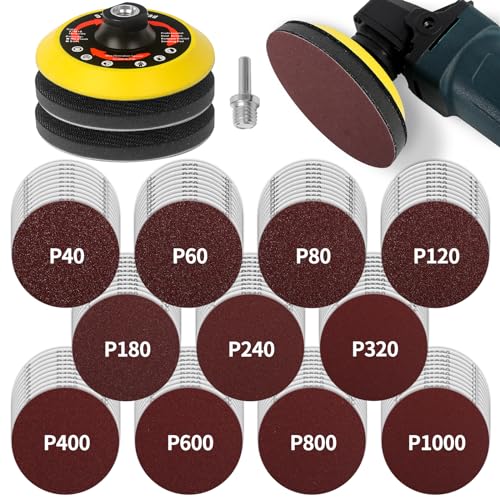
Turn Your Grinder into a Sander - The 5-inch heavy duty backing pad is used to hold sanding discs in an angle grinder. This assortment includes 110 sandpapers ranging from coarse to fine, catering to the needs of most customers. Includes 10 pieces each of 40/60/80/120/180/240/320/400/600/800/1000 grit.

High-Performance Sandpaper Material: Crafted from premium aluminum oxide abrasive, these sandpaper discs deliver superior abrasion resistance and a long service life. Designed for use as an angle grinder sander attachment, they provide an excellent surface finish on metal, wood, and rubber without easy clogging. A reliable sanding disc choice for both grinder and drill sander projects.

Updated Design - The reinforced PU backing pad is more durable than standard plastic versions. Its soft, flexible sponge pad reduces tool vibration, enhances abrasive cutting, and ensures tight edge polishing.
Dust Extraction and Surface Cleaning
A clean surface improves the finish and reduces exposure. Dust left on the workpiece can behave like loose abrasive grit, while material packed into the disc can increase friction and heat.
Use local exhaust ventilation or a compatible dust-extraction attachment whenever the tool and task allow it. NIOSH has found that tool-mounted extraction can reduce dust during grinding and sanding operations. Keep hoses, filters, and collection equipment in working condition.
Do not use compressed air to blow hazardous dust into the room. Vacuum the surface and nearby area instead. Follow material-specific rules when working on concrete, masonry, old coatings, lead-containing paint, stainless steel, treated wood, composites, or other substances that may create hazardous dust or fumes.
Warning: A basic nuisance dust mask is not suitable for every grinding or sanding hazard. Identify the material and coating, use engineering controls first, and select NIOSH-approved respiratory protection that is appropriate for the contaminant and exposure. Workplace respirator use may also require medical evaluation, fit testing, training, and a written program.
Choosing the Right Grit Progression
Good grit progression removes the scratches from the previous abrasive without removing more material than necessary. The correct starting and finishing grits depend on the substrate, defect depth, coating system, and required appearance.
Do not assume that one sequence works for every project. An 80-grit disc may be useful for some heavy weld-blending or filler-shaping work but can cause serious damage to clear coat, thin sheet metal, fine woodwork, or an existing decorative finish.
| Task | General Approach | Important Limit |
|---|---|---|
| Heavy rust, scale, or weld blending on carbon steel | Start only as coarse as needed, then refine through progressively finer compatible abrasives | Avoid thinning the base metal, undercutting welds, or overheating sheet metal |
| Bare steel before coating | Create the clean, uniform profile required by the primer or coating manufacturer | The coating technical data sheet controls the final profile and cleanliness |
| Stainless decorative finish | Use stainless-compatible abrasives and maintain a consistent grain direction | Avoid carbon-steel contamination and isolated cross-grain scratches |
| Aluminum | Use an abrasive listed for aluminum and replace it when loading begins | Loaded discs can smear material and generate heat |
| Wood, filler, primer, or broad coated panels | Use the abrasive sequence specified for the finish system, often with a random-orbit sander or sanding block | An angle grinder can remove material too quickly and create low spots |
| Automotive clear coat or high-gloss paint | Follow the paint and abrasive manufacturer’s fine-finishing and polishing process | Do not use a standard fixed-speed grinder as a substitute for a controlled paint-finishing system |
As a practical rule, move to the next grit only when the surface has one consistent scratch pattern and the previous, deeper scratches are gone. If the next abrasive seems unable to remove a mark, return to the prior grit rather than pressing harder.
Products Worth Considering
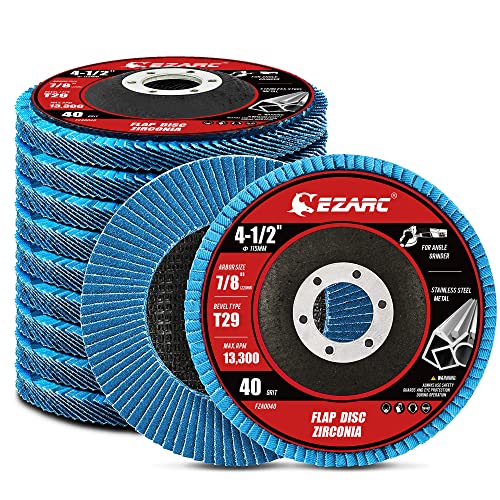
【Great Performance】EZARC flap sanding discs are made of hard zirconia material which lasts longer than standard aluminum oxide abrasive material, built for a more robust and economical grinding wheel

STRONGEST FIBER BACKING THAN OTHER PRODUCTS:4 1/2 grinding wheels made for TOP-LEVEL Hard zirconia.Good material for griding wheel. This Flap Disc is constructed of industrial grade high density premium zirconia material, increased durability than standard flap discs, built for a more robust and economical grinding wheel

Package Include 24 pcs grinding wheels 4 1/2 inch grit 40 60 80 120,6 of each
How to Remove Angle Grinder Swirl Marks Step by Step
1. Stop and Identify the Pattern
Do not keep grinding as soon as you notice a defect. Wipe a small area clean and inspect it under bright, low-angle light. Determine whether the marks are broad swirls, pigtails, edge gouges, heat discoloration, or a repeating wobble pattern.
2. Disconnect and Inspect the Tool
Unplug the grinder or remove its battery. Inspect the housing, cord or battery connection, switch, side handle, guard, spindle, flanges, lock nut, backing pad, and abrasive. Replace damaged parts rather than attempting to work around them.
3. Confirm Accessory Fit and RPM
Verify that the disc diameter, arbor, backing pad, flange arrangement, guard, and maximum RPM are compatible with the grinder. Do not use an accessory merely because it can be threaded or clamped onto the spindle.
4. Clean the Surface and Work Area
Vacuum the workpiece, backing pad, bench, and nearby area. Wipe the surface with a clean cloth suitable for the material. Replace a heavily loaded abrasive instead of trying to force it through the job.
5. Select the Correct Repair Grit
Choose the finest abrasive that can remove the deepest visible scratch in a reasonable number of passes. If the marks are deep, step back one grit level. Avoid returning to an extremely coarse abrasive unless the defect truly requires it.
6. Make a Controlled Test Pass
Secure the workpiece, fit the side handle, put on the required PPE, and make a short test pass. Use two hands, light pressure, the approved contact angle, and smooth overlapping movement. Do not dwell in one area.
7. Refine the Scratch Pattern
Clean and inspect the surface after the test pass. Once the repair grit has produced a uniform pattern, move through the remaining grits in the sequence required for the material and finish. Clean the surface before every grit change.
8. Finish With the Right Tool
Stop using the angle grinder when it has completed the controlled stock-removal or blending stage. Use hand sanding, a sanding block, a random-orbit sander, a surface-conditioning system, or a dedicated polisher for the final finish when those tools provide better control.
Pro Tip: Before changing grit, draw a few light pencil lines or apply an approved guide coat where suitable. Continue sanding until the marks disappear evenly. This makes missed scratches and low areas easier to find.
Troubleshooting Swirl Marks: Quick Fixes
| Problem | Likely Cause | Correction |
|---|---|---|
| New swirl marks appear immediately | Dirty surface, contaminated pad, or loaded abrasive | Stop, vacuum everything, wipe the surface, and fit a clean abrasive |
| One deep mark repeats across the surface | Raised particle, torn disc, off-center mounting, or damaged pad | Inspect the entire mounting system and check for no-load wobble |
| Fine grit does not remove the marks | The previous scratch pattern was too deep or the grit jump was too large | Return to the previous suitable grit, remove the scratches fully, and advance again |
| Surface becomes hot, blue, smeared, or glossy | Too much pressure, excessive dwell, unsuitable speed, or disc loading | Stop and let the work cool; correct the setup before continuing |
| Finish looks patchy under bright light | Uneven pressure, inconsistent overlap, or incomplete scratch removal | Use a controlled pass pattern and inspect after each stage |
| Grinder vibrates with a new disc | Incorrect mounting, defective disc, warped pad, damaged flange, spindle issue, or bearing wear | Stop using the grinder until the cause is found and corrected |
Hand sanding can help remove small remaining marks near the final stage, especially around edges and narrow areas where a grinder is difficult to control. Use a firm sanding block on flat surfaces when you need to avoid creating low spots.
Safety Checks Before Using Your Angle Grinder
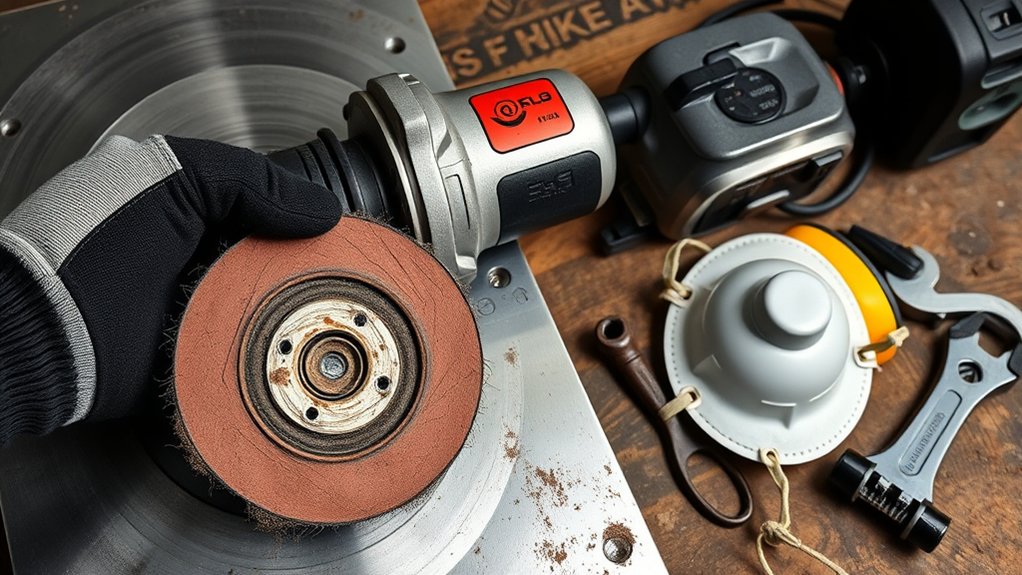
Complete a safety check before every grinding, sanding, or polishing job. The OSHA guidance for portable power tools and your grinder manual should control how the tool is assembled and operated.
- Disconnect power before setup: Unplug the cord or remove the battery before inspecting, cleaning, or changing an accessory.
- Inspect the grinder: Check the housing, switch, power cord, plug, battery mount, vents, spindle, and side handle.
- Inspect the accessory: Do not use a cracked, chipped, torn, warped, wet, contaminated, or heavily worn disc or wheel.
- Confirm the speed rating: The accessory’s maximum RPM must meet or exceed the grinder’s no-load speed.
- Check the mounting system: Use the correct backing pad, flanges, lock nut, and attachment method.
- Fit and position the guard: Use the guard required for the accessory and place it between you and the hazard as directed by the manual.
- Install the side handle: Hold the grinder with both hands and maintain secure footing.
- Secure the workpiece: Clamp it so it cannot move, turn, or fall during operation.
- Clear the work area: Remove combustible material and direct sparks away from people, hoses, cords, vehicles, cylinders, and flammable surfaces.
- Wear appropriate PPE: Use eye or face protection, hearing protection, suitable protective clothing, task-appropriate gloves, and hazard-specific respiratory protection.
- Test for abnormal operation: Start the grinder clear of the workpiece and stand out of the accessory’s plane while it reaches speed. Stop if you notice unusual vibration, wobble, noise, or movement.
- Wait for complete spin-down: Keep control of the tool until the accessory stops, then place it on a stable surface.
Warning: Never use a cutting disc for side grinding, remove a required guard, fit a saw blade, exceed an accessory’s RPM rating, or use an accessory that the grinder manufacturer does not approve. Stop using a grinder that vibrates, has spindle play, or has damaged controls.
Final Sanding Techniques for a Smooth Finish
Final sanding should remove the remaining visible scratches without changing the shape of the workpiece. Start with the finest grit that can still remove the defects you see.
Use slow, straight, overlapping passes and even pressure. Clean the surface between grit changes, then inspect it from several directions under bright light. Do not apply paint, stain, clear coat, polish, or another finish until the scratch pattern meets that product manufacturer’s preparation requirements.
Edges, corners, curved panels, and thin sheet metal need extra care because they lose material and gain heat quickly. Finish these areas by hand or with a smaller, more controllable tool when needed.
Pro Tip: Turn off overhead glare and move a bright inspection light across the surface at a shallow angle. Swirls that disappear from one viewing direction often become obvious from another.
Note: A perfectly smooth-looking surface is not always the correct surface for coating. Some primers, paints, adhesives, and finishes require a defined scratch profile. Follow the product’s technical data sheet rather than polishing every surface to a mirror finish.
Frequently Asked Questions
How do I get rid of angle grinder swirl marks?
Clean the surface, inspect the abrasive and backing system, and identify the deepest scratch. Return to the finest grit capable of removing that scratch, use light controlled passes, and advance through the remaining grits only after the surface has a uniform pattern.
How can I buff without leaving swirl marks?
Use a clean pad and the compound, pad type, tool speed, pressure, and pass pattern specified by the finishing-system manufacturer. Keep the surface and pad free from dried compound and debris. For delicate paint, use a dedicated polisher rather than an uncontrolled high-speed grinder.
What causes swirl marks from sanding?
Common causes include excessive pressure, skipped grit steps, a dirty surface, a loaded abrasive, poor pass overlap, a steep disc angle, and a damaged or off-center backing system. Short hooked pigtail marks often point to trapped debris or abrasive loading.
What causes swirl marks when buffing?
Buffing swirls commonly result from a dirty or unsuitable pad, dried compound, excessive speed, excessive pressure, working too large an area, or failing to refine sanding scratches before polishing. Use a clean finishing system and inspect the surface after each stage.
Can an angle grinder polish a surface without swirl marks?
It can when the grinder has a suitable speed range and the manufacturer approves the backing pad, polishing accessory, guard arrangement, and application. A dedicated variable-speed polisher usually provides better control on delicate paint, clear coat, and other high-gloss finishes.
Why does a new sanding disc still leave repeating marks?
The disc may be mounted off center, or the backing pad, flange, lock nut, spindle, or bearing may be damaged. Dirt trapped behind the disc can also tilt it. Stop the grinder and correct any wobble before returning to the workpiece.
Should I wet-sand with an angle grinder?
Do not add water or liquid unless the complete tool and accessory system is expressly designed and approved for wet operation. Improvised wet use can create electrical, control, and accessory hazards. Use a purpose-built wet-sanding or polishing system when the finishing process requires liquid.
Safety Disclaimer: This article provides general information and cannot replace the instructions for your grinder, abrasive, coating, or workplace. Angle grinders can cause serious injury, fire, dust exposure, and surface damage when used incorrectly. Follow the applicable manuals, labels, safety data sheets, and workplace requirements.
Conclusion
A smooth finish starts with diagnosis and control rather than force. Identify the pattern, check the disc and backing system, confirm speed compatibility, and clean the workpiece before sanding again.
Use the least aggressive abrasive that can remove the defect, complete each grit step, and inspect the surface under good light. Stop using the angle grinder when a random-orbit sander, sanding block, surface-conditioning tool, or dedicated polisher will provide better control.
Careful setup, light pressure, clean abrasives, steady movement, and a complete safety check will prevent most swirl marks and reduce unnecessary rework.
Sources
- OSHA — Safe Use of Portable and Hand-Held Power Tools — grinder guards, operating angle, wheel inspection, accessory speed, and safe tool handling
- OSHA-supported Angle Grinder Safety guidance — accessory RPM, guards, two-hand operation, sparks, PPE, and disc inspection
- Makita 9564CV/9565CV Instruction Manual — abrasive-disc mounting, backing pad, speed control, pressure, working angle, and pre-use inspection
- NIOSH — Control of Dusts From Sanding in Auto Body Repair Shops — local exhaust ventilation and sanding-dust reduction
- 3M — Abrasive Productivity and Sanding Defects — pigtail scratches, loading, grit selection, dust, guide coat, and scratch refinement
- Norton Abrasives — Sanding 101 — abrasive selection, grit progression, and scratch refinement