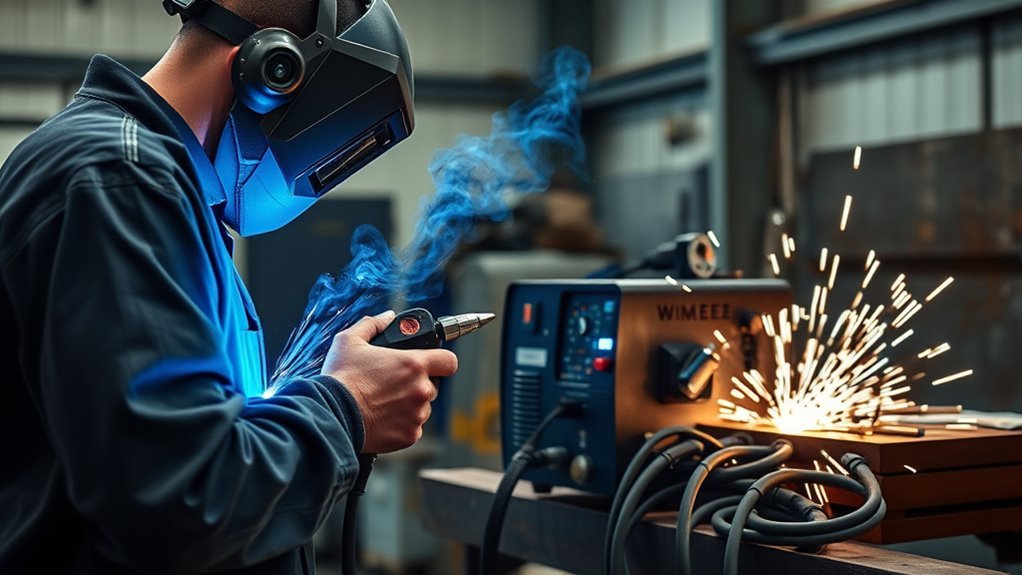
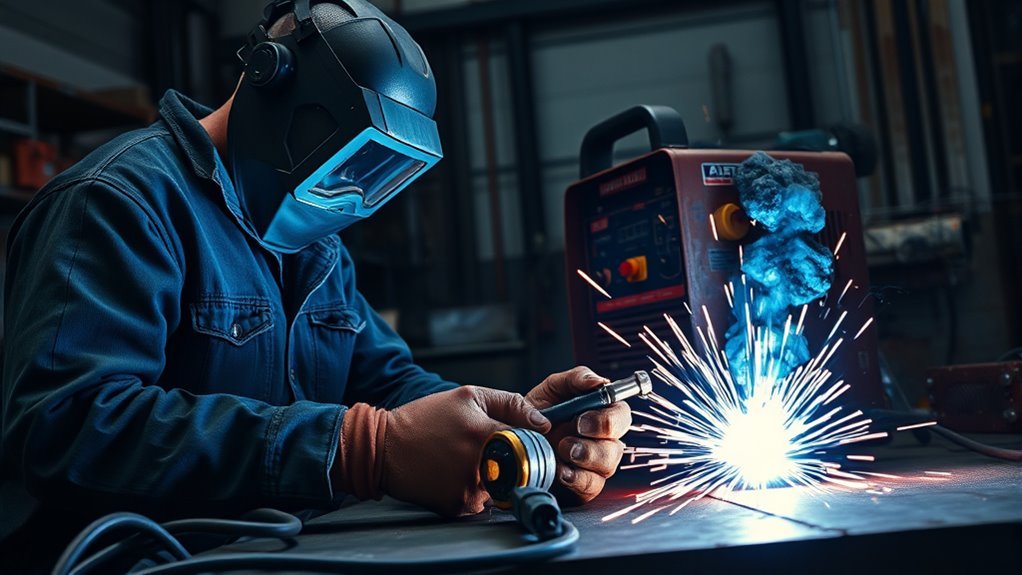
Inspect your auto-darkening welding helmet before every welding session, then clean the ADF area, cover lenses, shell, sensors, headgear, and any respiratory parts on a regular schedule. Good helmet maintenance keeps your view clear, helps the lens react correctly, and reduces the chance of eye, face, and fume exposure while you work.
Quick Answer
To maintain an auto-darkening welding helmet, inspect the shell and lens before use, clean the ADF and cover lenses with compressed air and a damp microfiber cloth, test the darkening response, replace damaged covers or weak batteries, and store the helmet dry and protected.
Key Takeaways
- Do a quick shell, lens, sensor, headgear, and ADF test before every weld.
- Clean lenses gently. Never scrape, sand, or polish safety optics unless your helmet manual specifically allows it.
- Use the battery type and replacement method listed in your manual, because ADF battery designs vary by model.
- Set shade, sensitivity, and delay for the welding process and amperage, and never go below the required protective shade.
- Replace cracked shells, pitted cover lenses, worn headgear, damaged seals, and slow or unreliable ADF modules before welding again.
At a Glance
| Time Required | 2–5 minutes before use; 10–15 minutes for deeper cleaning |
| Difficulty | Easy, but safety-critical |
| Tools Needed | Microfiber cloth, compressed air, mild soap, clean water, replacement cover lenses, manual-specified batteries |
| Cost | Usually low for cloths, batteries, and cover lenses; higher if the ADF cartridge or headgear must be replaced |
Warning: Do not weld with a cracked helmet shell, missing cover lens, delayed auto-darkening response, dead battery, damaged seal, or shade setting below the required level. OSHA requires eye and face protection suited to the hazard and filter lenses with shade numbers appropriate for the work being performed.
Inspect Your Welding Helmet Before Use
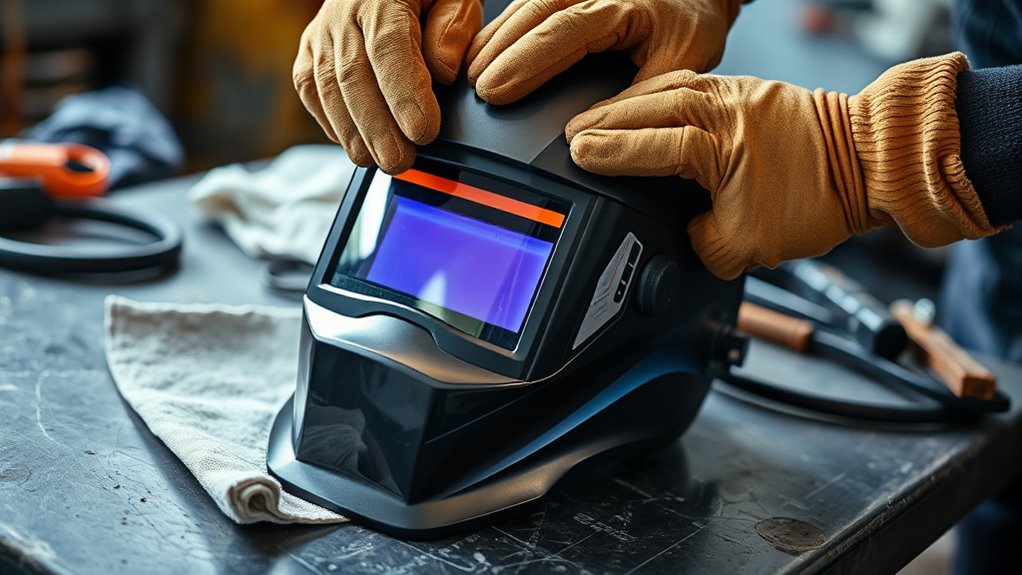
Before you start welding, inspect your helmet for cracks, dents, loose parts, and lens damage. This basic helmet care step helps confirm that the shell, filter, and headgear can still protect you from sparks, spatter, impact, and welding radiation.
Check the shell closely for impact damage, warped edges, heat distortion, or stress marks. Then examine the auto-darkening filter and both cover lenses for scratches, haze, pits, cracks, or spatter buildup that blocks your view.
Check the shell, cover lenses, ADF window, sensors, and headgear before every welding session. Small damage can become a serious safety problem once you strike an arc.
Secure the headgear and adjust it so the helmet sits snugly without slipping or pinching. A stable fit keeps the lens aligned with your eyes and helps the helmet stay in place when you nod it down or move around the workpiece.
Look at the arc sensors on the front of the helmet. Dust, tape, labels, grinding debris, or spatter can block the sensors and delay darkening. Wipe the sensor area gently if anything is covering it.
Finally, use the test button or test mode if your model has one. The ADF should darken quickly when exposed to the test light or a safe bright-light check, then return to the light state as expected. If the response is slow, uneven, flickering, or unreliable, stop and fix the problem before welding.
Clean the ADF Lens Properly
Keep the ADF lens and viewing area free of dust, smudges, smoke film, and spatter so you can see the puddle clearly while welding. Poor visibility can lead to bad weld placement, extra grinding, and unsafe body positioning.
Before you wipe the lens, use low-pressure compressed air to remove loose grit and particles. Hold the air source upright so moisture does not spray onto the lens. This first step lowers the risk of dragging abrasive dust across the viewing surface.
Then wipe the lens area with a clean, lightly dampened microfiber cloth. Use mild soap and clean water only when needed, and use gentle straight or circular strokes. Do not spray cleaner directly into the helmet, flood the edge seals, or let liquid run into the ADF cartridge.
Avoid solvents, harsh chemicals, abrasive pads, paper towels, and rough shop rags. They can scratch the cover lens, damage coatings, or leave residue that makes the viewing area hazy.
After cleaning, let the surface air-dry fully before you store the helmet or install it in a case. If residue stays on the lens, repeat the wipe with a fresh section of cloth instead of pressing harder.
Pro Tip: Keep one clean microfiber cloth sealed in your helmet bag. A cloth that has been sitting on a welding bench can carry metal grit that scratches the cover lens.
Keep Cover Lenses Clear
The cover lenses protect the ADF from sparks, spatter, dust, and scratches, so inspect them often. Check the outer cover lens first because it takes the most abuse. Replace it if it is cracked, deeply scratched, melted, pitted, warped, or cloudy enough to distort your view.
For routine cleaning, blow off loose debris, then wipe the outer lens with a microfiber cloth and mild soap solution if needed. Do not use a knife, wire brush, abrasive pad, or grinding disc to remove spatter. If spatter is stuck hard enough that cleaning requires force, replace the cover lens.
Check the inner cover lens too. Sweat, dust, and shop grime can collect on the inside and make the view look foggy. Clean it gently with a soft cloth, then reinstall it so it sits flat and fully covers the ADF window.
Never weld without the correct inner and outer cover lenses installed. The cover lenses are sacrificial parts, and replacing them early is much cheaper than ruining the ADF cartridge.
Check Batteries and Solar Charging
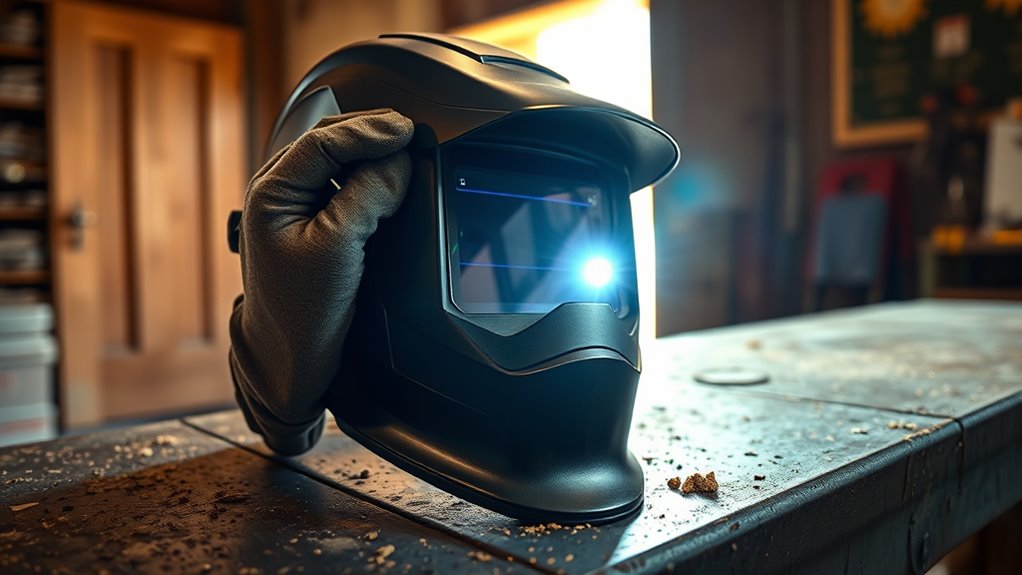
Check the batteries in your auto-darkening helmet before welding, especially if the helmet has been stored for a long time. Use only the battery type listed in your owner’s manual. Many helmets use replaceable coin cells such as CR2450 or CR2032, while others use different cells or sealed power systems.
If your helmet uses solar assist, keep the solar panel clean and expose it to normal shop light or daylight between jobs. Do not rely on solar assist to recover a dead or weak replaceable battery. If the low-battery light is on, the lens flickers, or the ADF does not test correctly, replace the battery before welding.
Inspect the battery door, contacts, and gasket area. Corrosion, dust, loose contacts, and damaged covers can cause intermittent power. If you see corrosion or leakage, follow the manufacturer’s cleaning and disposal instructions.
Battery Installation Check
Start by confirming that the correct battery is installed in the correct direction. The positive and negative marks should match the diagram in your manual or battery compartment.
Seat the battery firmly so it does not shift when you move the helmet. Then close the battery door fully. A loose door can break power during welding and cause the lens to act unpredictably.
Test the helmet after installing batteries. If the lens still does not darken, remove the battery, inspect the contacts, and try a fresh battery of the same specified type. If the helmet still fails, remove it from service until the ADF can be repaired or replaced.
Solar Assist Exposure
A solar-assisted helmet still needs light exposure to stay ready. Store it so the panel is not buried face-down under gloves, jackets, or other tools.
| Check | Action |
| Storage light | Keep the solar panel exposed to normal room light or daylight when practical. |
| Panel surface | Wipe dust from the panel without scratching it. |
| Battery backup | Replace weak manual-specified batteries promptly. |
| ADF response | Test the lens before welding after storage or battery replacement. |
Backup Power Monitoring
Keep an eye on the ADF’s backup power so the helmet does not fail mid-job. If the lens hesitates, flickers, stays light, stays dark, or shows a low-battery indicator, stop and replace the battery or service the helmet.
Do not strike an arc to “see if it works” when you already suspect a power problem. Use the test mode, manual test method, or manufacturer-approved check first.
Test the Auto-Darkening Function
Before each use, put your auto-darkening helmet in test mode if the model includes that feature. Watch the lens shift from light to dark, then return to the light state. The change should be quick, even, and repeatable.
If your helmet does not have a test button, follow the manual’s recommended test method. Some helmets can be checked with bright sunlight or a compatible remote-control signal, while others require a different method.
A helmet that fails the ADF test should be removed from service until the battery, sensors, settings, cover lenses, or ADF cartridge are corrected.
Repeat this check after storage, battery changes, hard impacts, heavy grinding, or any time the lens response feels different. A reliable ADF protects your eyes and helps you weld with a steady view of the joint.
Set Shade and Sensitivity Correctly
Set your helmet’s shade for the welding process, amperage, and work conditions. Many auto-darkening helmets use a shade range around DIN 9 to DIN 13 for welding, but the correct level depends on the job. OSHA’s eye and face protection standard requires filter lenses with shade numbers appropriate for the work being performed.
As a safe rule, start darker than you think you need, then lighten one step at a time only until you can see the weld zone clearly without going below the required minimum shade. Check your welding procedure specification, helmet manual, and applicable shop safety rules.
Adjust sensitivity so the lens reacts reliably to the arc without false-triggering from sunlight, nearby welders, or bright shop lights. Then set delay so the lens stays dark long enough for the puddle and afterglow to fade.
Choose Proper Shade Level
Choose the right shade level based on process and amperage. Use this table as a general starting point, then confirm the required setting with your manual, WPS, and applicable safety standard.
| Condition | Typical Starting Point |
| Low-current TIG or light arc work | Use the lowest safe shade that still meets the required protection level. |
| Common MIG, TIG, or stick welding | Often in the DIN 10–12 range, depending on amperage and visibility. |
| Bright arc or higher amperage | Use a darker shade, often DIN 12–13 or the value specified by the job. |
| Processes requiring shade 14 | Use a helmet and filter rated for that shade; do not force a lower-range ADF to do the job. |
Adjust Sensitivity for Arc
Once you’ve picked the right shade, fine-tune the sensitivity control. Turn sensitivity up for low-current TIG or small arcs that may be harder for the sensors to detect. Turn it down if nearby welders, sunlight, or overhead lights trigger the lens when you are not welding.
You want the lens to darken as soon as the arc starts but stay stable during fit-up, grinding mode, and non-welding tasks. If the helmet has a grind mode, turn it off before welding again.
Test Response Before Welding
Before you strike an arc, test the helmet’s auto-darkening filter after adjusting shade, sensitivity, or delay.
- Activate test mode or follow the manual’s test method.
- Confirm the ADF darkens quickly and evenly.
- Confirm it returns to the light state normally.
- Check that ambient light does not cause false darkening.
- Recheck after changing batteries, lenses, or settings.
Remove Spatter, Dust, and Scratches
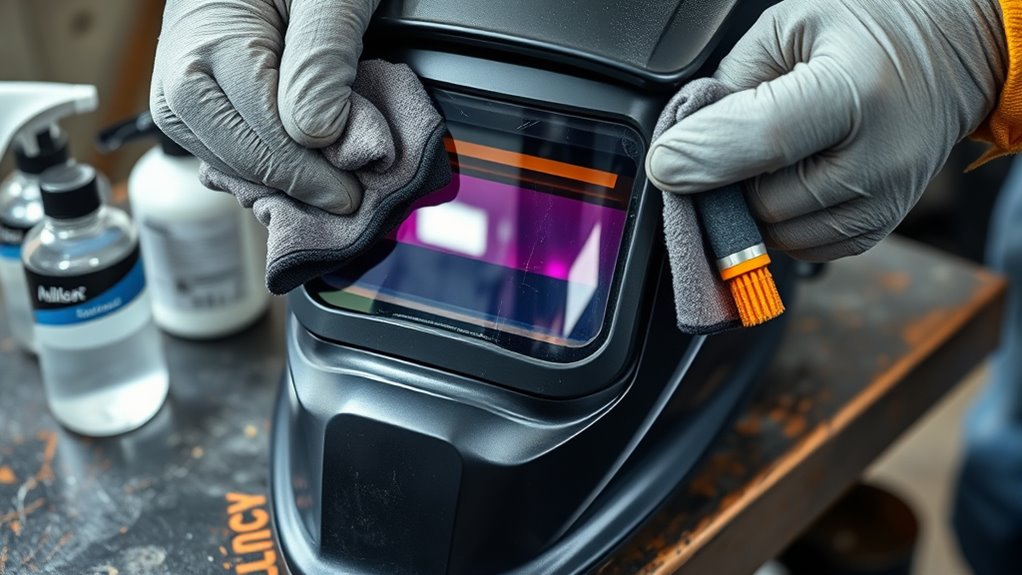
To remove dust from the outer cover lens, blow it off first, then wipe gently with a microfiber cloth. For light smoke film or grime, use mild soap and clean water. Let the moisture soften the residue briefly, then wipe without heavy pressure.
Do not scrape spatter from the lens with metal tools. Do not sand, buff, or compound the lens. If spatter pits, deep scratches, burns, or haze stay after gentle cleaning, replace the cover lens.
| Issue | Safe Action | When to Replace |
| Dust | Blow off, then wipe with microfiber. | Replace if the lens stays cloudy. |
| Light grime | Use mild soap and clean water. | Replace if visibility is distorted. |
| Spatter pits | Do not scrape aggressively. | Replace once pits affect the view. |
| Deep scratches | Do not polish safety optics. | Replace the cover lens immediately. |
Regular cover-lens replacement keeps the ADF protected and prevents small visibility problems from turning into bad weld placement or eye strain.
Store Your Welding Helmet Safely
Store your welding helmet in a protective bag or case when you’re not using it. A case helps prevent scratches, impact damage, dust buildup, and accidental pressure on the lens or controls.
Keep the helmet in a dry, temperature-stable area away from direct sunlight, heavy objects, solvents, and damp floors. Moisture can damage electronics, padding, headgear hardware, and respiratory seals.
Safe, Dry Storage
Use a clean shelf, cabinet, or dedicated hook where the helmet cannot fall or be crushed. Store it upright or in the position recommended by the manufacturer.
- Let the helmet dry before storing it.
- Keep grinding dust and metal chips away from the lens area.
- Do not place heavy tools on top of the helmet.
- Keep spare cover lenses and batteries in a clean pouch.
If your helmet has solar assist, store it where normal light can reach the panel when practical, but do not bake the helmet in direct high heat.
Protective Storage Bag
A protective storage bag helps shield the helmet from scratches, dust, and impact during storage or transport. Choose a bag with enough padding to protect the viewing area and controls.
A water-resistant outer shell adds another layer of defense against moisture and grit. Pockets are useful for spare lenses, sweatbands, batteries, and the owner’s manual.
Inspect the bag too. Torn seams, broken zippers, and worn padding can let dust and impact reach the helmet. Replace the bag when it no longer protects the gear.
Replace Worn Helmet Parts
Inspect your welding helmet regularly and replace worn parts before they affect safety or visibility. A scratched cover lens, loose headgear, weak battery, or unreliable ADF can all make welding less safe.
Follow the manufacturer’s replacement guidance for your exact model. Use compatible parts, because cover lenses, ADF cartridges, sweatbands, gaskets, and headgear mounts are not universal.
| Part | Check For | Replace When |
| Outer cover lens | Spatter, pits, cracks, haze | Visibility is reduced or the lens is damaged. |
| Inner cover lens | Sweat film, scratches, dust | The view stays cloudy after gentle cleaning. |
| ADF cartridge | Slow response, uneven darkening, flicker | Testing fails after battery, sensor, and setting checks. |
| Headgear | Cracks, stripped knobs, loose ratchet | The helmet will not stay adjusted. |
| Sweatband and padding | Odor, wear, loss of cushion | Comfort or fit suffers. |
| Batteries | Low-battery light, flicker, weak response | The manual schedule says so or testing shows weak power. |
Products Worth Considering

HIGH-QUALITY ALUMINUM MATERIAL-Brand New 1 pair of the welding equipment helmet replacement fasteners, are made of high quality 6061-t6 aluminum. Light weight, corrosion resistance, can be used for a long time. Reduce noise. It perfectly replaces plastic screw fasteners.Strong toughness, Durable and long-lasting to use
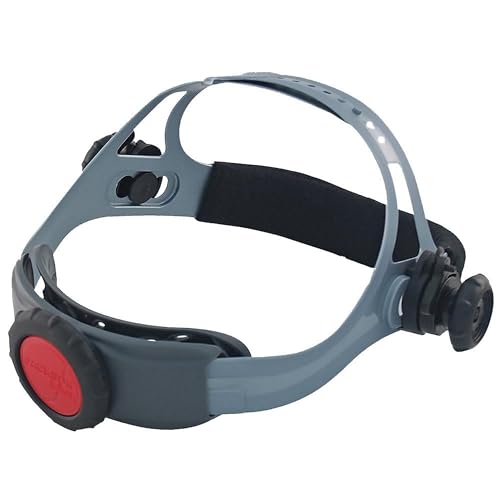
REPLACEMENT WELDING HELMET HEADGEAR - Jackson Safety's Premium 370 Speed Dial Replacement Headgear offers a perfect fit and secure hold for your welding hood

LARGE VIEW WINDOW: This welding lens has large view window, which provides clear and larger viewing perspective, and reduce fatigue of eyes.
Troubleshoot Common Auto-Darkening Problems
If your helmet does not behave normally, stop welding and troubleshoot before continuing. Most problems come from dirty sensors, weak batteries, wrong settings, blocked light, damaged cover lenses, or a failing ADF cartridge.
| Problem | Likely Cause | Fix |
| Lens does not darken | Dead battery, blocked sensors, failed ADF, wrong mode | Check mode, clean sensors, replace batteries, test again, then service or replace ADF if it fails. |
| Lens darkens too slowly | Low sensitivity, weak battery, dirty sensors | Raise sensitivity, clean sensors, replace batteries, and retest before welding. |
| False darkening | Sunlight, nearby arcs, high sensitivity | Lower sensitivity slightly, change position, or shield the helmet from stray arc light. |
| Cloudy view | Dirty or damaged cover lens | Clean gently. Replace the cover lens if haze, scratches, or pits remain. |
| Helmet slips | Loose, worn, or cracked headgear | Adjust the headgear. Replace worn ratchets, knobs, straps, or padding. |
Products Worth Considering
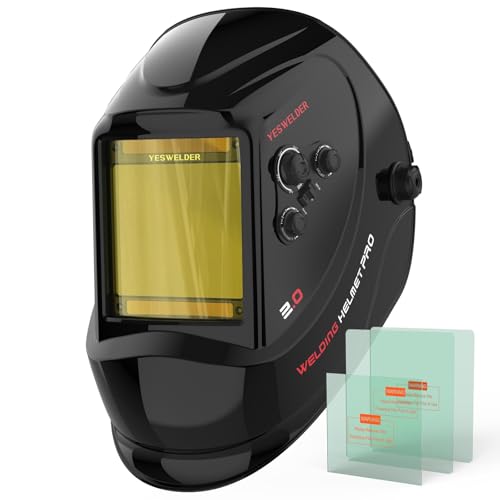
LARGE VIEW WITH TRUE COLOR CLARITY: See more of the weld puddle, joint edges, and work position through a wide 3.93" x 3.66" viewing area. The 1/1/1/1 true-color optical clarity provides a clearer, more natural view than traditional green-tinted lenses, helping support better visibility for detailed welding, fabrication, and garage projects.

Advanced Eye Protection with Blue Light Blocking Technology: This welding helmet features cutting-edge Blue Light Blocking outer lens, shielding your eyes from harmful blue light during welding, protects your eyes by filtering out most of harmful high energy blue light rays while letting through the less harmful portion of the blue light spectrum. This ensures long-lasting eye comfort and safety, making it ideal for extended welding sessions

AUTO DARKENING FILTER - This welding helmet comes with high-end auto-darkening lens and 4 premium arc sensors which let you adapt to different working environments by adjusting the lens's shade and sensitivity while you are operating ARC/MIG/TIG Welding. DIN4 on light state, DIN5-9/9-13 on dark state.
Care for Respiratory Protection Gear
If your welding helmet includes respiratory protection, such as a powered air-purifying respirator, check the filters, hose, face seal, battery, blower, and airflow before each use. OSHA notes that welding can produce harmful metal fumes and gases, and ventilation and fume control are key ways to reduce exposure.
Inspect each filter for tears, warping, dust loading, moisture damage, or loose seals. Do not blow respirator filters out with compressed air unless the manufacturer specifically allows it. Compressed air can damage filter media and push contaminants deeper into the filter.
Clean the helmet shell, hose, face seal, and blower housing only with the method listed by the manufacturer. Let every part dry fully before storage. Track wear on straps, gaskets, connectors, and seals, and replace parts at the first sign of fatigue.
Note: A respirator is not a substitute for good fume control. If work practices and ventilation do not keep exposures at safe levels, respiratory protection may be required under OSHA’s respiratory protection rules.
Never weld in a confined or enclosed space without proper training, ventilation, atmospheric testing, and the required safety controls. If you are unsure which filter, cartridge, or respirator setup is suitable, ask a qualified safety professional before starting the job.
Maintenance Schedule for Auto-Darkening Helmets
Use a fixed schedule so helmet care does not depend on memory. Heavy shop use, overhead welding, flux-core work, and grinding near the helmet may require more frequent cleaning and lens replacement.
| Frequency | What to Do |
| Before each use | Inspect shell, lenses, sensors, headgear, shade setting, battery status, and ADF response. |
| After dirty jobs | Blow off dust, wipe lenses gently, and remove spatter from the shell without scraping lenses. |
| Weekly shop use | Check headgear screws, sweatband, battery compartment, solar panel, and storage bag. |
| Monthly or heavy use | Replace worn cover lenses, inspect seals, and test all shade, sensitivity, delay, and grind-mode controls. |
| After impact or failure | Remove from service until the shell, ADF, headgear, and lens system pass inspection and testing. |
Frequently Asked Questions
Do auto-darkening welding helmets wear out?
Yes. The shell, headgear, cover lenses, batteries, sensors, seals, and ADF cartridge can wear out from heat, UV exposure, impact, dust, spatter, and age. Replace damaged parts promptly and remove the helmet from service if the ADF response becomes unreliable.
Why do welders lose their eyesight?
Welders can injure their eyes from unprotected exposure to ultraviolet radiation, infrared radiation, intense visible light, sparks, slag chips, and grinding debris. Use a properly rated helmet, the correct shade, safety glasses with side protection when needed, and a lens system that passes the ADF test.
How do you clean an auto-darkening welding lens?
Blow off loose dust first, then wipe the cover lens with a clean microfiber cloth. Use mild soap and clean water for deeper cleaning. Do not spray cleaner into the ADF, flood the edges, use solvents, or scrub with abrasive pads.
Why is my auto-darkening welding helmet not darkening fast enough?
Common causes include low sensitivity, weak batteries, dirty or blocked sensors, a damaged cover lens, wrong mode, or a failing ADF cartridge. Clean the sensors, check the settings, replace weak batteries, and test again. Do not weld if the lens still responds slowly.
Can I weld if the outer cover lens is scratched?
Do not weld with a cover lens that distorts your view, has deep scratches, is cracked, or has heavy spatter pits. Minor cosmetic marks may not matter, but any damage that affects visibility or protection means the cover lens should be replaced.
Should I wear safety glasses under a welding helmet?
Often, yes. When flying particles, slag, grinding fragments, or bristles are possible, side protection may be needed under the helmet. Use safety glasses with side shields or goggles that match the hazards in your work area.
Conclusion
By caring for your auto-darkening welding helmet, you keep your view clear and your protection reliable. Inspect it before each use, clean the ADF area and cover lenses gently, test the darkening response, use the right shade setting, and replace damaged parts early. Store the helmet dry and protected, and maintain any respiratory gear according to the manufacturer’s instructions. A well-maintained helmet lasts longer, works more consistently, and helps protect your eyes, face, and lungs during welding.
Sources
- OSHA 29 CFR 1910.133 — Eye and Face Protection — supports shade selection, eye/face PPE requirements, and ANSI Z87.1 compliance context.
- OSHA FactSheet: Eye Protection against Radiant Energy during Welding and Cutting — supports welding shade guidance and side-protection notes.
- OSHA FactSheet: Controlling Hazardous Fume and Gases during Welding — supports ventilation, fume exposure, and respiratory protection guidance.
- NIOSH: Criteria for a Recommended Standard, Welding, Brazing, and Thermal Cutting — supports respiratory health-risk context for welding emissions.
- OSHA 29 CFR 1910.134 — Respiratory Protection — supports respirator program and maintenance context when respiratory protection is required.