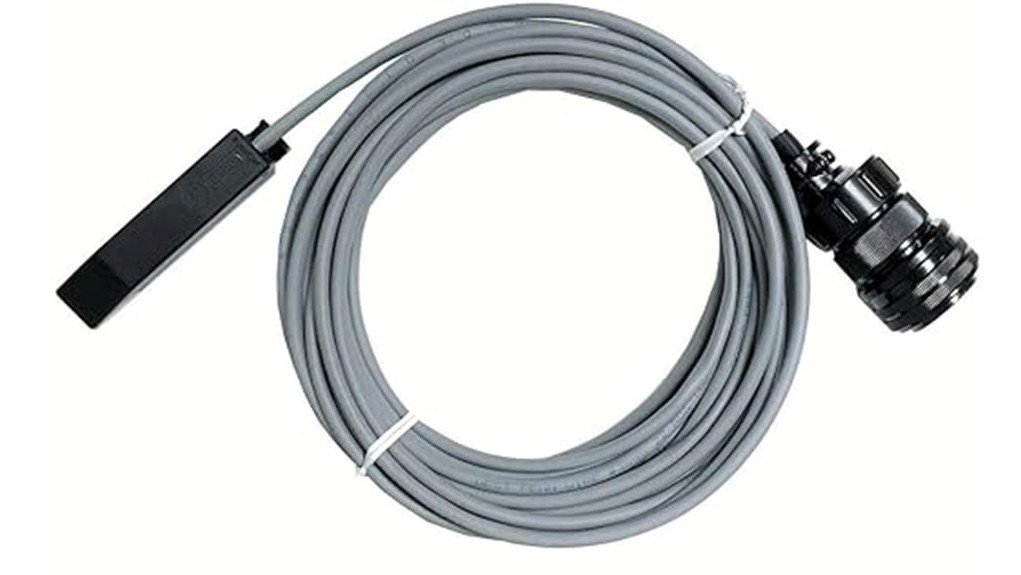
The SSC Touch 4 is a TIG fingertip hand control with a 25 ft cable and a Miller-style 14-pin plug. Instead of a slider, finger pressure steps through four current levels. It is worth considering if your Miller TIG machine uses a 14-pin remote and you prefer a small control on the torch; skip it if you need smooth, continuous amperage control like a foot pedal. The SSC Touch 4 TIG hand control adds fingertip amperage control on Miller 14-pin machines.
This review is based on the Amazon listing and the manufacturer-style product information we could check. We have not used the control ourselves.
Quick specs at a glance
| Item | Details |
|---|---|
| Item | SSC Touch 4 TIG hand control (fingertip) |
| Connector | Miller 14-pin, per the listing (Miller part T810-1425 style) |
| Cable | 25 ft |
| Control type | Finger pressure, four steps: 25%, 50%, 75%, 100% |
| What the percentages mean | Percent of the amperage set on the welder panel |
| Will not work on | Miller EconoTIG (on/off only), Diversion 165/180, RJ45-style remotes |
| Origin | Described as made in the USA by the seller |
Specs come from the listing and manufacturer information; confirm them on the live page.
Check current price on Amazon →
How the Touch 4 works and who it suits
A fingertip control attaches to the TIG torch so you can start the arc and change current without a foot pedal. On the Touch 4, a light press closes the contactor and starts at a low level. More pressure steps the output up through 25%, 50%, 75% and 100% of the current you set on the machine panel.
The product information suggests setting the panel somewhat above the current you need, then dithering the control to shape the puddle. That works best for people who weld mostly near full current and only need to back off occasionally, for example on edges or thin material.
It suits welders working in tight or awkward positions where a pedal is impractical, and anyone replacing a worn hand control for a compatible Miller machine.
How to check it fits your TIG machine
- Plug type: this version has a 14-pin connector. Miller machines also use 6-pin, 10-pin and RJ45 remotes, so confirm yours before ordering.
- Machine model: it is not for the Miller EconoTIG, where it gives on/off only, and not for Diversion 165 or 180 models or RJ45 remotes.
- Other brands: a 14-pin Miller plug does not mean compatibility with other brands. Check your manual for the remote socket wiring.
- Remote function: on some machines you must turn on remote control on the front panel or in the menu.
- Cable length: 25 ft is plenty for most shops, but check it reaches your work area.
Pros and limitations
Pros
- Starts the arc and adjusts current from the torch hand.
- Four presets are simple and repeatable.
- 25 ft cable gives good reach.
- Described as a direct replacement for older Miller 14-pin hand controls.
Limitations
- Only four steps; it does not offer a foot pedal’s smooth taper.
- You must set the panel current with the 100% level in mind.
- Compatibility is limited by connector and machine type.
- Technique needs practice, especially adjusting heat while moving the torch.
Setup and safety tips
- Turn the welder off and plug the control into the remote socket.
- Select remote or contactor control on the machine as its manual describes.
- Set the panel amperage for the material, then test on scrap to learn the four levels.
- Keep the cable clear of hot metal, sharp edges and the work area.
Wear an appropriately shaded auto-darkening helmet, gloves and flame-resistant clothing. Run the machine only on a correctly rated electrical circuit and follow your welder manual for remote use.
Alternatives and related guides
For TIG setup ideas, see the WP-17V air-cooled TIG torch review, the flexible 25 ft TIG torch power cable review, and the HTP argon flow meter review.
Frequently Asked Questions
Does the SSC Touch 4 work on every Miller welder?
No. This version uses a 14-pin plug. It will not work on the Miller EconoTIG, where it provides on/off only, or on Diversion 165 or 180 models and RJ45 remotes. Check your machine socket and manual before buying.
How do the four levels work?
Finger pressure steps the output through four levels: 25%, 50%, 75% and 100% of the current set on the welder panel. A light press engages the contactor at the lowest level, and more pressure moves up.
Can the Touch 4 replace a foot pedal?
It can for some jobs, particularly in tight positions, but it does not offer continuous taper control. If you need smooth current changes during long welds or crater fills, a foot pedal or slider control is more flexible.
What panel current should I set when using it?
Set the panel for the maximum you want at the 100% level, then use the lower steps for reduced heat. Test on scrap with the material you are welding, since needed current depends on thickness, joint and metal.
Conclusion
The SSC Touch 4 is a compact way to start and step through TIG current from the torch on compatible Miller 14-pin machines. Confirm the plug and machine model first, and check the current listing for price and return terms.
Check the latest listing on Amazon →