When choosing between a paddle switch and a slide switch angle grinder, do not judge the tool by switch shape alone. First check whether the control is lock-on or no-lock-on, then compare the brake, restart protection, kickback control, guard, grip, and intended work. Those details determine how quickly the grinder stops and how safely you can control it.
Quick Answer
A no-lock-on paddle switch is the safer default for most users because releasing your grip cuts motor power. A slide or lock-on switch is more comfortable for long, controlled grinding. However, switch shape alone does not determine behavior: some paddle grinders lock on, so always check the exact model’s switch, brake, and restart features.
Key Takeaways
- Paddle and slide describe switch shape. Lock-on and no-lock-on describe what the grinder does after you release the control.
- A no-lock-on paddle switch is the safety-first choice for beginners, start-and-stop work, and tasks where fast release shutdown matters.
- A lock-on slide or paddle switch can reduce hand fatigue during long, controlled grinding, sanding, or surface preparation.
- A brake, anti-restart system, kickback control, drop control, guard, and side handle are separate safety features.
- For workplace use, check the applicable OSHA standard and the grinder manufacturer’s instructions instead of assuming that one switch label is automatically compliant.
At a Glance
| Time Required | 5 to 10 minutes to compare switch behavior, grip, wheel size, guard type, and electronic safety features |
| Difficulty | Beginner |
| Tools Needed | Product manual or specification sheet, your normal work gloves, intended wheel type, and a PPE checklist |
| Cost | No cost to compare; grinders with brakes, anti-restart, kickback control, or drop control may cost more |
Paddle vs. Slide Switches: Start With Lock Behavior
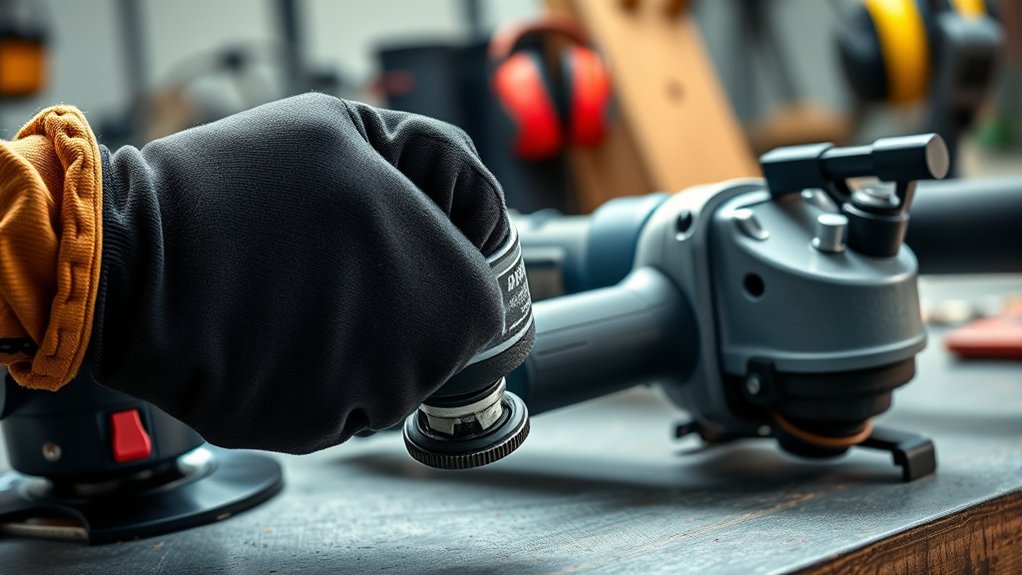
A paddle switch is a long control positioned along the grinder body. You squeeze it with part of your hand while holding the tool. A slide switch is normally moved forward or sideways with your thumb.
Those names describe the physical controls, not necessarily how they operate. For example, Bosch lists both a no-lock-on paddle-switch grinder that shuts off motor power when the paddle is released and a lock-on paddle-switch grinder designed for continuous operation. Many slide-switch models also lock on, but you must confirm the exact model rather than relying on the switch’s appearance.
| Label | What It Describes | What You Still Need to Check |
|---|---|---|
| Paddle switch | A long switch operated by squeezing the grinder body | Whether it is lock-on or no-lock-on |
| Slide switch | A thumb-operated switch that slides into the on position | Whether it locks on and how quickly you can switch it off |
| Lock-off | A tab or lever that helps prevent accidental startup | Whether you can release it without shifting your working grip |
| Lock-on | A function that keeps the grinder powered after you stop pressing the control | The shutoff motion, brake, restart protection, and suitability for your task |
| No-lock-on | The motor loses power when you release the operating control | Wheel coast-down time and whether an electric brake is included |
Warning: Never assume that a paddle-shaped switch will stop the grinder when released. Confirm that the product is specifically labeled no-lock-on, and test the control according to the manufacturer’s instructions before using the grinder.
For most beginners, a no-lock-on paddle switch with a separate lock-off lever is the safest general starting point. It requires a deliberate startup motion and removes motor power when you let go. A lock-on slide or paddle design can be more comfortable during long grinding passes, but the tool will not necessarily shut off simply because your grip loosens.
Safety Features: Which Switch Type Offers More Protection?
A no-lock-on paddle switch offers an intuitive release-to-stop action, which is useful during start-and-stop work or when you need to stop supplying power without reaching for another control. However, the wheel may continue coasting after motor power is cut unless the grinder also has an electric brake.
A slide switch or lock-on paddle switch can still be used safely when the grinder is suitable for the application, the work is secured, and you can reach the off control without changing your grip. The main concern is that a locked-on grinder may continue running after you lose control of it.
| Safety or Comfort Factor | Paddle Switch Grinder | Slide Switch Grinder |
|---|---|---|
| Stops motor power when released | Yes only on a no-lock-on design | Not when a lock-on function is engaged |
| Lock-off protection | Common, but model-specific | Model-specific |
| Release-to-stop control | Strong advantage on no-lock-on models | Usually not available on lock-on slide designs |
| Long continuous grinding | Comfort depends on paddle shape and whether lock-on is available | Often comfortable because continuous pressure is not required |
| Main control risk | Assuming every paddle is no-lock-on or accidentally squeezing a poorly protected control | A locked-on tool may continue running after loss of grip |
For U.S. general-industry workplaces, OSHA 1910.243(a)(2)(ii) says hand-held angle grinders with wheels greater than 2 inches must have a constant-pressure switch or control. A lock-on control is allowed when it can be turned off with a single motion of the same finger or fingers that turned it on.
For construction work, OSHA 1926.300(d)(2) uses the term momentary-contact “on-off” control for angle grinders with wheels greater than 2 inches and applies the same one-motion shutoff condition to a lock-on control. These rules describe control operation. They do not say that every compliant grinder must carry the marketing label “paddle switch.”
User Control for Cutting, Grinding, Sanding, and Polishing
User control depends on the wheel, material, work position, and duration of the job. A cutting wheel can bind if the cut closes around it, while a grinding wheel is normally used across a broader contact area. Choose the control that lets you maintain a firm two-handed grip and stop the grinder without fumbling.
Task-Specific Control Differences
- Cutting metal, tile, or masonry: A no-lock-on paddle switch is a sensible safety-first choice for start-and-stop cutting. A slide-switch grinder may also be used when its manual approves the application and you install the correct cutting wheel and cutting guard.
- Grinding welds or removing burrs: Either switch layout can work. A no-lock-on design favors quick release shutdown, while lock-on operation may reduce fatigue during longer passes.
- Long surface preparation: A lock-on slide or paddle switch can reduce hand strain when the workpiece is clamped and the grinder remains stable.
- Sanding or polishing: Comfort and variable-speed control may matter more than switch shape. Confirm that the grinder, backing pad, accessory, and speed range are approved for the task.
- Changing work positions: Choose a switch you can operate without twisting your wrist, blocking the guard, removing the side handle, or shifting to a one-handed grip.
Pro Tip: For a first angle grinder, prioritize a no-lock-on paddle switch, lock-off lever, electric brake, anti-restart protection, kickback control, and easy guard adjustment before comparing small differences in motor power.
Safety Features That Matter Beyond Switch Shape
The switch is only one part of the grinder’s safety system. Current models may combine several electronic and mechanical protections, but the available features vary.
- Electric brake: Helps slow or stop the wheel after you switch off or release a no-lock-on control.
- Anti-restart or restart protection: Helps prevent an unexpected startup after power is interrupted and restored.
- Kickback control or electronic clutch: Detects certain sudden binding or stall conditions and cuts or limits power.
- Drop control: Turns off supported models when the electronics detect that the grinder has been dropped.
- Lock-off lever: Requires a separate deliberate action before the operating switch can move.
- Tool-free guard adjustment: Makes it easier to position the guard between your body and the wheel.
- Two-position or three-position side handle: Helps you maintain a secure two-handed grip from different working angles.
These features are separate. A grinder can have a paddle switch without a brake, a slide switch with a brake, or a lock-on paddle switch with no drop control. Read the specification sheet line by line.
Comfort Factors: Evaluating Grinder Ergonomics
Comfort affects safety because fatigue can weaken your grip and slow your reaction. A no-lock-on paddle requires continuous pressure, but a broad, well-positioned paddle may still feel comfortable. A lock-on slide or paddle switch reduces continuous hand pressure, though it changes how you must shut the grinder off.
The safest grinder is the one you can grip with both hands, operate without shifting your fingers, and shut off quickly while keeping the guard between you and the wheel.
- Hand size: Confirm that you can reach the lock-off and operating switch without loosening your grip.
- Glove compatibility: Wear the gloves you normally use and make sure they do not bunch under the switch or interfere with the lock-off.
- Grip diameter: A slimmer body may be easier to wrap your hand around, especially if you have smaller hands.
- Tool balance: Check whether the battery, gear housing, and side handle make the grinder feel front-heavy or awkward.
- Vibration: A vibration-control side handle may reduce discomfort during long grinding sessions.
- Switch pressure: A paddle should move smoothly without requiring so much force that your hand cramps.
If your hand cramps while holding a no-lock-on paddle, take regular breaks or choose a grinder with a better-fitting body and paddle. Never tape, clamp, wedge, or otherwise defeat a no-lock-on switch.
Ideal Use Cases for Each Control
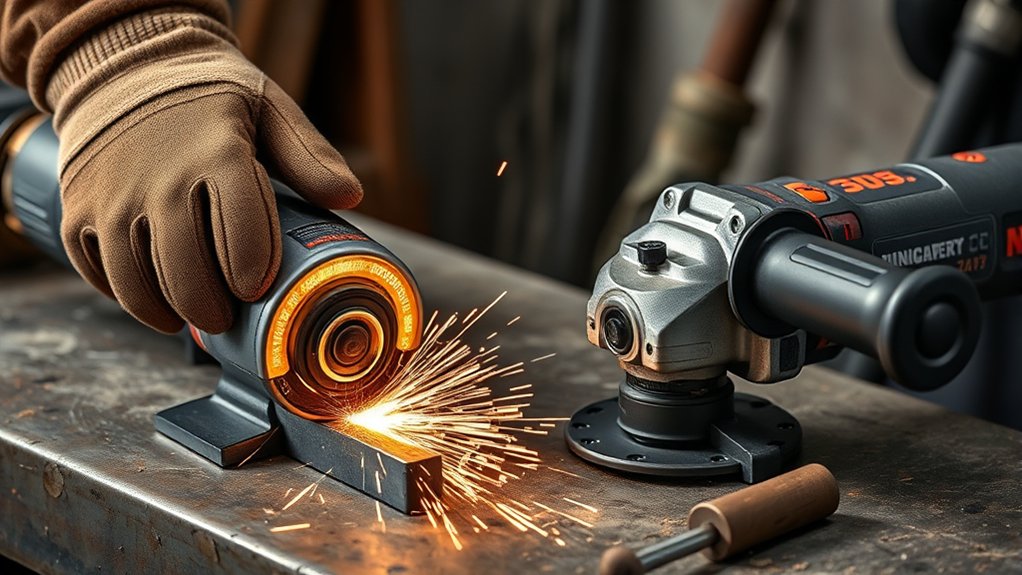
Choose the grinder around the work you perform most often. If you frequently make short cuts, notch brackets, or move between work positions, release-to-stop operation may be your priority. If you spend long periods cleaning welds or removing coatings from clamped material, a controlled lock-on design may reduce fatigue.
| Choose This Control | Best For | Think Twice When |
|---|---|---|
| No-lock-on paddle switch | Beginners, start-and-stop cutting, deburring, changing work positions, and jobs where release shutdown matters | The paddle forces an uncomfortable grip or causes hand fatigue before the job is complete |
| Lock-on slide or paddle switch | Long grinding, rust removal, sanding, polishing, and controlled work on securely clamped material | You cannot reach the off control instantly or the job creates a high risk of losing your grip |
| Either design | Light grinding, weld cleanup, and general shop work when the tool fits your hands and has suitable safety features | The grinder lacks the correct guard, side handle, clear shutoff control, or manufacturer approval for the accessory |
A slide switch is not automatically prohibited for cutting. Manufacturers sell slide-switch lock-on grinders for both grinding and cutting, including models with brakes and electronic clutches. Follow the exact model manual, use the required cutting guard, and never substitute a grinding guard when the manufacturer specifies a different guard for a cutting wheel.
Corded vs. Cordless Grinders and Restart Behavior
Switch behavior also matters when power is interrupted. A corded lock-on grinder without restart protection may create an unexpected-start risk if power returns while the switch remains engaged. Restart protection is designed to prevent that type of automatic restart on supported models.
A cordless grinder removes the extension-cord hazard, but you should still remove the battery before changing a wheel, clearing debris, adjusting parts that place your hands near the wheel, or servicing the tool. Do not rely on the trigger or switch alone to prevent startup.
Note: Anti-restart, electric braking, kickback control, and drop control do different jobs. Check each feature separately instead of treating “electronic safety” as one universal function.
How to Test the Switch and Grip Before Buying
A few minutes of checking the grinder can reveal more than the switch name on the box. Use this process before buying or before the first use of a new tool:
- Disconnect the power. Unplug a corded grinder or remove the battery before handling the wheel area or testing controls by hand.
- Install the side handle in your preferred position. Hold the grinder with both hands as you would during actual work.
- Wear your normal work gloves. Confirm that you can operate the lock-off and switch without stretching, twisting, or releasing your support hand.
- Confirm the lock behavior. Read the label, product page, and manual to determine whether the switch is lock-on, no-lock-on, or offers both modes.
- Check the shutoff action. Make sure the off control can be reached with the same hand and without changing to an unstable grip.
- Compare the safety package. Look for a brake, anti-restart protection, kickback control, suitable guards, and a side handle that fits the required working position.
Products Worth Considering

Ergonomic, powerful grinder design – engineered with the X-LOCK mount, a narrow grip zone and light weight but with pro power
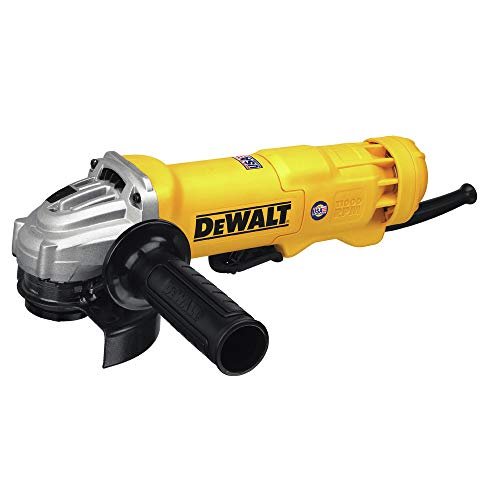
POWER AND PERFORMANCE: Grinder tool with 11 Amp AC/DC 11,000 RPM motor designed for faster material removal and higher overload protection

【9.2A High-Power Copper Motor for Heavy-Duty Work】Equipped with an upgraded 9.2 Amp pure copper motor, this 4-1/2 inch corded angle grinder delivers up to 11800 RPM stable high-speed output. It provides stronger cutting force and grinding efficiency than ordinary mini grinders, perfectly handling metal cutting, rust removal, weld cleaning, surface polishing and various home renovation and workshop heavy-duty tasks.
What Experienced Users Prefer About Each Switch Type
Experienced users often choose no-lock-on paddle grinders for work where release shutdown matters more than continuous-run comfort. That may include short cuts, trimming bolts, deburring parts, or working near edges where the wheel could catch.
Other users prefer a lock-on slide or paddle grinder for steady surface preparation because they can relax their operating hand and adjust their supporting grip. The tradeoff is that they must deliberately switch the grinder off before changing position or setting it down.
Neither preference is automatically correct for every job. The better choice is the grinder that gives you a stable two-handed hold, a clear shutoff action, the correct guard and accessory support, and safety features suited to your work.
Common Misconceptions About Grinder Switches
Several common assumptions make this comparison more confusing than it needs to be. Treat the switch label as the beginning of your evaluation, not the final answer.
| Misconception | Reality |
|---|---|
| Every paddle switch stops when released. | Some paddle switches lock on. Look specifically for “no-lock-on” when you want release-to-stop operation. |
| A paddle switch means the grinder has drop control. | Drop control is a separate electronic feature and is available only on selected models. |
| A slide switch is always unsafe. | A slide switch can be used safely when the grinder is suitable for the task, the work is controlled, and the off control remains easy to reach. |
| OSHA requires every angle grinder to have a paddle switch. | The cited OSHA rules specify how qualifying controls must operate and shut off. They do not require one marketing label for every grinder. |
| More power is always better. | Extra power does not replace a secure grip, correct wheel, suitable guard, or electronic protection against certain binding events. |
| The guard gets in the way, so it is optional. | The guard helps deflect fragments, sparks, and debris. Use the guard specified for the grinder, wheel, and operation. |
| Any wheel that fits the spindle is acceptable. | The wheel must match the grinder’s diameter, spindle or mounting system, material, application, guard, and maximum operating speed. |
How to Pick the Right Grinder for You
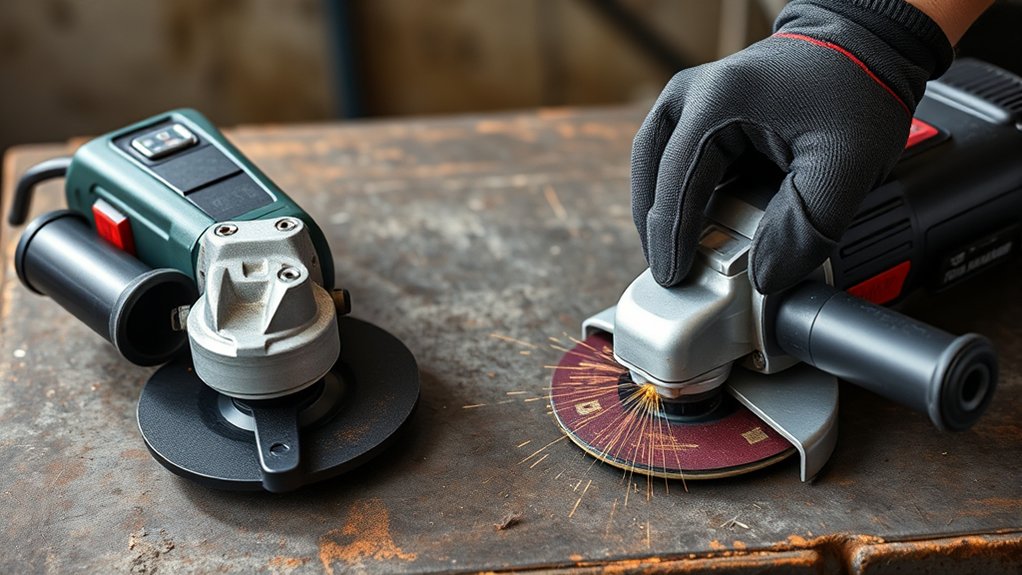
Start with the work, then compare switch behavior and ergonomics. Do not choose solely by amperage, voltage, wheel size, or whether the switch is called paddle or slide.
- Choose a no-lock-on paddle when you want motor power to stop as soon as you release the operating control.
- Consider a lock-on slide or paddle when you perform long, controlled passes and can reach the off control without changing your grip.
- Look for an electric brake when faster wheel coast-down is important.
- Check restart protection if you use a corded grinder, generator, extension cord, or power source that may be interrupted.
- Check kickback control for an additional electronic response to certain binding or stall events.
- Check the included guards and confirm that the correct guard is available for every wheel and application you plan to use.
- Check the side handle positions so you can maintain a two-handed grip without placing your body in the wheel’s plane.
- Check wheel speed compatibility so the grinder’s maximum speed does not exceed the wheel’s marked maximum operating speed.
Note: OSHA rules apply to covered workplaces. Home users should still follow the grinder manual, accessory instructions, guard requirements, wheel speed limits, and the same basic controls for sparks, dust, noise, and flying debris.
Products Worth Considering

Powerful 7.5 AMP motor delivers 11,000 RPM for high output power

INCLUDES: 4 1/2" Angle grinder, five grinding wheels and a carrying case

Run Time - Up to 56 cuts of 1/2" rebar**
Safe Use Checklist Before You Start
Before running any angle grinder, inspect the tool, accessory, work area, and protective equipment. These checks matter more than the brand name or switch layout.
- Unplug the grinder or remove the battery before installing, removing, or inspecting an accessory.
- Inspect the wheel for cracks, chips, contamination, water damage, or other visible defects.
- Confirm that the wheel is approved for the material and operation.
- Confirm that the wheel’s marked maximum speed is equal to or higher than the grinder’s maximum speed.
- Install the guard specified for the wheel and position it between your body and the exposed wheel.
- Install the side handle and maintain a two-handed grip.
- Clamp or secure the workpiece instead of holding it in one hand.
- Wear safety glasses and appropriate face protection for flying-particle hazards.
- Wear hearing protection that fits correctly and works with your other protective equipment.
- Use suitable dust extraction or respiratory protection when the material or process creates hazardous dust.
- Wear close-fitting, nonflammable clothing and keep loose hair, jewelry, and cords away from the wheel.
- Keep sparks away from fuel, solvents, gas cylinders, sawdust, paper, and other combustible materials.
- Stand out of the wheel’s direct plane during startup and let it reach operating speed before contacting the work.
- Do not twist, bend, or apply side pressure to a wheel that is designed only for cutting.
- Do not use the side of a cutting wheel for grinding unless the wheel manufacturer specifically approves that use.
- Switch the grinder off and wait for the wheel to stop fully before setting the tool down.
CDC/NIOSH hearing-protection guidance explains that hearing protection works best when it is selected correctly, fits well, and is used consistently. Make sure earmuffs or plugs remain compatible with your safety glasses, face shield, helmet, and other PPE.
Frequently Asked Questions
What does a paddle switch do on an angle grinder?
A paddle switch is a long control that you squeeze while holding the grinder body. Its shape does not determine whether it locks on. A no-lock-on paddle cuts motor power when released, while a lock-on paddle can keep the grinder running until you disengage it.
What is a slide switch on an angle grinder?
A slide switch is normally operated with your thumb by moving the control into the on position. Many slide switches have a lock-on function for continuous operation, but you should verify the exact model’s behavior and shutoff action.
Is a paddle switch safer than a slide switch?
A no-lock-on paddle is generally the safer default when release-to-stop operation matters. However, a lock-on paddle does not provide the same behavior. Compare the lock function, brake, restart protection, kickback control, grip, and intended application rather than relying on switch shape alone.
Can a paddle-switch grinder lock on?
Yes. Manufacturers sell both lock-on and no-lock-on paddle-switch grinders. Check the product name, specification sheet, switch markings, and manual. Do not assume that every paddle switch stops motor power when you release it.
Does OSHA require a paddle switch on every angle grinder?
No. The cited OSHA standards describe required control behavior for covered tools and workplaces. General-industry and construction standards use different control terminology, and both allow qualifying lock-on controls that can be switched off with one motion of the same finger or fingers used to turn them on.
How do you stay safe while operating an angle grinder?
Use the correct guard, side handle, wheel, eye and face protection, hearing protection, and a firm two-handed grip. Secure the work, control sparks and dust, keep your body out of the wheel’s plane, and wait for the wheel to stop before setting the grinder down.
What are the OSHA requirements for angle-grinder switches and guards?
For U.S. general industry, OSHA 1910.243 requires covered angle grinders with wheels greater than 2 inches to have a constant-pressure switch or control and permits qualifying lock-on controls. OSHA also requires portable abrasive wheels to use appropriate guards, with a maximum 180-degree exposure for right-angle portable grinder guards. Construction requirements appear in OSHA 1926.300 and 1926.303.
Can I use a slide-switch grinder for cutting?
Yes, when the grinder manufacturer approves cutting and you use the correct cutting wheel, guard, flanges, and operating method. A no-lock-on paddle remains a sensible safety-first choice for start-and-stop cutting, but switch shape alone does not determine whether a grinder is approved for the task.
Conclusion
For most people comparing paddle vs. slide switch angle grinders, a no-lock-on paddle switch is the safest all-around starting point because releasing the control cuts motor power. A lock-on slide or paddle switch can be more comfortable for long, controlled grinding and surface preparation. Before choosing, confirm the exact lock behavior, grip, brake, anti-restart protection, kickback control, guard compatibility, wheel rating, and manufacturer-approved applications.
Sources
- OSHA 1910.243 — Guarding of Portable Powered Tools — general-industry switch, guard, wheel-inspection, and speed requirements
- OSHA 1926.300 — General Requirements — construction switch controls and personal protective equipment requirements
- OSHA 1926.303 — Abrasive Wheels and Tools — construction guarding, inspection, and eye-protection requirements
- CDC/NIOSH — Provide Hearing Protection — hearing-protection selection, compatibility, fit, and consistent use
- Bosch GWS13-50PD No-Lock-On Paddle-Switch Grinder — example of a paddle control that shuts off motor power when released
- Bosch GWS10-450P Lock-On Paddle-Switch Grinder — example showing that paddle switches can also have lock-on operation