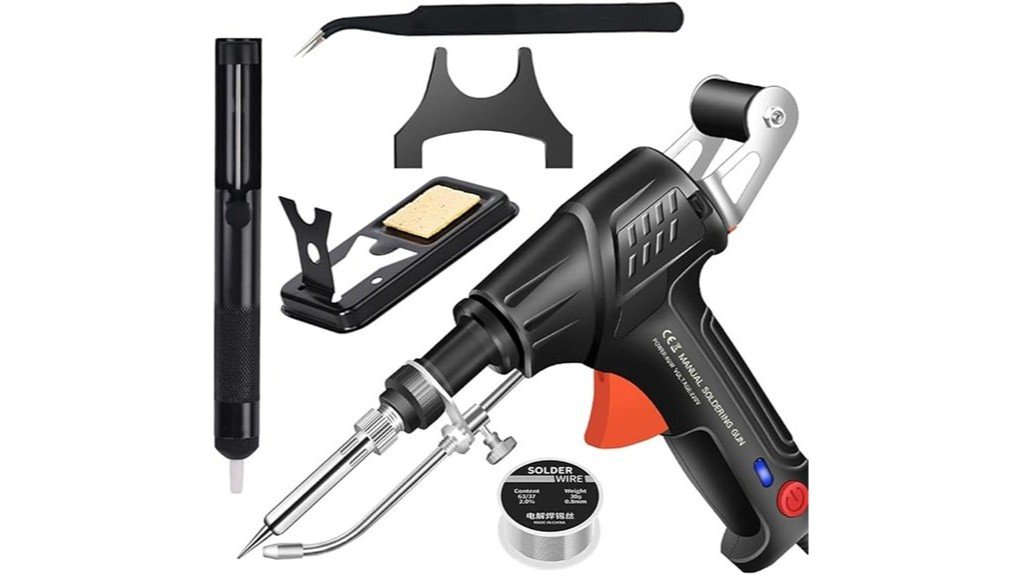
Short answer: the Ayyecoeeye soldering iron kit, sold as a “welder” set, is a compact beginner kit for light electronics and hobby soldering, not an arc welding machine. Small soldering jobs can be frustrating when your iron is awkward to hold, hard to park safely, or limited to one heat level. This five-piece set is designed as a compact soldering kit for users who want basic heat control, a safer resting stand, and tip options for tighter work areas. This review looks at the listed details, including the 200°C and 450°C temperature settings, ergonomic grip, straight and angled tips, and included metal stand. It is a practical set for light repair and hobby work, but you should confirm the current Amazon listing before buying because some details, such as warranty and outlet compatibility, can vary by seller or version.
Quick Verdict
Verdict: Recommended with caveats
Best For: Beginners, hobby users, and light electronics repair tasks that benefit from two heat settings and interchangeable tip access.
Bottom Line: The Ayyecoeeye Welder Set is worth considering if you want a simple soldering kit with dual temperature settings, ergonomic handling, and a safer place to rest the hot iron. It is not the best fit if you need verified professional-grade specs, advanced temperature control, or confirmed universal power compatibility.
| Specification | Detail |
|---|---|
| Brand | Ayyecoeeye |
| Product type | Five-piece soldering iron kit (listed as a welder set) |
| Temperature settings | Dual settings: 200°C and 450°C |
| Tip style | Straight and angled soldering tips, including pointed and chisel-style options mentioned in the listing |
| Design | Ergonomic grip with balanced handling for longer soldering sessions |
| Included safety support | Sturdy metal stand for resting the hot soldering iron between uses |
| Best use | Light electronics repair, hobby soldering, craft work, and small repair tasks |
| Storage note | Keep tips, solder wire, and cleaning accessories in a designated storage area after the iron is cool |
| Safety note | Use eye protection, heat-safe hand protection when needed, and a stable work surface. Always let the iron cool before storage. |
What Is the Ayyecoeeye Soldering Iron Kit?
The Ayyecoeeye Welder Set is a compact soldering kit built around a handheld soldering iron with two temperature settings. The listed settings are 200°C and 450°C, giving you one lower heat option for lighter tasks and one hotter setting for jobs that need stronger heat transfer.
The set is aimed at users who want a simple, beginner-friendly tool for small repairs, electronics work, and detailed hobby projects. The main appeal is not advanced digital control. It is the mix of heat selection, ergonomic handling, multiple tip shapes, and a metal stand that helps keep the hot iron off your bench.
Before You Buy: Confirm the current Amazon listing, plug type, voltage details, included pieces, and warranty terms before ordering. The available information supports the core features in this review, but not every seller listing may present the same package details.
Key Takeaways
- The Ayyecoeeye Welder Set includes dual temperature settings of 200°C and 450°C for basic heat control.
- The ergonomic grip is useful when you need better comfort during repeated or detailed soldering work.
- Straight and angled soldering tips help you reach tighter spots than a single fixed-tip iron.
- The included metal stand gives you a safer place to rest the hot soldering iron between passes.
- This set is best for light soldering, beginner practice, hobby repairs, and small electronics tasks, not heavy professional use.
Who Should Buy It?
Best For
- Beginners who want a simple soldering kit with two clear heat settings.
- Hobby users working on small electronics, light wiring repairs, or craft projects.
- Users who want angled and straight tip access without buying a larger soldering station.
Skip If
- You need precise digital temperature adjustment across a wide range.
- You need verified professional shop specs, certifications, or heavy-duty duty-cycle details.
- You cannot confirm that the plug and voltage match your local power outlet.
Features and Functionality of the Ayyecoeeye Welder Set
The strongest feature is the dual temperature setup. A 200°C setting gives you a lower-heat option for lighter contact work, while the 450°C setting gives you more heat for joints or materials that need faster solder flow. This is simpler than a full adjustable station, but it gives you more control than a single-temperature iron.
The included tip variety also matters. Pointed tips are better for small contact points, while chisel-style tips can transfer heat across a wider area. Angled tips can help when the part is tucked into a cramped spot, such as inside a small repair housing or around nearby wires.
This design makes the set more useful for general hobby work than a basic one-tip iron. Still, it has limits. With only two supported heat settings mentioned in the listing, you do not get the fine control that some circuit board repairs, delicate components, or professional tasks may require.
Design and Ergonomics for Enhanced Usability
The Ayyecoeeye Welder Set uses an ergonomic grip to reduce hand strain during longer soldering sessions. That helps when you are making several small joints, switching between tips, or holding the iron at a steady angle for detailed work.
Balanced handling is useful because soldering often requires slow, controlled movements. A tool that feels awkward can make it harder to keep the tip steady, which can lead to messy joints or accidental contact with nearby parts. The grip design gives you a better chance of staying accurate without fighting the tool.
The straight and angled tip options also improve usability. You can use a straight tip for open, easy-to-reach joints and switch to an angled tip when the work area is narrow. That flexibility is one of the main reasons this set makes sense for small repair work.
Heat Control and Tip Performance
The 200°C setting is best treated as the lower-heat option for lighter tasks where you want to reduce the risk of overheating the work area. The 450°C setting is the hotter option for jobs that need quicker heat transfer. You should still match the heat level to the solder, workpiece, and task instead of using the hotter setting by default.
Tip shape affects how heat reaches the joint. A pointed tip gives you more precision, but it may take longer to heat a larger contact area. A chisel tip can heat a wider spot more quickly, but it may feel too broad for small electronics. Angled tips are helpful when your hand position or the surrounding parts block a straight approach.
Pro Tip: Start with the lower heat setting when you are unsure, then move to the higher setting only if the solder is not flowing well. This helps reduce the chance of overheating small parts.
Safety and Storage Considerations
Soldering tools get hot enough to cause burns, damage a workbench, or melt nearby materials. The included metal stand is an important safety feature because it gives you a stable place to rest the hot iron when you pause between joints. Do not lay the iron directly on your table, cords, plastic trays, paper, or packaging.
Protective eyewear is a smart habit because small bits of solder, flux residue, or wire can move unexpectedly during repair work. Heat-safe gloves can help in some situations, but they should not reduce your control of the iron. Good ventilation is also important when soldering, especially when using flux or working for more than a few minutes.
Storage matters after the job is done. Let the iron cool fully before putting it away. Keep the tips, solder wire, and cleaning accessories together so they are easy to find next time, but avoid packing hot parts into a closed case or drawer.
How to Use It Correctly
Set up the metal stand before you plug in the soldering iron. Place it on a stable, heat-resistant surface with enough space around your project. Keep cords out of the way so the iron does not pull off the stand if the cord moves.
Choose the tip shape before the iron gets hot. A pointed tip works well for small joints and tight electronic spaces. A chisel tip is better when you need broader heat contact. An angled tip can help you reach around nearby parts without bending your wrist into an uncomfortable position.
After heating, touch the tip to the work area only long enough to complete the joint. Do not press hard to force the solder to flow. If solder is not flowing, the joint may need cleaning, a different tip, more suitable solder, or the higher temperature setting.
How It Performs in Real Use
For Beginner Practice
The Ayyecoeeye Welder Set is friendly for practice because it keeps the heat choices simple. You do not need to learn a digital station right away. The main skill is learning when the lower setting is enough and when the hotter setting is needed.
For Small Electronics Repair
The pointed and angled tip options make the set useful for light electronics repair where access is limited. It can help with small contact points, basic wire connections, or simple component work. For sensitive circuit boards, you should use caution because the listing details do not verify advanced temperature precision.
For Hobby and Craft Projects
The set can work well for hobby projects that need controlled heat and tip variety. The chisel-style tip can help when you need broader heat contact, while the pointed tip is better for detailed work. The ergonomic grip is helpful if the project requires several short soldering passes.
For Storage and Workbench Organization
The metal stand and compact kit format help keep the work area more organized. That matters because a cluttered bench increases the chance of touching the hot tip, knocking over the iron, or losing small accessories. Keeping everything in one spot also makes the set easier to use for quick repairs.
Pros and Cons
Pros
- Dual 200°C and 450°C settings give you basic control for different soldering tasks.
- Ergonomic grip helps reduce hand fatigue during longer repair sessions.
- Straight and angled tips improve access in tight or awkward work areas.
- Metal stand gives you a safer place to rest the hot soldering iron.
- Compact five-piece setup is practical for hobby users and small workspaces.
Cons
- Only two listed heat settings, so it lacks fine digital control.
- Plug type, voltage compatibility, and warranty details should be confirmed before purchase.
- Not ideal for heavy professional soldering or sensitive repairs that need verified precision specs.
Is It Worth the Price?
The Ayyecoeeye Welder Set looks like a reasonable value if you want a simple soldering kit for occasional repair work, practice, or hobby use. The best value comes from the combination of two heat settings, multiple tip styles, ergonomic handling, and the included metal stand.
It is a smart buy for everyday light use if you do not need a full soldering station. The main limitation is that the available listing details do not verify advanced specs, exact materials, professional certifications, or full power compatibility. That makes it better for basic jobs than for high-risk or precision-critical work.
How It Compares to Alternatives
Compared with a full temperature-controlled soldering station, the Ayyecoeeye Welder Set is simpler, smaller, and easier for beginners to understand. A full station may be better if you need precise temperature adjustment, a larger stand, or heavier workbench use.
Compared with a basic single-tip iron, this set has a clear advantage because it includes multiple tip styles and a metal stand. The Ayyecoeeye set makes the most sense if you want a small kit with more flexibility than a bare iron but do not want the size or cost of a full station.
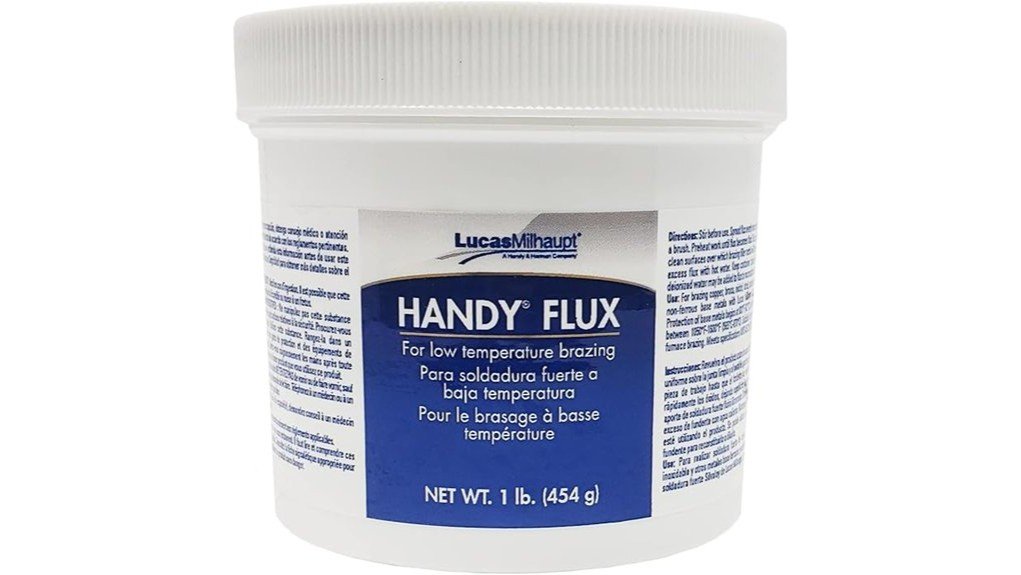
Related reading: our Fanttik T1 Max soldering iron kit review, the 100W digital soldering station for finer control, and the soldering flux guide.
Frequently Asked Questions
Can the Ayyecoeeye Welder Set be used for electronics repair?
Yes, it can be used for light electronics repair when the job matches the tool and tip size. Use the lower heat setting when possible, avoid overheating small parts, and follow safe soldering practices.
What are the two temperature settings?
The listed settings are 200°C and 450°C. The lower setting is useful for lighter work, while the higher setting gives more heat for tasks that need stronger heat transfer.
Why do the different tip shapes matter?
A pointed tip helps with small contact points and detailed work. A chisel-style tip spreads heat across a wider area, while an angled tip can help you reach tight spaces without forcing an awkward hand position.
Does it come with a safe place to rest the hot iron?
Yes, the set is described as including a sturdy metal stand. Use the stand every time you pause, and keep the hot tip away from cords, plastic, paper, and your workbench surface.
Is the soldering iron compatible with every power outlet?
Do not assume universal outlet compatibility unless the current listing or product label confirms it. Before buying, check the plug type, voltage requirements, and whether you need a proper adapter for your region.
How should you store the set after use?
Let the iron cool fully before storing it. Keep the tips, solder wire, and cleaning accessories in one designated place so the kit stays organized and safer to handle next time.
Who should skip this soldering set?
Skip it if you need verified industrial specs, fine digital temperature control, or a complete professional soldering station. It is better suited to light repair, hobby projects, and beginner practice.
What warranty does the Ayyecoeeye Welder Set include?
Warranty terms should be confirmed on the current Amazon listing or product packaging before purchase. Seller policies and product versions can change, so do not rely on an old warranty claim without checking it.
The Bottom Line
The Ayyecoeeye Welder five-piece set is a good fit if you want a compact soldering kit with two heat settings, ergonomic handling, tip variety, and a safer resting stand. Skip it if you need verified professional-grade specifications, full digital heat control, or confirmed outlet compatibility before purchase. Overall, it earns a recommended-with-caveats verdict for light repair, beginner practice, and hobby soldering.