Angle grinder switch types affect how the tool starts, stays running, and shuts off when your grip changes. However, the shape of the control is only part of the decision. You also need to check whether it locks on, requires constant pressure, prevents an accidental restart, and works comfortably with your normal two-handed grip.
Quick Answer
Choose an angle grinder switch by how it behaves, not only by its shape. A no-lock paddle or trigger stops the motor when released and suits stop-start or higher-risk work. A lock-on slide switch reduces grip effort during long runs. Also compare restart protection, braking, kickback control, drop control, and workplace rules.
Key Takeaways
- Paddle, slide, and trigger describe the physical control. “Dead-man” or constant-pressure describes release-to-stop behavior.
- A paddle switch is not automatically no-lock. Some paddle designs can be locked on, so check the exact model.
- Slide switches commonly support continuous operation, but modern models may also include braking, restart protection, and kickback control.
- Wheel size does not determine the switch type. Small and medium grinders are sold with paddle, slide, and trigger controls.
- Never tape, wedge, bypass, or modify a switch. Remove the grinder from service if the control sticks, cracks, or operates unexpectedly.
Note: “Dead-man switch” is an informal description of a control that must be held to keep the motor running. It is not a separate switch shape. A paddle, trigger, or another control design can provide constant-pressure operation.
Angle Grinder Switch Types and What the Terms Mean
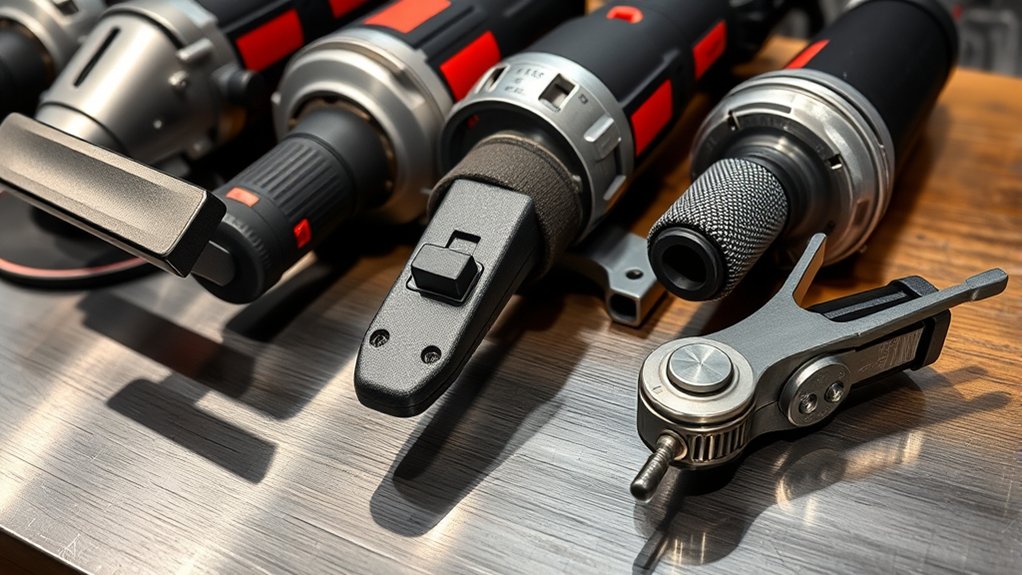
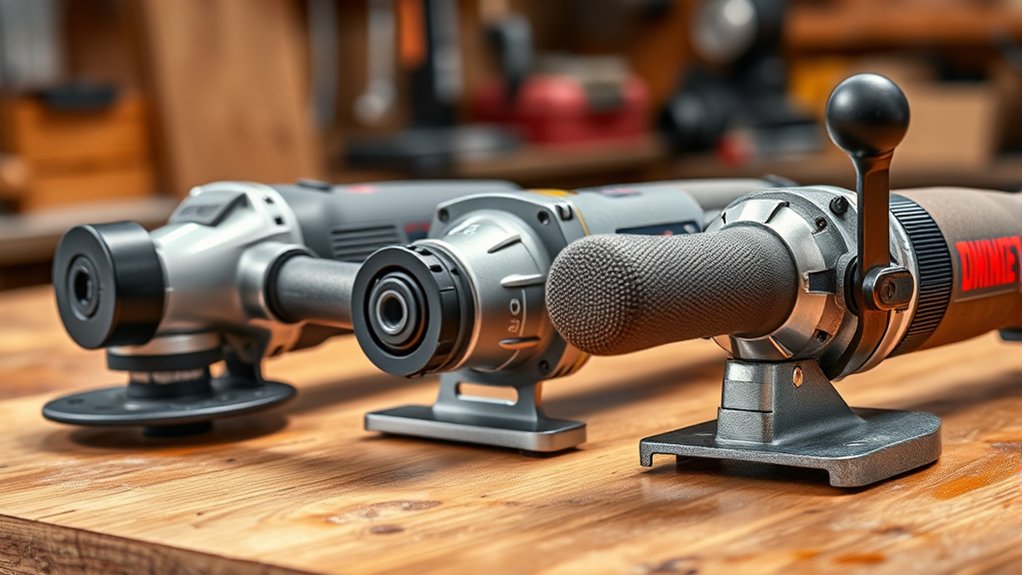
Angle grinders commonly use paddle switches, slide switches, or trigger switches. Toggle and rocker controls also exist on some tools, but they are less useful as broad buying categories for modern handheld angle grinders.
The control shape does not tell you everything about its safety or comfort. Check the model description and manual for these operating terms:
- No-lock or constant-pressure: The motor receives power only while you continue pressing the control. Releasing it cuts motor power.
- Lock-on: The control can remain in the on position after you release pressure, allowing continuous operation.
- Lock-off: A separate lever, button, or movement must be completed before the main switch can be pressed. This helps prevent unintended startup.
- Restart protection: The tool is designed not to restart automatically after interrupted power is restored or, on some cordless models, after the battery is installed while the switch remains on.
| Control Type | How It Works | Main Strength | Main Trade-Off |
|---|---|---|---|
| Paddle | A broad lever is pressed against the body of the grinder. It may be no-lock or lock-on. | Can be operated from several grip points and is available with release-to-stop control. | Constant pressure can tire some hands, and a large lever still needs an effective lock-off. |
| Slide | A thumb-operated control slides forward and often locks in the on position. | Reduces the need to hold a control during long, steady grinding or surface-preparation work. | A lock-on model can continue running after the tool leaves your hands unless another system shuts it down. |
| Trigger | A finger or multi-finger trigger is mounted under a barrel or rear handle. It may be lock-on or no-lock. | Provides familiar hand control, especially on grinders with a dedicated rear handle. | A narrow or stiff trigger may cause finger fatigue during prolonged operation. |
No-Lock Versus Lock-On: The Most Important Difference
A no-lock paddle or trigger stops supplying power to the motor when you release the control. This can reduce the time a grinder remains powered after you lose your grip. It is often a sensible choice for frequent starts and stops, awkward work positions, shared tools, and jobs where maintaining control is difficult.
A lock-on switch allows continuous operation without constant hand pressure. It can reduce hand or finger strain during long, controlled grinding sessions. The trade-off is that releasing your grip does not necessarily switch off the motor.
For covered U.S. workplaces, OSHA 29 CFR 1910.243 requires angle grinders with wheels larger than 2 inches to have a constant-pressure switch or control. A lock-on control is permitted when it can be switched off with a single motion of the same finger or fingers used to turn it on. Employers may impose stricter rules for particular tasks or sites.
Warning: Releasing a no-lock switch cuts motor power, but the wheel may continue spinning. Keep both hands on the grinder until the accessory stops completely. Disconnect the plug or remove the battery before changing a wheel, inspecting the switch, clearing debris, or servicing the tool.
The safest choice is not based on the switch label alone. It comes from matching the switch behavior, electronic controls, guard, accessory, grip, and workplace rules to the task.
Products Worth Considering

Electronic Clutch for Kickback Protection


Brushless motor of the angle grinder requires no brush changes
Paddle Switches: Control, Lock-Off, and Comfort
A paddle switch is a broad lever that runs along part of the grinder body. You operate it by closing your fingers or palm around the grip. Many users find this easier to reach from different hand positions than a small button or narrow trigger.
No-lock paddle grinders stop the motor when the paddle is released. For example, Bosch describes its GWX18V-10PN no-lock paddle grinder as shutting off after the paddle is released. That model also includes a wheel brake, restart protection, kickback control, and drop control.
However, the word “paddle” does not guarantee no-lock operation. Some paddle-switch grinders include a lock-on function. Always read the product label and manual instead of assuming that every paddle provides dead-man operation.
Advantages of a Paddle Switch
- Available in no-lock designs that stop motor power when released
- Broad contact area may offer several comfortable grip points
- Often paired with a lock-off lever that must be moved before startup
- Well suited to stop-start work and tasks where immediate release is valuable
Possible Drawbacks
- Continuous pressure may tire the hand during a long grinding session
- Users with small hands, thick gloves, or limited grip strength may struggle with some designs
- A lock-on paddle does not provide the same release-to-stop behavior as a no-lock paddle
- A paddle is not a substitute for a guard, side handle, correct wheel, and stable two-handed grip
Slide Switches: Continuous Operation and Its Trade-Offs
A slide switch is normally operated with the thumb. Many designs slide forward and lock in the on position, allowing the grinder to run without continuous pressure. This can make a slide switch comfortable for long, steady surface grinding, weld blending, or polishing when the tool remains under firm control.
The main trade-off is that a lock-on grinder may keep running if it is dropped or pulled from your grip. That does not make every slide-switch grinder unsafe, but it means you should look closely at the complete safety package.
For example, Bosch’s GWS18V-13CN slide-switch grinder combines a lock-on/lock-off slide switch with a wheel brake, restart protection, electronic clutch control, and kickback control. These features do not turn the slide switch into a dead-man control, but they can address several other hazards.
Advantages of a Slide Switch
- Allows continuous operation without holding a paddle or trigger
- May reduce grip strain during long, uninterrupted applications
- Lets the operator maintain a steady full-body grip instead of concentrating force on one control
- Available on small, medium, corded, and cordless grinders
Possible Drawbacks
- A lock-on model does not stop merely because you release your grip
- The operator must be able to reach and turn off the switch quickly
- Dust or damage can make any mechanical control stiff or unreliable
- Some employers or jobsites may prohibit lock-on operation for specific tasks
Trigger Switches: Rear-Handle and Barrel-Grip Control
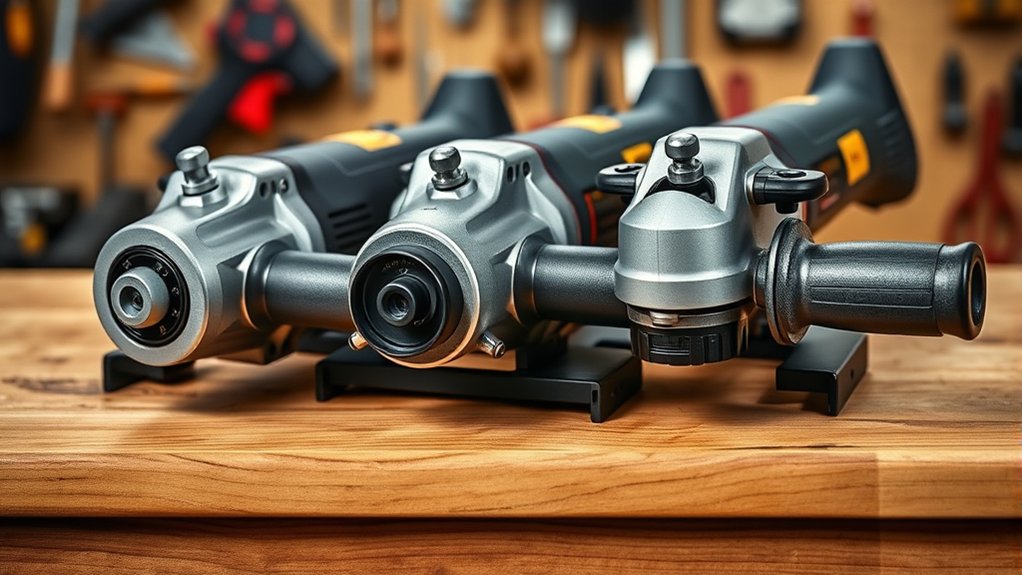
A trigger switch sits beneath a barrel grip or rear handle. Some triggers are pressed by one finger, while larger designs spread pressure across several fingers. Like paddle controls, triggers can be built as no-lock or lock-on systems.
Trigger switches are not limited to 7–9-inch grinders. DEWALT, for example, sells a 4½–6-inch trigger-switch grinder. The best fit depends more on the handle layout and your grip than on wheel diameter alone.
Advantages of a Trigger Switch
- Familiar control for users accustomed to drills, saws, and rear-handle tools
- Can provide release-to-stop operation when designed without lock-on
- Works naturally with a dedicated rear handle
- May offer good control when the trigger spans several fingers
Possible Drawbacks
- A narrow or stiff trigger may cause finger fatigue
- A user may accidentally press the trigger while lifting or repositioning the grinder if the lock-off is ineffective
- Glove thickness can affect reach and trigger feel
- A trigger with lock-on has different shutdown behavior from a no-lock trigger
Safety Features That Matter Beyond the Switch
Do not compare grinders by switch type alone. Current models may include electronic controls that respond to power loss, binding, dropping, or shutdown. The exact names and behavior vary by manufacturer.
- Lock-off control: Requires a separate movement before the main switch can be activated.
- Restart protection: Helps prevent the motor from starting automatically after interrupted power returns.
- Wheel brake: Helps reduce the time the accessory spins after the switch is turned off. Stopping time varies by grinder and accessory.
- Kickback control or electronic clutch: Detects some binding or rapid-rotation events and attempts to shut down or limit the drive system.
- Drop control: On equipped models, detects a fall or impact and switches off the motor.
- Soft start: Brings the grinder up to speed more gradually to reduce the initial torque reaction.
These systems add protection, but none replaces correct wheel selection, an installed guard, the side handle, PPE, training, and a secure two-handed grip. The HSE’s HSG17 abrasive-wheel guidance covers training, wheel characteristics, mounting, guards, portable grinders, and protective equipment.
How to Pick the Best Switch Type for Your Angle Grinder
- Check workplace requirements first. An employer, contractor, or jobsite may restrict lock-on grinders even when a model is legally sold.
- Decide whether release-to-stop operation is important. A no-lock paddle or trigger is usually a better fit for frequent starts, awkward positions, and work where losing your grip is a realistic concern.
- Consider continuous-use comfort. A slide switch or approved lock-on control may reduce hand strain during long, steady work in a stable position.
- Test the grip while wearing your normal gloves. You should be able to operate the lock-off and switch without loosening your grip or stretching painfully.
- Compare electronic safeguards. Restart protection, braking, kickback control, drop control, and soft start may matter as much as the physical switch.
- Read the model-specific manual. Confirm the startup sequence, shutdown behavior, lock-on method, required guards, and compatible accessories.
Pro Tip: With the grinder disconnected, hold the tool in your normal working position while wearing gloves. Make sure you can operate the lock-off and main switch without shifting your support hand or weakening your grip.
Products Worth Considering
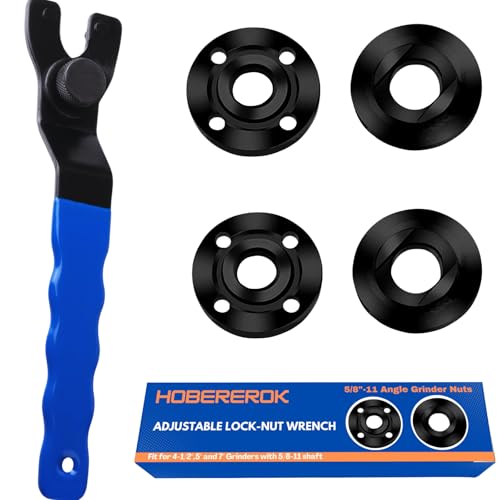
[ Universal Adjustable Angle Grinder Wrench & Nut Kit] Solve the problem of lost or missing wrenches. This versatile set includes 1 adjustable wrench that fits major brands like DeWalt, Milwaukee, and Makita, plus 4 replacement grinder flange nuts (2 inner, 2 outer). Perfect for DIY, workshops, and professional grinder parts replacement.

Angle Grinder Set - 7-Piece Kit Includes 1 precision wrench and 6 flange nuts (3 inner/3 outer) for complete grinder maintenance.

Rear handle trigger switch with no lock-on feature; lock-off feature requires two actions to start the grinder
How to Check an Angle Grinder Switch Before Use
- Disconnect the power. Unplug a corded grinder or remove the battery.
- Inspect the control. Look for cracks, missing parts, heat damage, looseness, packed dust, or a paddle, slide, or trigger that does not move freely.
- Check the lock-off. The main switch should not operate unless the required lock-off action is completed.
- Reconnect the power in a clear area. Hold the grinder with both hands, keep the accessory away from people and materials, and start it according to the manual.
- Confirm the shutdown behavior. A no-lock control should cut motor power when released. A lock-on control should switch off using the manufacturer’s stated single action.
- Wait for a full stop. Do not set the grinder down while the wheel is coasting.
- Remove faulty tools from service. Disconnect and label a grinder that sticks, starts unexpectedly, will not switch off correctly, or has a damaged lock-off.
Warning: Never tape down a paddle or trigger, wedge a switch in the on position, defeat a lock-off, or install a generic replacement that is not approved for the exact grinder model. Switch repairs involve live-power and mechanical hazards and should follow the manufacturer’s service procedure.
Frequently Asked Questions
What is a slide switch on an angle grinder?
A slide switch is a thumb-operated control that moves forward or backward along the grinder body. Many slide switches include a lock-on position for continuous operation, although the exact movement and shutdown method vary by model.
What are the different types of slide switches?
Angle grinder slide controls may be lock-on/lock-off, positive on/off, or paired with an additional safety lock. Some grinders also add restart protection, braking, or kickback control. Use the exact model manual when identifying or replacing a switch.
What is a paddle switch on an angle grinder?
A paddle switch is a broad lever pressed against the body of the grinder. A no-lock paddle cuts motor power when released, while a lock-on paddle can remain engaged. Many paddle designs also use a separate lock-off lever to help prevent unintended startup.
What are the main types of grinder switches?
The most common physical controls are paddle, slide, and trigger switches. Toggle or rocker controls also appear on some tools. Each design may have different functional features, including lock-on, no-lock, lock-off, and restart protection.
Is every paddle switch a dead-man switch?
No. A no-lock paddle provides release-to-stop behavior, but some paddle-switch grinders include a lock-on function. Check the product description and manual rather than relying on the word “paddle.”
Which angle grinder switch is safest?
A no-lock paddle or trigger with an effective lock-off provides strong release-to-stop control. However, the safest overall grinder also depends on restart protection, braking, kickback control, the guard, accessory, grip, task, training, and workplace requirements.
Can I replace an angle grinder switch myself?
Use only the correct manufacturer-approved switch for the exact model. Because replacement requires opening the tool and working around electrical wiring, springs, dust seals, and safety components, follow the official service manual or use an authorized repair center.
Sources
- OSHA 29 CFR 1910.243 — Guarding of Portable Powered Tools — constant-pressure and qualifying lock-on control requirements.
- UK Health and Safety Executive — Safety in the Use of Abrasive Wheels — training, wheel mounting, guarding, portable-grinder use, and PPE.
- Bosch GWX18V-10PN No-Lock Paddle Grinder — no-lock operation, restart protection, braking, kickback control, and drop control.
- Bosch GWS18V-13CN Slide-Switch Grinder — lock-on slide control, braking, restart protection, and electronic control features.
- DEWALT DWE43116 Trigger-Switch Grinder — manufacturer example of a 4½–6-inch trigger-control grinder.
- Makita GA5052 No-Lock Paddle Grinder — manufacturer example of a paddle switch with a two-stage lock-off and no lock-on.
Related guides: paddle vs slide switch safety and comfort, angle grinder switch replacement, soft start and how the brake works.
Conclusion
The right angle grinder switch depends on its operating behavior, your grip, the task, and the safety systems built into the tool. A no-lock paddle or trigger offers release-to-stop control, while a lock-on slide switch can reduce hand strain during long, stable work. Before choosing, compare the lock-off, restart protection, brake, kickback control, drop control, guard, and manufacturer instructions—not just the switch label.