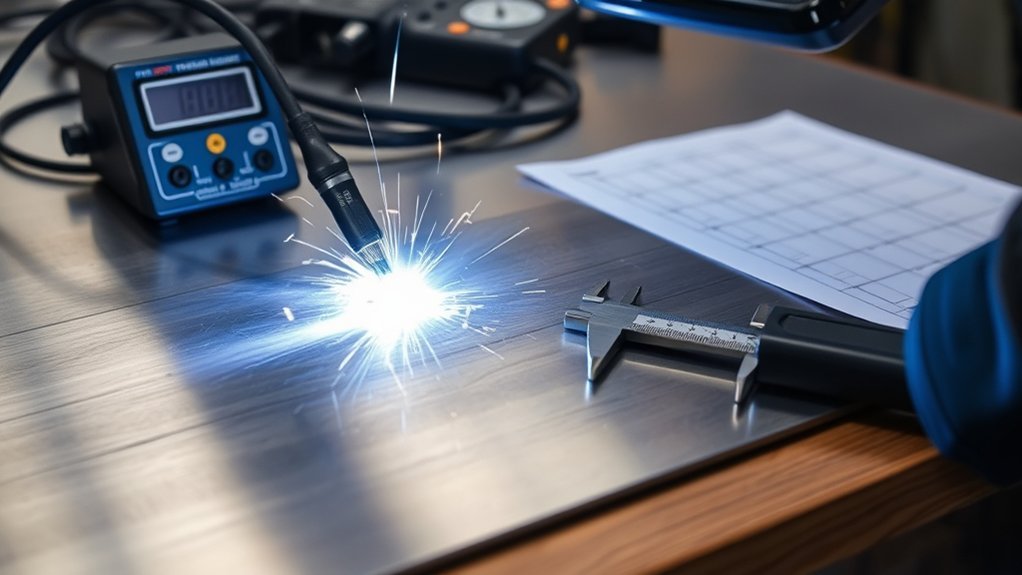
To calculate welding heat input for sheet metal, start with arc energy, then adjust it for process efficiency. The basic arc energy formula is (V × I × 60) ÷ (1000 × travel speed), where travel speed is in mm/min. For thin sheet, the goal is not just a low number. You need enough heat for fusion while limiting burn-through, distortion, and excess heat-affected zone growth.
Quick Answer
Use arc energy = (voltage × current × 60) ÷ (1000 × travel speed in mm/min). Then multiply by process efficiency to estimate true heat input. For example, 18 volts, 90 amps, and 300 mm/min equals 0.324 kJ/mm arc energy; with 0.8 MIG efficiency, heat input is about 0.259 kJ/mm.
Key Takeaways
- Arc energy is the raw electrical energy per weld length before efficiency is applied.
- Heat input is arc energy multiplied by process efficiency, often written as HI = η × AE.
- Higher voltage or amperage raises heat input; faster travel speed lowers it.
- Thin sheet metal usually needs lower heat input, short welds, good fit-up, and controlled sequencing to reduce warping and burn-through.
- For structural, pressure, coded, or safety-critical work, follow the approved WPS, material data, and applicable welding code.
At a Glance
| Time Required | 5–10 minutes once voltage, current, and travel speed are known |
| Difficulty | Easy math, moderate setup accuracy |
| Tools Needed | Welder readout or meter, stopwatch, ruler or tape, calculator, scrap test coupon |
| Cost | Usually $0 if your machine displays voltage and amperage; low cost if you need a meter or test coupons |
What Is Welding Heat Input?
Welding heat input is the estimated thermal energy that reaches the base metal per unit of weld length. It affects bead shape, penetration, cooling rate, distortion, and the heat-affected zone, often called the HAZ.
The key detail is that arc energy and heat input are not always the same thing. Arc energy is the raw energy supplied by the welding arc. Heat input adjusts that value by the welding process efficiency, because not every process transfers the same share of arc energy into the workpiece.
For sheet metal, this matters because thin material has little mass to absorb heat. Too much heat can cause burn-through, oil-canning, excessive warping, and a wider HAZ. Too little heat can cause poor wet-in, lack of fusion, and a weak joint. The best setting is the lowest controlled heat that still gives sound fusion.
Additionally, proper surface preparation is crucial to reducing contamination, unstable arc behavior, and weld defects when working on coated or dirty metal.
Warning: Welding is hot work. Wear proper eye, hand, skin, and respiratory protection, remove combustibles from the area, use ventilation for fumes, and follow the approved WPS, material data, manufacturer instructions, and local safety rules. Do not rely on a general heat input estimate for structural, pressure, roll-cage, frame, or safety-critical welds.
How to Calculate Welding Heat Input
Use two steps. First, calculate arc energy. Then multiply by process efficiency to estimate heat input.
Step 1: Calculate arc energy
Arc Energy (kJ/mm) = (V × I × 60) ÷ (1000 × S)
Step 2: Apply process efficiency
Heat Input (kJ/mm) = Arc Energy × η
| Symbol | Meaning | Unit |
| V | Arc voltage | Volts |
| I | Welding current | Amps |
| S | Travel speed | mm/min |
| η | Process efficiency factor | Decimal, such as 0.8 |
Understanding correct amperage is also important because current changes penetration, bead size, and total arc energy.
Welding Heat Input Formula for Sheet Metal
For sheet metal, use the same formula, but be stricter with units and travel speed. Thin sheet responds quickly to small parameter changes, so a minor voltage increase or slower hand movement can raise heat input enough to warp the panel.
If you double travel speed while voltage and current stay the same, arc energy per millimeter is cut in half. That is why travel speed is one of the fastest ways to reduce heat input on thin sheet.
Worked Example for MIG Welding Sheet Metal
Say you are welding sheet metal with these values:
- Voltage: 18 V
- Current: 90 A
- Travel speed: 300 mm/min
- Process: MIG/GMAW
- Efficiency factor: 0.8
Step 1: Calculate arc energy.
(18 × 90 × 60) ÷ (1000 × 300) = 97,200 ÷ 300,000 = 0.324 kJ/mm
Step 2: Multiply by process efficiency.
0.324 × 0.8 = 0.259 kJ/mm
Your estimated heat input is 0.259 kJ/mm. If the sheet starts warping or the bead is too wide, you could reduce voltage or current slightly, increase travel speed, shorten weld length, improve fit-up, or use a stitch sequence.
How to Convert Inches per Minute to mm/min
If your travel speed is measured in inches per minute, multiply by 25.4 to convert it to mm/min.
Example: 12 in/min × 25.4 = 304.8 mm/min.
Then use 304.8 as S in the kJ/mm formula. Do not mix inches and millimeters in the same calculation, or the result will be wrong.
Process Efficiency Factors for Heat Input
Process efficiency estimates how much arc energy reaches the workpiece. These are common reference values used for comparison, but your approved welding procedure or governing code may require different values.
| Welding Process | Common Efficiency Factor | Practical Note |
| SAW | 1.0 | High transfer efficiency; rarely used for thin sheet work |
| MIG/MAG/GMAW | 0.8 | Common for automotive and sheet metal fabrication |
| FCAW | 0.8 | Useful for outdoor work, but can be too hot for very thin sheet |
| SMAW/MMA/Stick | 0.8 | Usually harder to control on thin sheet than MIG or TIG |
| TIG/GTAW | 0.6 | Precise, but slow travel can still overheat thin sheet |
| Plasma Arc | 0.6 | Used where a concentrated arc and controlled setup are needed |
Understanding the importance of heat input control can significantly improve weld quality and help prevent excessive warping, oxidation, and poor bead shape.
Why Travel Speed Affects Heat Input
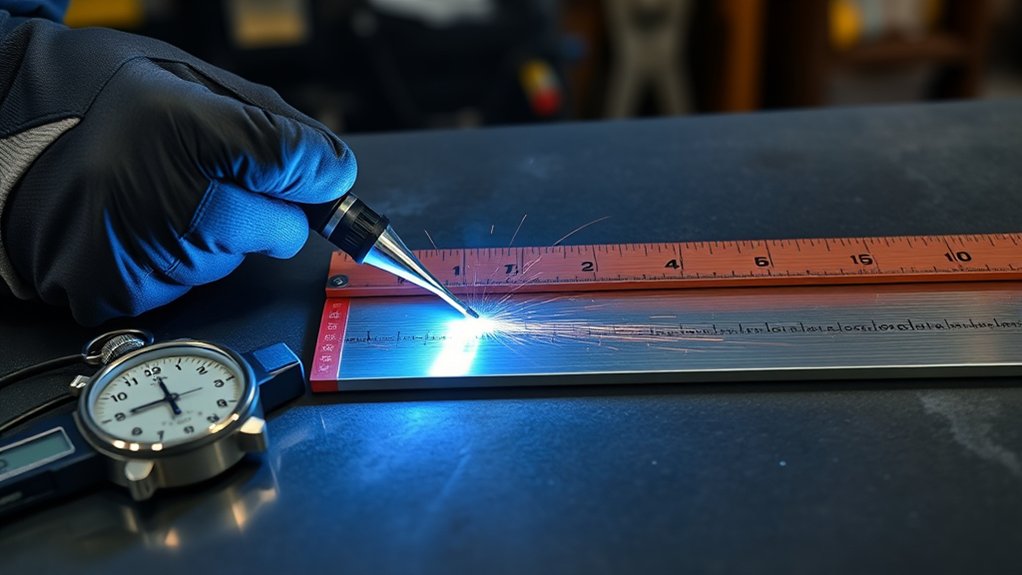
Travel speed directly controls how much energy lands in each millimeter of weld. If voltage and current stay the same, a slower torch gives the arc more time to heat one small area. That raises heat input, widens the bead, and increases the chance of distortion.
A faster travel speed spreads the same arc power over more length. That lowers heat input per millimeter, which can help on thin sheet. However, too much speed can create a ropey bead, poor tie-in, undercut, or lack of fusion.
In MIG, TIG, and flux core welding, travel speed works with voltage, amperage, wire feed speed, torch angle, stickout, fit-up, and shielding gas. The calculation gives you a number, but the weld still needs visual inspection and, when required, testing.
Pro Tip: Measure travel speed over a longer bead, such as 100 mm or 150 mm, instead of timing a tiny tack. Longer measurements reduce stopwatch error and give a more realistic average speed.
How to Measure Voltage, Current, and Travel Speed
Good heat input math depends on good inputs. Do not use guessed values if the weld matters.
- Measure or record voltage: Use actual arc voltage when possible. The machine setting may not match real voltage under load.
- Measure or record current: Use the machine display, procedure data, or a suitable meter. For MIG, current changes with wire feed speed and stickout.
- Measure bead length: Mark a test line on scrap or measure the completed weld length.
- Time the weld: Start timing when the arc starts moving and stop when the bead ends.
- Calculate travel speed: Travel speed = weld length ÷ welding time, then convert to mm/min.
Example: If you weld 150 mm in 30 seconds, your speed is 5 mm/second. Multiply by 60 to get 300 mm/min.
Products Worth Considering

Important Tips - This CM2K0R clamp meter can not test DC Current. To measure the AC Current you need to clamp the meter around one of the wires and not the whole power cord. Ensure the conductor to betested is in the center of the clamp head. The clamp Jaw is only used to measure current. Do not measure voltage by clamping the conductor being measured.
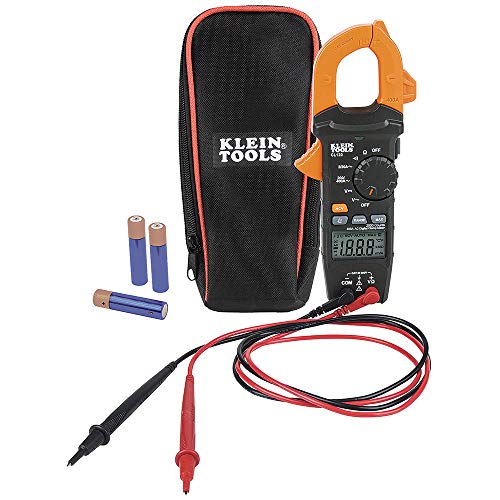
VERSITILE CLAMP METER: Measures AC current and NCVT via clamp; AC/DC voltage, resistance, and continuity via test-leads

[Main Parameter] - Model: 91C4; Measurement Range: 0-20mA, Accuracy of Class: 2.5
How to Keep Welding Heat Input Low
Keeping welding heat input low starts with limiting arc power and limiting how long the arc stays in one place. Use the lowest current and voltage that still create proper fusion for the sheet thickness, joint type, and filler metal.
- Increase travel speed carefully: Move faster, but not so fast that the bead loses fusion at the toes.
- Use short welds: Stitch welding and skip welding help spread heat across the panel.
- Improve fit-up: Tight, clean joints need less heat than wide gaps.
- Use backing when appropriate: Copper backing can absorb heat and support the molten pool on thin steel.
- Clamp the panel: Good clamping reduces movement while the sheet expands and contracts.
- Control interpass temperature: Let the work cool between short welds so heat does not stack up.
- Avoid oversized welds: More weld metal usually means more heat, more shrinkage, and more distortion.
During multi-pass welding, calculate each pass separately. Track voltage, current, travel speed, pass sequence, bead size, and interpass temperature. This gives you a real record instead of a guess.
Additionally, proper weld sizing is crucial to controlling heat input, shrinkage, and structural performance.
Products Worth Considering

Enough Quantity: with each package, you get 2 pieces of copper flat bar, an ideal quantity for a wide range of your creative and practical projects, offering nice ductility and are easy to cut and weld, ensuring you can easily adapt them for a variety of applications and project needs

Copper Flat Bar Size: The package comes with 1PCS of copper bar stock in following. Size: Length 102mm/4.01-inch; Width 50mm/1.97-inch; Thickness 10mm/0.39-inch. Dimensions are hand-cut, so slight variations are normal. The tolerance is +0.5 to 1 mm.
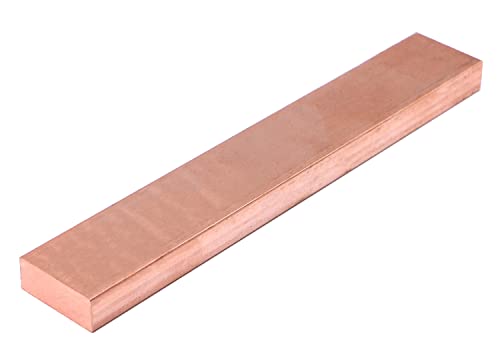
Material:Copper Flat BAR
Common Heat Input Mistakes
- Mixing units: Do not put inches per minute into a formula expecting mm/min.
- Forgetting the 1000 factor: The formula converts joules to kilojoules.
- Skipping efficiency: The raw formula gives arc energy. Estimated heat input needs the efficiency factor.
- Using preset voltage only: Actual arc voltage can vary under load.
- Timing only one tack: Short measurements can make travel speed look faster or slower than it really is.
- Chasing a low number only: Too little heat can cause lack of fusion, especially at lap joints, plug welds, and thicker edges.
Troubleshooting Heat Input on Sheet Metal
Note: Heat input is one control tool, not the full weld-quality test. If a weld must meet a code, inspection requirement, or vehicle repair procedure, verify it by the required method instead of relying on calculation alone.
- Burn-through: Lower current, lower voltage, increase travel speed, use shorter welds, improve backing, or close the gap.
- Warping: Use skip welds, let the panel cool, clamp better, reduce bead size, and avoid long continuous welds.
- Lack of fusion: Slow down slightly, increase current, improve joint prep, clean the metal, or adjust torch angle.
- Wide bead with heavy discoloration: Reduce heat, shorten arc length, improve shielding, or move faster.
- Inconsistent bead shape: Check stickout, travel angle, wire feed stability, surface cleanliness, and your actual travel speed.
Frequently Asked Questions
How do you calculate heat input for welding?
Calculate arc energy with (voltage × current × 60) ÷ (1000 × travel speed in mm/min). Then multiply by the process efficiency factor. For MIG/GMAW, a common reference factor is 0.8. For TIG/GTAW, a common reference factor is 0.6.
What is the maximum heat input for welding?
There is no universal maximum heat input. The limit depends on the material, thickness, joint design, welding process, service requirement, and governing code or WPS. High-strength steels, stainless steels, aluminum alloys, pressure parts, and structural welds may all have different heat input limits.
Is arc energy the same as heat input?
No. Arc energy is the raw electrical energy supplied by the arc per unit length. Heat input adjusts arc energy by process efficiency, so it better estimates the energy that actually reaches the workpiece.
Why does faster travel speed lower heat input?
Travel speed is in the denominator of the formula. When speed increases, the same arc power is spread over more weld length, so energy per millimeter drops. If you move too fast, though, you can lose fusion.
How do you calculate travel speed for the formula?
Measure the weld length and divide it by the welding time. If you weld 150 mm in 30 seconds, your speed is 5 mm/second. Multiply by 60 to get 300 mm/min.
How do you reduce heat input when welding sheet metal?
Use lower voltage and current where fusion still remains sound, increase travel speed carefully, use stitch or skip welding, improve fit-up, clamp the panel, use backing when appropriate, and let the sheet cool between welds.
Conclusion
To calculate heat input when welding sheet metal, start with arc energy = (V × I × 60) ÷ (1000 × travel speed in mm/min). Then multiply that number by the process efficiency factor to estimate true heat input. This gives you a useful kJ/mm value you can compare between test welds.
For thin sheet, the calculation is most useful when you combine it with good welding practice. Keep welds short, use clean fit-up, avoid oversized beads, control travel speed, and let the panel cool between welds. The right heat input is not simply the lowest number. It is the controlled setting that gives fusion without excess warping, burn-through, or HAZ growth.
Sources
- TWI: What is the difference between heat input and arc energy? — supports the arc energy vs. heat input distinction, formula variables, and process efficiency factors.
- OSHA: Welding, Cutting, and Brazing — supports the safety warning for welding hazards, standards, and protective controls.
- TWI Technical Knowledge FAQs — supports using authoritative welding guidance when checking process terminology and procedure-related concepts.