Using the wrong amperage for a specific material thickness can drastically affect your cut quality. A plasma cutting speed chart helps you match material thickness with the proper amperage and cutting speed. You usually measure this speed in inches per minute (IPM) or millimeters per minute (mm/min). This ensures precision and efficiency. Understanding this chart is key to improving your plasma cutting operations.
Quick Answer
- Match your amperage settings directly to the material thickness to prevent excessive dross and warping.
- Consult manufacturer speed charts to find the exact inches per minute (IPM) needed for your specific setup.
- Maintain a consistent standoff distance and proper pierce height to extend consumable life and ensure clean edges.
Understanding the Plasma Cutting Speed Chart

When you look at a plasma cutting speed chart, you will quickly realize its value in improving your operations. This chart is a necessary tool for achieving consistent, high-quality cuts.
By aligning your material’s thickness with the appropriate amperage, you maintain precision. For instance, using a 40 amp tip on 14 gauge steel at 50 IPM guarantees a clean edge with minimal distortion.
The chart also helps you manage kerf width. This is important for compensating for material loss during the cut. Maintaining a consistent standoff distance prevents angular cuts and keeps your project uniform.
Managing kerf width is vital for compensating material loss and ensuring uniformity in your cutting projects.
As you increase amperage, you will notice a boost in cutting speed. This is especially true with thicker materials. However, staying within the recommended parameters ensures you do not compromise on cut quality.
Mastering these elements removes the guesswork and helps you achieve the best possible results.
Factors Influencing Cutting Speed

Understanding the factors that influence cutting speed is fundamental to optimizing your plasma cutter’s performance. When you dial in the right cutting speed, you balance precision with efficiency.
If you cut too fast, you risk arc stability issues and excessive dross. If you cut too slow, you might get wide cuts and material distortion. The goal is to find the exact speed where arc stability remains strong, ensuring clean edges and minimal waste.
Consider these vital elements:
- Material thickness: Your cutting speed must align with the metal’s thickness. For example, a Hypertherm Powermax 85 SYNC can manage 200 IPM on 1/4-inch material.
- Amperage settings: Higher amperage boosts speed. You must match it closely with the material thickness to maintain edge quality.
- Standoff distance: Keep this distance consistent. Variations change the arc voltage, which directly influences your speed and cut quality.
Optimal Amperage Settings for Different Thicknesses

To achieve the best cutting results, you must select the appropriate amperage settings based on material thickness. This keeps your process both efficient and accurate.
For instance, a 40 amp tip is ideal for cutting 14 gauge metal. A 50 amp tip suits materials up to 1/4 inch thick. This shows how closely thickness and amperage correlate.
Amperage Selection Guidelines
Selecting the correct amperage settings is necessary for solid cutting performance. You must focus on precise adjustments tailored to the specific material thickness.
Consider the following baselines:
- 14 gauge material: A 40 amp tip strikes a good balance for speed and quality.
- Thin materials (up to 0.6mm): A 20 amp tip minimizes dross and heat distortion.
- Heavier materials (up to 1.0mm): Opt for a 50 amp tip to maintain cutting efficiency.
Testing different settings on scrap material is always recommended. Performance varies with the specific alloy and setup you use.
Thickness-Amperage Correlation
Now let’s look closer at the direct connection between material thickness and ideal amperage settings.
Precision starts with matching the amperage to your material. For 14 gauge material, a 40 amp tip prevents heat distortion and ensures quality cuts.
When working with thinner materials, a 20 amp tip handles up to 0.6mm easily. A 50 amp tip cuts through 1.0mm with precision. As a general rule, a 30 amp setting works best for 0.8mm, and 40 amps for 0.9mm.
Avoid pushing your consumable tips above their rated amperage. Doing so accelerates wear and ruins cut quality. Test different settings to find the cleanest cut for intricate applications.
Efficiency Through Amperage
Understanding ideal amperage settings is essential for plasma cutting efficiency. You need the right output for superior cutting speed and accuracy.
Balancing amperage helps you avoid distortion or sloppy cuts:
- Use 20 amp tips for tasks requiring 15 to 20 amps. This ensures clean cuts without overloading the nozzle.
- For 14 gauge materials, 40 amp tips enhance performance and prolong tip life.
- With 1/4-inch steel, 50 amp tips work well. Jumping to 85 amps can boost your speed up to 200 IPM.
Always consult amperage charts provided by your manufacturer to determine the correct power output.
Balancing speed and amperage is vital for avoiding slow cutting issues and maximizing efficiency.
Plasma Cutting Techniques for Precision
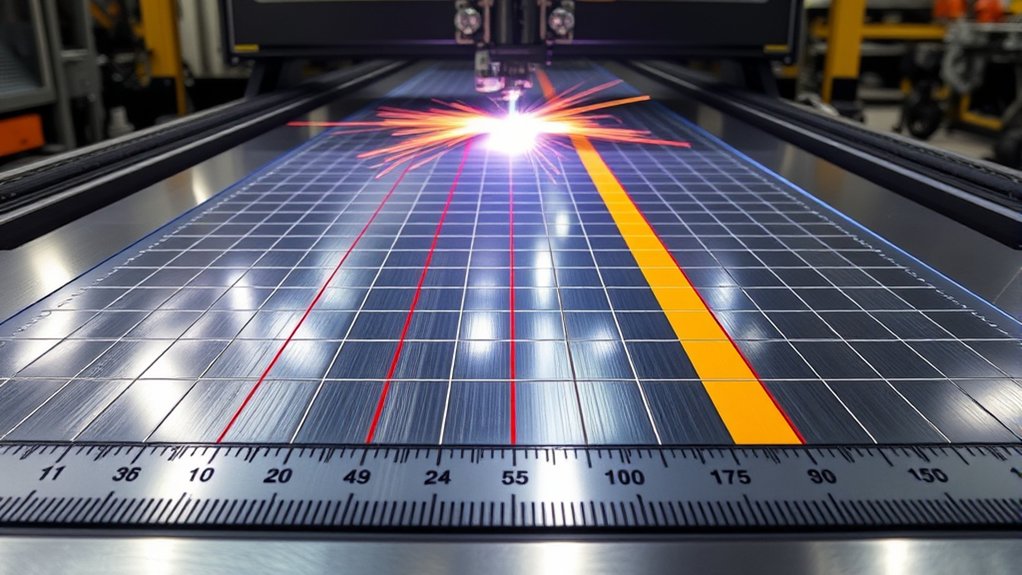
Setting the ideal cutting speed is critical for precision. Moving too fast causes arc instability and heavy dross. Moving too slow creates wider cuts and warps the metal. Mastering these techniques requires careful adjustments across several parameters. For thin metal sheets, fine-tune your amperage output. Using FineCut consumables creates a narrow kerf and a stiff arc, which improves edge quality. Adjust the arc voltage to maintain a consistent standoff distance. Small variations in distance will negatively impact angularity and overall cut quality.
| Parameter | Ideal Setting | Effect on Precision |
|---|---|---|
| Amperage | Adjust for thickness | Narrow kerf, stiff arc |
| Arc Voltage | Consistent standoff | Improved angularity |
| Pierce Height | 1.5-2 times cut height | Reduces consumable wear |
| Kerf Compensation | Adjust to minimize waste | Enhances part accuracy |
Setting the correct pierce height and managing kerf width compensation further improves accuracy and keeps your consumables running longer.
Safety Considerations in Plasma Cutting

Prioritizing safety is non-negotiable due to the high heat, electricity, and sparks involved in plasma cutting.
Equip yourself with appropriate PPE. This includes heat-resistant gloves and shaded safety glasses to prevent burns and eye damage.
Always ensure proper grounding of your equipment to prevent electrocution. Handle recently cut metal parts with extreme caution to avoid severe burns.
Personal Protective Equipment
Staying safe requires a clear understanding of the right personal protective equipment (PPE). Proper gear is necessary for injury prevention and allows you to work comfortably.
Essential gear includes:
- Heavy-duty gloves: These prevent lacerations and burns when handling hot, sharp metal.
- Safety glasses or shields: Protect your vision from sparks, debris, and harmful UV radiation.
- Heat-resistant boots: Shield your feet against falling hot metal drops.
Reinforced apparel, like fire-resistant long-sleeved shirts and overalls, protects your skin from intense heat.
With high energy outputs, such as the Hypertherm Powermax125’s 175V output, PPE is required to lower electrocution risks and maintain a secure work environment.
Handling Hot Cut Parts
Handling hot cut parts requires strict attention to basic safety protocols.
Recently cut parts reach extreme temperatures. You must use heat-resistant gloves to prevent burns. Direct skin contact with hot, sharp edges poses a high risk of severe injury.
Temperature management is critical. Always use pliers or appropriate hand tools to move freshly cut components. Reinforced boots are also necessary to protect your feet in case a heavy, hot piece of metal drops.
Follow standard heavy-lifting protocols when dealing with large, thick plates to avoid back injuries or crushed fingers.
Electrical Safety Measures
Plasma cutting requires strict adherence to electrical safety measures due to the high voltage involved. Understanding and minimizing electrical hazards is crucial for machines outputting high voltage.
Follow these safety protocols to keep your shop secure:
- Wear Proper PPE: Dry, heavy-duty gloves and rubber-soled boots help protect against stray voltage.
- Inspect Equipment Integrity: Maintain your plasma cutter and check the torch lead for cuts. A damaged cable can lead to severe shocks.
- Maintain a Clean Workspace: Keep your compressed air supply clean, dry, and oil-free. Moisture in the lines can cause equipment shorts and poor cut quality.
Enhancing Performance With Beacon-Powered Systems

If you are upgrading your setup, Beacon-powered systems can noticeably improve plasma cutting performance. Their technology maintains cutting consistency by automatically adjusting voltage and torch distance for the ideal standoff. This precise control reduces distortion and improves cut quality. By achieving speeds over 100 IPM, these systems greatly improve production efficiency and reduce manual adjustments.
| Feature | Benefit |
|---|---|
| Automatic Voltage Adjust | Maintains ideal arc voltage |
| Torch Distance Control | Guarantees consistent standoff |
| Speed Over 100 IPM | Enhances production efficiency |
| Real-Time Adjustments | Reduces heat input and distortion |
With real-time adjustments, the system maintains the exact arc voltage needed for clean cuts across different materials. This minimizes material distortion and improves the entire plasma cutting process. Adopting these automated systems helps guarantee precision and speed for large-scale operations.
How to Read a Manufacturer’s Cut Chart
Every reputable plasma cutter comes with a manufacturer’s cut chart in the user manual. To use it correctly, first locate the section that matches your material type, such as mild steel, stainless steel, or aluminum.
Next, find the row corresponding to your material’s exact thickness. Read across the columns to find the recommended amperage, specific consumable part numbers (like the nozzle and electrode), and the target cutting speed in IPM or mm/min. Always use these numbers as your baseline. You can then make small adjustments based on the actual wear of your consumables and the specific condition of your metal.
Frequently Asked Questions
What Is the Lifespan of a Plasma Cutting Machine?
Your machine’s lifespan depends on usage frequency, routine maintenance, and operating conditions. Keep the air supply dry and replace consumables regularly to ensure peak performance and extend the life of the internal components.
How Do Environmental Conditions Affect Cutting Speed?
Environmental conditions directly impact your machine. High humidity introduces moisture into the air lines, which reduces cutting efficiency and ruins consumables. You need clean, dry air and a stable power supply to maintain precision and steady cutting speeds.
Can Plasma Cutters Be Used Underwater?
Yes, certain CNC plasma cutters can be used over water tables or fully submerged. Underwater applications require specialized equipment to ensure electrical insulation and manage gases. This setup helps reduce smoke, noise, and heat distortion on the metal.
What Maintenance Is Required for Optimal Machine Performance?
Preventive maintenance is essential. Regularly inspect your consumables, check torch alignment, and replace air filters. Swapping out worn parts proactively keeps the machine running efficiently and prevents unexpected downtime or costly repairs.
How Do Plasma Cutters Compare to Laser Cutters in Speed?
Plasma cutters are generally faster than laser cutters when working on thicker metals (usually over 1/4 inch). Plasma offers rapid cutting speeds and lower initial equipment costs, while lasers excel at fine, detailed cuts on very thin sheet metal.
Conclusion
Understanding and applying a plasma cutting speed chart is the most reliable way to improve your fabrication work. By matching the right amperage to your material thickness and sticking to the recommended cutting speeds, you ensure clean, precise edges every time. Remember to prioritize safety protocols, use the right PPE, and rely on your manufacturer’s data as your baseline. With practice and proper adjustments, you will consistently produce high-quality cuts and get the absolute most out of your plasma cutting equipment.