Last updated: July 23, 2026 · Updated using OSHA and manufacturer safety guidance.
To prevent angle grinder overheating, keep the air vents clear, use a compatible wheel rated for at least the grinder’s maximum speed, support the work so the wheel cannot bind, and use steady pressure without forcing the motor to slow. Stop immediately for smoke, a burning odor, abnormal sparking, repeated shutdowns, new vibration, or a hot or damaged cord, plug, or battery. After the wheel stops, disconnect the plug or battery and let the tool cool naturally. This guide covers the causes, warning signs, safe cooling steps, disc selection, maintenance, and repair thresholds.
Quick Answer
Some warmth during demanding work can be normal. Rapid heat buildup, a sharp speed drop, smoke, burning odor, abnormal sparking, repeated thermal shutdowns, rough noise, or new vibration is not. Stop, disconnect power after the wheel stops, inspect the external setup, and arrange service if the symptom returns under a light and correct load.
Key Takeaways
- Blocked vents, excessive pressure, a binding cut, unsuitable wheels, long loaded runs, and internal wear can all increase heat.
- A wheel must match the grinder’s diameter, arbor or thread, guard, intended task, and maximum speed.
- Disconnect power before cleaning, inspecting, or changing an accessory, and never cool the tool with water.
- Stop using the grinder for smoke, burning smells, damaged cords, abnormal sparking, rough bearings, or heat that returns under a light load.
At a Glance
| Usually Normal | Gradual warmth during demanding work while speed, sound, vibration, and shutdown behavior remain normal for that tool |
| Check the Setup | Heat increases with heavy pressure, a loaded or wrong wheel, a pinched cut, blocked vents, low battery output, or an unsuitable extension cord |
| Stop Immediately | Smoke, burning odor, popping, abnormal sparking, a damaged or hot cord or battery, severe speed loss, or new vibration |
| Arrange Service | Heat returns at no load or under a light correct load, the gear head sounds rough, the spindle has play, or overload protection keeps tripping after cooldown |
What’s in This Article
- Why an Angle Grinder Overheats
- How to Tell When It Is Overheating
- How to Prevent Angle Grinder Overheating
- How to Keep the Vents Clear
- How to Choose the Right Disc
- Maintenance That Reduces Heat
- Troubleshooting by Hot Spot and Symptom
- When to Stop and Arrange Repair
- Frequently Asked Questions
- Bottom Line
Why Does an Angle Grinder Overheat?
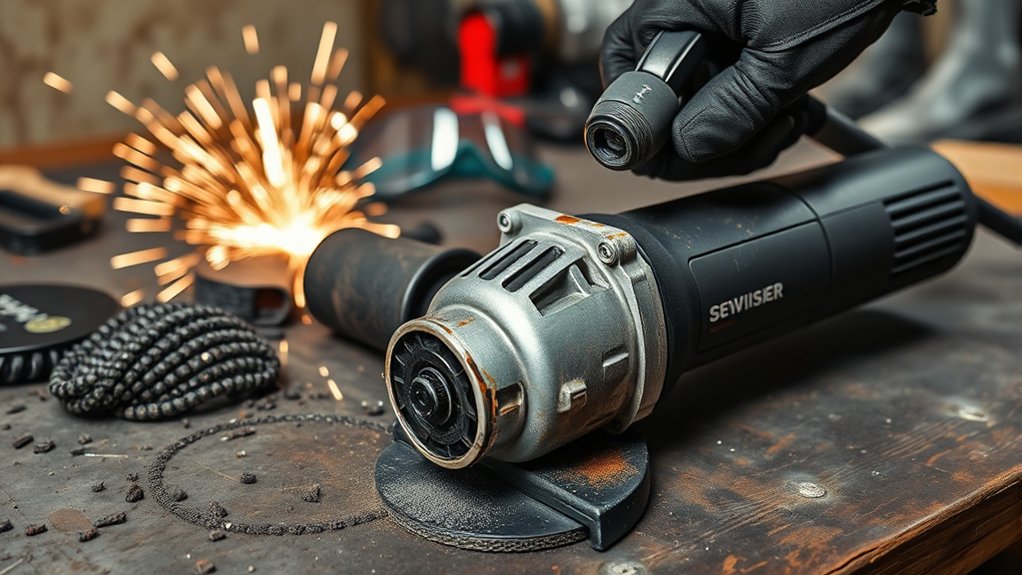
An angle grinder overheats when the motor, gears, battery, or electronics create heat faster than the tool can release it. Some warmth at the gear head or motor housing is expected during demanding work. There is no universal surface-temperature limit that applies to every model, so use the warnings, indicators, and operating limits in your grinder’s manual instead of relying on touch alone.
What Heat Is Normal, and What Is Not?
A warm gear case after sustained grinding can be normal because it carries mechanical load. A hot workpiece or abrasive also does not prove that the motor is overheating. The more useful warning pattern is rapid heat plus another change, such as reduced speed, repeated shutdown, burning odor, abnormal sparking, rough noise, or new vibration.
Use Three Clues Before You Diagnose the Cause
- Location: Is the heat strongest at the motor housing, gear head, wheel, cord or plug, battery, or battery contacts?
- Load: Does it happen only during heavy work, during a light correct task, or during a brief no-load check permitted by the manual?
- Other symptoms: Did speed, sound, vibration, smell, sparking, or shutdown behavior change at the same time?
This location-load-symptom check helps separate a setup problem from a likely internal fault. It does not confirm an electrical, bearing, motor, or gearbox diagnosis without model-specific inspection.
Common Causes of Angle Grinder Overheating
- Blocked air vents: Grinding dust and metal powder can restrict cooling airflow and collect inside the housing.
- Too much pressure: Forcing the wheel slows the motor and raises electrical and mechanical load.
- Long, heavy-duty runs: Continuous cutting or grinding may exceed the tool’s intended duty cycle.
- Wrong or damaged accessory: An oversized, glazed, cracked, unbalanced, or unsuitable wheel can add drag and vibration.
- Power-supply problems: A damaged plug or cord, poor connection, or unsuitable extension cord can cause voltage drop or localized heating.
- Internal wear: Worn bearings, damaged gears, failing brushes on a brushed motor, a blocked fan, or motor and electronic faults can create excess heat.
- Cordless protection events: Some cordless grinders reduce power or shut down when the battery, motor, or controller becomes too hot or overloaded.
Heat is not only a performance problem. Continued operation can damage insulation, electronics, brushes, batteries, bearings, gears, and plastic housings. It can also make a wheel more likely to bind, vibrate, or fail if the wrong accessory or technique is involved.
Note: Do not perform another test run after smoke, burning odor, popping, abnormal sparking, severe vibration, or a hot or damaged cord, plug, or battery. A no-load check is only appropriate after the tool is cool, externally inspected, free of stop-use signs, and the model manual allows that check.
How Can You Tell if an Angle Grinder Is Overheating?
Overheating often gives warning signs before the tool fails. Watch for changes in heat, smell, sound, vibration, speed, and shutdown behavior.
Common Overheating Indicators
- The housing becomes unusually hot much faster than it normally does for the same task.
- The motor slows sharply under a normal load or needs more pressure to make the same cut.
- A cordless model repeatedly reduces power or shuts down after only light use.
- The wheel looks glazed, loaded with material, warped, cracked, chipped, or discolored.
- Vibration increases after installing a wheel or after the tool has been dropped.
- The cord, plug, battery pack, or battery contacts become unusually hot.
Warning: Release the switch, wait for the wheel to stop, and disconnect the plug or battery if you see smoke, smell burning insulation, hear popping, notice abnormal sparking through the vents, or find a hot or damaged cord, plug, or battery. Do not keep testing the tool.
Unusual Smells or Sounds
A burning odor is a stop-use symptom, not a reliable diagnosis. It can come from overheated dust, a loaded wheel, wiring insulation, brushes, the motor, electronics, or a slipping internal part. Likewise, whining, grinding, rattling, scraping, or popping may come from a damaged accessory, loose flange, bearing, gear, fan, or electrical fault.
After the tool is cool and disconnected, inspect only the external parts your manual allows you to check. If the odor or sound returns, arrange qualified service instead of repeatedly running the grinder under load. For a separate check of work sparks versus sparks coming through the housing, see why angle grinder sparks happen.
Reduced Cutting Efficiency
Slow cutting does not prove that the motor is overheating. It may also come from the wrong wheel, a worn or glazed abrasive, a pinched kerf, poor work support, low battery charge, low supply voltage, or excessive pressure. Use the symptoms together rather than relying on one sign.
| Symptom | Possible Cause | First Action |
|---|---|---|
| Slower cutting or grinding | Wrong, worn, glazed, or loaded wheel; heavy pressure; weak power supply | Stop, cool the tool, and verify the wheel and power source |
| Heat at the motor housing | Blocked vents, overload, fan problem, motor or brush wear | Do not retest after stop-use signs; otherwise clean permitted external areas and follow the manual |
| Heat at the gear head with rough noise | Gear or bearing wear, low or incorrect grease, damaged spindle | Remove from service and arrange inspection |
| Glazed or discolored wheel | Excess friction, wrong wheel, side loading, or clogged abrasive | Replace it with a compatible wheel and correct the technique |
| Repeated cordless shutdown | Overload or battery, motor, or controller temperature protection | Release the trigger, remove the load, and let the tool and battery cool naturally |
How Do You Prevent Angle Grinder Overheating?
To prevent angle grinder overheating, inspect the tool and wheel before use, keep the cooling path open, support the work so the cut cannot pinch, and use a controlled feed rate that lets the motor maintain speed.
Products Worth Considering

Included: (1) DeWalt N441218 Angle Grinder Guard Replacement for Angle Grinder DCG414B

Genuine, OEM DeWalt Replacement Part
Before You Start
- Read the grinder and accessory instructions, especially the allowed wheel types, diameter, thickness, guard, flange, and speed.
- Disconnect the plug or remove the battery before touching the wheel, guard, flange, or vents.
- Inspect the wheel for cracks, chips, distortion, moisture damage, heavy glazing, loading, or an expired shelf life where the manufacturer marks one.
- Confirm that the accessory’s rated speed is at least equal to the grinder’s maximum speed and that the arbor or threaded mount fits without homemade adapters.
- Fit the correct guard and side handle, and position the guard between you and the wheel.
- Secure the workpiece so the cut cannot close and pinch the wheel.
- Clear sparks from people, cords, hoses, vehicles, glass, and combustible materials. Use hot-work controls where required.
- Wear eye and face protection, hearing protection, suitable gloves and clothing, and respiratory protection when the material and dust assessment require it.
OSHA guidance for portable abrasive tools calls for proper guards, eye or face protection, disconnection before cleaning or accessory changes, and accessories that do not exceed their rated operating speed. Review OSHA’s portable power-tool guidance before setting up the job.
During Cutting or Grinding
- Use two hands and maintain stable footing.
- Let the wheel reach operating speed before contacting the work.
- Use steady, moderate pressure. Do not force the motor to labor or repeatedly stall.
- Keep your hands, gloves, and the work surface away from the cooling vents.
- Do not twist a cut-off wheel in the kerf or grind on its side.
- Pause when performance changes instead of pressing harder.
- Give the grinder cooling breaks during long work, following any duty-cycle or thermal-protection instructions in its manual.
Pro Tip: Mark the depth of a long cut and make controlled passes when the wheel and material allow it. If the grinder slows, the answer is usually a sharper or more suitable accessory, better work support, or a larger-capacity tool, not more body weight.
How to Cool an Overheated Grinder Safely
- Release the switch and keep control until the wheel stops completely.
- Set the tool on a clean, noncombustible surface away from dust and flammables.
- Unplug the cord or remove the battery after the wheel stops.
- Let the grinder, wheel, and battery cool naturally in a dry, ventilated area.
- Do not use water, wet rags, a freezer, or liquid coolant on the tool or accessory.
- Before reuse, inspect the vents, wheel, guard, flange, cord or battery, and work setup.
- Run the tool only as the manual directs. Stop again if heat, odor, vibration, or power loss returns.
How Do You Keep Angle Grinder Vents Clear?
The motor fan moves cooling air through the housing. Dust at the intake or exhaust openings reduces airflow, while conductive metal powder inside the tool can create an electrical hazard. Bosch instructs users to keep ventilation openings clean and warns against inserting pointed objects through them. See the Bosch 1375A operating and safety instructions.
How to Clean the Vents
- Switch off the grinder, wait for a full stop, and disconnect the plug or battery.
- Move away from ignition sources and wear eye protection. Use respiratory protection if the collected dust requires it.
- Brush loose debris away from the outside of the vents with a soft, dry brush.
- Use a vacuum or dry compressed air only if the grinder’s manual permits it. Follow the stated pressure, direction, and PPE instructions.
- Do not push wire, picks, screws, or other pointed objects into the openings.
- Do not spray water, penetrating oil, brake cleaner, or household solvent into the housing.
Cleaning the outside of the vents is routine care. Opening the housing, cleaning conductive dust from the motor, replacing brushes, or servicing a fan may affect electrical safety and warranty coverage, so follow the manufacturer’s service procedure or use an authorized repair center.
How Do You Choose the Right Disc to Reduce Heat?
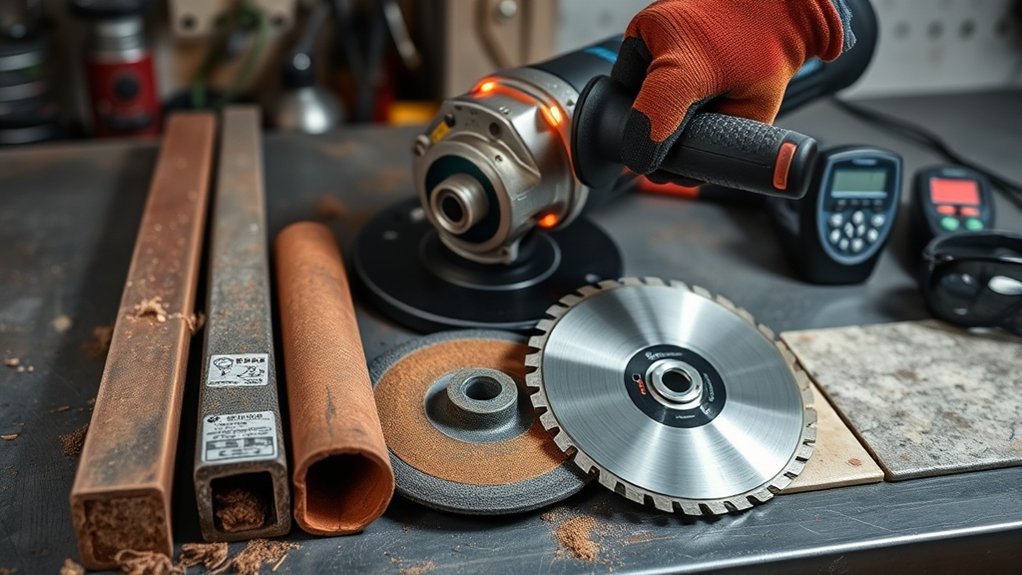
Selecting the right disc protects the grinder, workpiece, and operator. The accessory must match the material, task, grinder size, mounting system, guard, and maximum speed. A wheel that merely fits on the spindle is not automatically safe.
For deeper compatibility checks, compare angle grinder wheel types, cut-off wheel types and thickness, and angle grinder arbor sizes before buying or mounting an accessory.
Products Worth Considering

Structural Components: A Cut off wheel typically comprises an abrasive, a binder, and air holes. The abrasive cuts, the binder shapes and strengthens, and the air holes remove swarf and dissipate heat to prevent damage to the cutting disc from overheating

【Fits All 4-1/2 Inch Angle Grinders】 PRETEC Cut Off Wheel is compatible with all 4-1/2 inch angle grinders with 7/8 inch arbor. The high rotating speed of up to 13,300 RPM, more than common 13,000 RPM, ensure maximum efficiency.

Premium and Value: This 10-pack 4-1/2 x 7/8-inch metal/stainless steel cut-off wheel set is specially formulated for fast cutting in metals and stainless steel
Disc Type Selection
| Task | Typical Accessory | Heat-Prevention Check |
|---|---|---|
| Cutting steel | Reinforced cut-off wheel rated for the metal and grinder | Keep the wheel square to the cut and prevent the kerf from pinching |
| Grinding welds or edges | Depressed-center grinding wheel approved for the tool and guard | Use the approved working angle and avoid excessive pressure |
| Blending or finishing metal | Flap disc with the correct backing and grit | Replace a glazed or loaded disc instead of forcing it |
| Cutting masonry, tile, or concrete | Diamond or bonded wheel specifically rated for the material and dry or wet method allowed by the grinder | Use the required shroud, extraction, guard, and dust controls; do not add liquid unless the tool is designed for it |
| Removing rust or scale | Wire cup or wheel specifically approved for the grinder | Do not overload the wires; use the required guard and eye or face protection |
Disc Compatibility Checklist
- Rated speed: The accessory rating must be at least the grinder’s maximum speed.
- Diameter and thickness: Both must be within the grinder and guard capacity.
- Mounting: Threaded accessories must match the spindle thread; flange-mounted wheels need the correct arbor and approved flanges.
- Wheel and guard type: Use the guard designed for the selected operation and accessory.
- Condition: Do not use cracked, chipped, dropped, warped, wet, heavily worn, or badly loaded accessories.
- Application: Use the wheel only for the material and operation printed on its label and allowed by the tool manufacturer.
Manufacturer manuals warn that an accessory running above its rated speed can break apart and that mismatched mounting hardware can cause imbalance and loss of control. See Makita’s angle grinder instructions for an example of these requirements.
Warning: Never grind with the side of a cut-off wheel, install a larger wheel after removing the guard, or use reducing bushings, homemade adapters, saw-chain cutters, or toothed wood blades unless the grinder manufacturer specifically approves that exact setup.
What Maintenance Helps an Angle Grinder Run Cooler?
Maintenance should reduce friction and preserve airflow without introducing dust, solvent, or the wrong grease into the tool.
After Each Use
- Disconnect power and let the tool cool.
- Wipe the housing, cord, battery rails, and guard with a clean, dry cloth.
- Brush dust from the vent openings and inspect the guard, side handle, spindle, flanges, and lock nut.
- Check the accessory for glazing, loading, cracks, chips, uneven wear, or damaged threads.
- Store the grinder and wheels in a dry place where accessories cannot be bent, dropped, or contaminated.
Periodic Checks
- Inspect the cord and plug for cuts, loose pins, heat discoloration, or soft and melted areas.
- For cordless tools, inspect the battery case and contacts. Do not use a swollen, cracked, leaking, wet, or impact-damaged pack.
- Check for spindle play, rough rotation, persistent gear noise, loose guards, and damaged switches.
- Replace serviceable carbon brushes only at the interval and by the method listed for your model.
- Do not add oil or general-purpose grease through vents or around the spindle. Gearbox lubrication requires the specified product, amount, and service procedure.
The best overheating repair is often prevention: a clean air path, a sharp and compatible accessory, a supported workpiece, and a motor that is allowed to maintain speed.
What Does the Hot Spot Tell You?
The hottest location narrows the first checks, but it cannot confirm an internal diagnosis by itself. Combine the hot spot with the load level and any change in speed, sound, vibration, smell, sparking, or shutdown behavior.
Motor Housing Gets Hot
Check for blocked vents, heavy pressure, a loaded accessory, a fan obstruction, or a task that exceeds the grinder’s capacity. If the housing becomes hot during a brief no-load run or the motor smells, sparks abnormally, or sounds rough, remove the tool from service.
Gear Head Gets Hot
The gear case can become warm because it transfers load from the motor to the spindle. Excessive heat combined with grinding noise, wobble, spindle play, or grease leakage points to a bearing, gear, spindle, or lubrication problem that needs service. Use the separate angle grinder gearbox diagnostic guide for a symptom-by-symptom external check.
Cord, Plug, Outlet, or Extension Cord Gets Hot
Stop immediately. Look for damage, loose connections, undersized or overly long extension cords, overloaded circuits, and poor outlet contact. Do not continue using a connection that is hot, discolored, arcing, or loose. A qualified electrician may need to inspect the supply if the problem is not limited to the tool.
Battery or Cordless Grinder Gets Hot and Shuts Off
Release the trigger, remove the wheel from the work, and let the tool and battery cool naturally. Verify that the wheel is free, the vents are clear, and the pack is compatible and undamaged. Repeated shutdown under a light load can indicate a weak battery, poor contacts, a blocked cooling path, or a tool fault.
RYOBI’s 2026 support guidance lists excess force, an incorrect cutting angle, battery limitations, and overheating among common reasons a cordless angle grinder cuts out. Review the RYOBI troubleshooting guidance. For broader power-source differences, see corded vs. cordless angle grinders.
When Should You Stop Using the Grinder and Arrange Repair?
External cleaning and accessory checks are suitable for most owners. Internal motor, wiring, electronic, bearing, or gearbox work should follow the service manual and may require insulated test equipment, torque specifications, and model-specific parts.
Stop using the grinder and contact the manufacturer, an authorized service center, or a qualified repair technician when:
- Smoke, a burning odor, popping, arcing, or abnormal brush sparking appears.
- The tool overheats at no load or under a light, correct load.
- The switch sticks, the grinder starts unexpectedly, or speed control becomes erratic.
- The cord, plug, battery, or battery contacts are damaged or become hot.
- The spindle has play, the wheel wobbles with a known-good setup, or the gear head grinds or leaks.
- The housing is cracked, melted, or distorted.
- Thermal or overload protection trips repeatedly after the tool and battery have cooled.
- The grinder has been dropped, flooded, exposed to conductive dust internally, or used with a shattered wheel.
Do not bypass a thermal protector, jam a switch on, remove a guard to fit a larger wheel, or keep resetting a tool that is warning you. Qualified service using correct replacement parts is the safer route, as manufacturer instructions emphasize. OSHA’s angle grinder safety sheet also stresses correct wheels, guards, two-handed control, inspection, and PPE.
Frequently Asked Questions
How hot is too hot for an angle grinder?
There is no single housing temperature that applies to every model. Stop when heat rises much faster than normal, performance drops, thermal protection activates repeatedly, or you notice smoke, burning odor, abnormal sparking, vibration, or sound. Follow the limits and warning indicators in the grinder’s manual.
How long should I let an angle grinder cool?
Let the tool, accessory, and battery cool fully in a dry, ventilated place. The time depends on the grinder, ambient temperature, and workload, so do not rely on a fixed five- or ten-minute rule. Reinspect the setup before restarting.
Can I blow out an angle grinder with compressed air?
Only when the model’s manual permits it. Disconnect power, wear eye protection, control the dust, and follow the manufacturer’s pressure and direction instructions. A soft brush or suitable vacuum is safer when the manual does not approve compressed air.
Can the wrong disc make an angle grinder overheat?
Yes. An unsuitable, oversized, damaged, glazed, loaded, or poorly mounted accessory can increase drag, slow the motor, and add vibration. Match the wheel’s task, material, diameter, thickness, arbor or thread, guard, and rated speed to the grinder.
Why does my cordless angle grinder shut off when it gets hot?
Many cordless tools use overload or temperature protection that reduces power or stops operation. Let the tool and battery cool naturally, then check the wheel, pressure, vents, and battery condition. Repeated shutdown during light work needs manufacturer or service-center diagnosis.
Should I cool an angle grinder with water?
No. Water and other liquid coolants can create shock, corrosion, battery, and wheel hazards unless a specific tool and accessory system is designed and approved for wet use. Let a standard angle grinder cool naturally.
Is it normal for the angle grinder gear head to get hot?
Some warmth can be normal because the gear head transfers motor power to the spindle. Stop using the grinder if the heat rises rapidly or appears with grinding noise, wobble, spindle play, grease leakage, burning odor, or heat under a light load.
Should I run an angle grinder at no load to cool it?
Do not use that as a universal rule. Follow the model manual. If you notice smoke, burning odor, abnormal sparking, rough noise, severe vibration, or a hot cord, plug, or battery, release the switch and disconnect power after the wheel stops. Do not keep running a grinder that may have a fault.
Bottom Line
Prevent angle grinder overheating by keeping the cooling path clear, matching the wheel to the tool and material, supporting the work, and using pressure that lets the motor maintain speed. Treat smoke, a burning odor, abnormal sparking, hot electrical connections, repeated protection trips, new vibration, rough gear noise, or heat under a light load as stop-use signs.
Next step: Let the grinder cool naturally, correct only the external setup issues allowed by its manual, and arrange qualified service if the symptom returns.
Sources
- OSHA: Safe Use of Portable and Hand-Held Power Tools — guards, accessory speed, disconnection, and eye or face protection
- OSHA-supported Angle Grinder Safety toolbox talk — wheel selection, fire hazards, inspection, two-handed use, and PPE
- Bosch 1375A Angle Grinder Operating and Safety Instructions — vent cleaning, wheel compatibility, rated speed, kickback, and guard use
- Makita GA4590/GA5090 Series Instruction Manual — wheel mounting, accessory condition, work support, and service-specific safety
- RYOBI: Why does my angle grinder keep cutting out? — overload, battery, application angle, and over-temperature troubleshooting