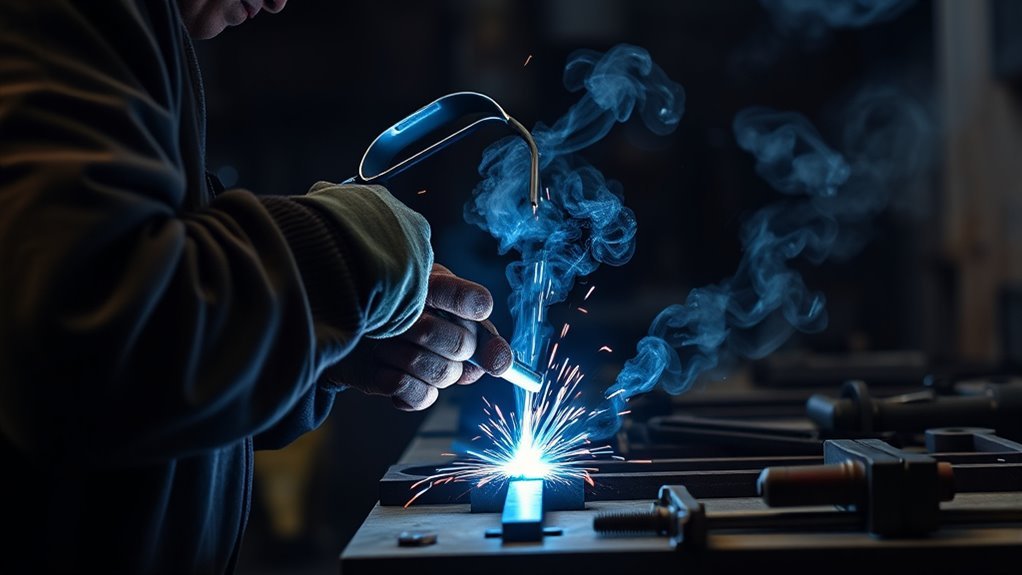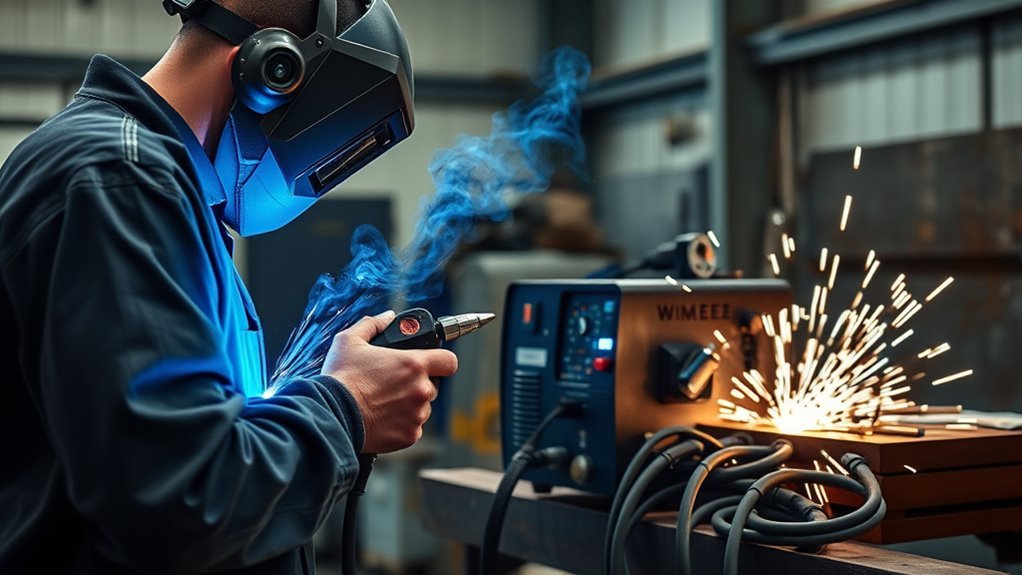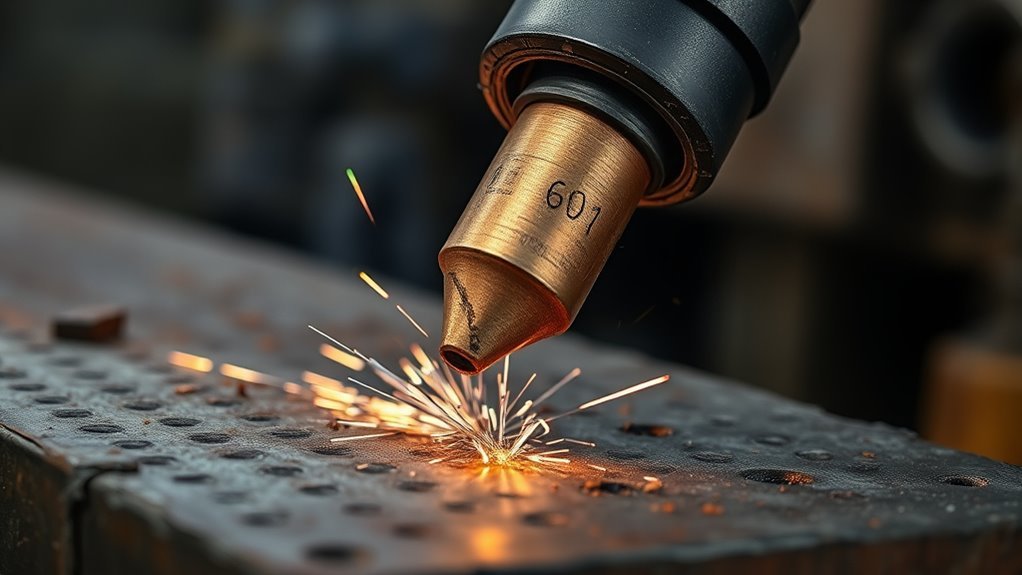
You can tell a plasma cutter tip is worn out when clean cuts start turning rough, jagged, wider than normal, or loaded with dross. The most reliable check is not one symptom by itself. Look at the cut quality, then inspect the nozzle orifice, electrode pit, shield, air supply, torch height, and machine settings before you keep cutting.
Quick Answer
A plasma cutter tip is worn out when the nozzle orifice becomes oblong, oversized, rounded, burnt, or dirty and the cut shows more dross, bevel, spatter, or wandering. Also inspect the electrode. If the hafnium pit is deep, the copper is badly discolored, or the arc becomes unstable after setup checks, replace the worn consumable.
Key Takeaways
- Rough edges, extra dross, wider kerfs, spatter, and arc wandering are the main cut-quality warnings.
- A worn nozzle usually has an enlarged, rounded, or oblong orifice instead of a clean round opening.
- A worn electrode often shows a deep hafnium pit, crater widening, burning, or blue-black heat discoloration.
- Before replacing parts, also check air pressure, dry air, ground clamp contact, torch height, travel speed, and correct consumable size.
- Use your plasma cutter manual or cut chart as the final guide because limits vary by torch and consumable design.
At a Glance
| Time Required | 5–10 minutes for inspection; longer if you troubleshoot air or cut settings |
| Difficulty | Beginner, as long as the torch is cool and powered down |
| Tools Needed | Torch manual, bright light, clean cloth, safety glasses, gloves, replacement nozzle and electrode |
| Cost | Inspection is free; replacement consumable cost depends on torch brand and amperage rating |
Warning: Turn the plasma cutter off, disconnect power when your manual requires it, release air pressure if instructed, and let the torch cool before touching consumables. Wear eye and face protection during cutting, keep sparks away from combustibles, and follow your manufacturer’s safety instructions.
What Are the First Signs of a Worn Plasma Cutter Tip?
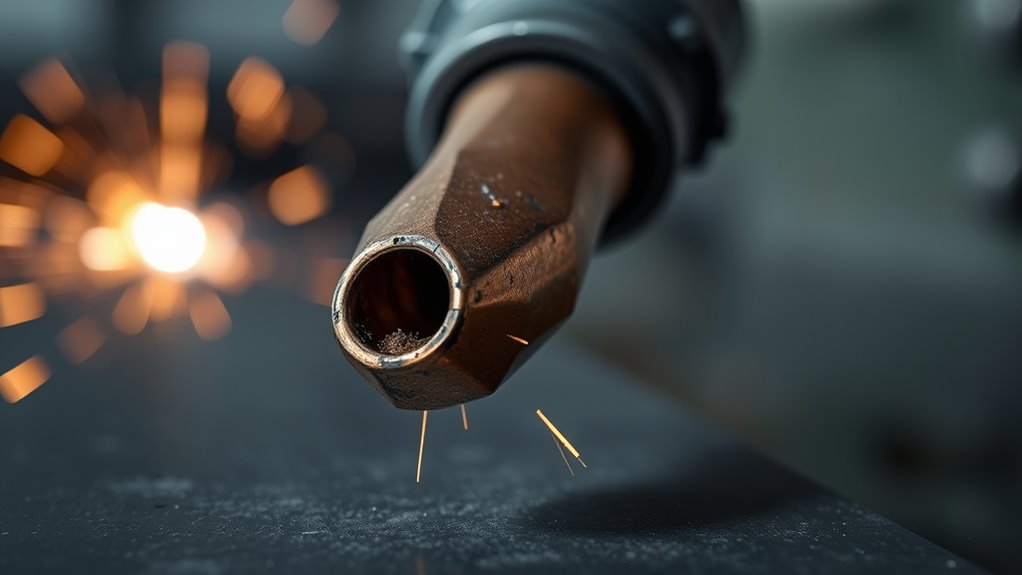
The first sign of a worn plasma cutter tip is often a cut that no longer matches your normal baseline. If the same metal, amperage, air supply, and travel speed suddenly produce a rougher cut, the nozzle or electrode may be wearing out.
Start by checking the nozzle orifice. A good nozzle has a clean, round, centered opening. A worn nozzle may look enlarged, egg-shaped, chipped, rounded at the edge, burnt, or partly blocked by spatter.
Then check the electrode. Many air plasma electrodes use a copper body with a hafnium insert. As the electrode wears, the center pit gets deeper and wider. Once the pit is beyond the limit in your torch manual, replace the electrode before arc starts and cut quality get worse.
You may also notice more dross, excess spatter, wider kerfs, bevel on one side, or a cut that drifts even when your hand stays steady. A color shift in the arc, such as orange or purple, can point to contamination, wet air, wrong settings, or worn consumables. Stop cutting, inspect the torch, and replace damaged parts instead of forcing another pass. Excess amperage at the electrode can also shorten consumable life.
Poor Cut Quality and Rough Edges
Poor cut quality is the symptom most users notice first. A worn tip can make the plasma arc lose focus, so the kerf becomes wider, rougher, and less predictable. Instead of a clean edge, you may see a ragged line, slag stuck to the underside, or a cut that needs more grinding than usual.
- Watch for dross building up along the cut line.
- Compare the edge to a recent clean cut on the same material.
- Look for a kerf that is wider than your normal cut.
- Check whether the arc drags, wanders, or fails to pierce cleanly.
- Inspect the nozzle and electrode before changing several settings at once.
If the cut produces excessive spatter, the arc may not be centered or stable. That can come from a worn nozzle, damaged electrode, wet air, poor ground, or incorrect torch height. Operating near maximum amperage on the wrong consumable can also shorten tip life, so confirm that the nozzle is rated for the amperage you are using.
You do not have to accept sloppy results. Check setup first, replace worn parts promptly, and keep your cuts clean enough that grinding stays minimal.
Swirl Marks, Spatter, and Arc Instability
Swirl marks on the workpiece are a warning that the plasma stream is not staying tight and even. When you see circular or curved marks near the cut, inspect the nozzle, electrode, shield, and swirl ring before continuing.
A worn tip can no longer control gas flow cleanly. The arc may wander instead of staying centered, which leaves marks, bevel, spatter, and rough edges. A damaged swirl ring, clogged air path, or loose consumable stack can cause similar problems, so do not blame the nozzle alone until you check the full torch stack.
Watch the arc itself, too. Arc instability can show up as flickering brightness, hard starts, sputtering, or color changes. If the arc was stable before and now behaves differently with the same setup, consumable wear is a likely cause.
Replacing worn parts promptly can help maintain cut quality, but the replacement should be paired with good air quality, correct assembly, and the right cut settings.
Note: Many people call the nozzle a “tip,” but the electrode, shield, swirl ring, and retaining cap also affect cut quality. Inspect the whole consumable stack when symptoms appear.
Dross Buildup on Thicker Material
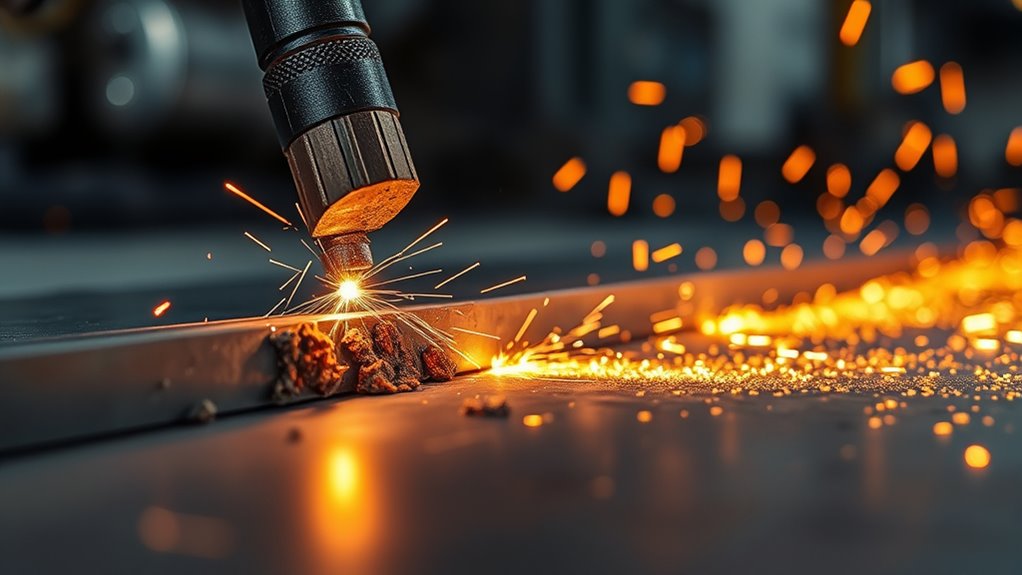
Dross buildup on thicker material is another clear sign that your plasma cutter tip may be wearing out, especially when the nozzle can no longer maintain a clean, focused arc. When the nozzle or electrode degrades, the cut stream loses energy and molten metal sticks to the edge instead of blowing away cleanly.
You can spot the problem fast:
- Heavy dross on the underside of thick plate
- An enlarged or oblong nozzle orifice
- Rough, uneven cut edges
- Visible wear on the nozzle, shield, or electrode
- Slow piercing that was not a problem before
Before replacing parts, check your setup. Use the torch height or drag method listed in your cut chart or manual. Do not use one universal standoff distance for every torch. Shielded drag tips, unshielded tips, mechanized torches, and fine-cut consumables can all require different torch-to-work distances.
Then inspect consumables and replace worn parts before quality slips further. If you have already confirmed dry air, proper ground, correct amperage, and the right travel speed, dross that keeps getting worse usually points back to worn consumables. Regular checks for air supply issues can also improve cutting performance.
With sharp consumables and correct setup, you cut cleaner, waste less material, and spend less time grinding.
Slow Cutting Speed and Lost Precision
When your plasma cutter tip wears out, you may see cutting speed drop first. The torch may struggle to pierce, the arc may lag behind the torch, or you may need multiple passes to finish a cut that normally takes one pass.
As wear enlarges the nozzle orifice, precision starts slipping. You may see jagged edges, uneven kerfs, one-sided bevel, or cuts that drift off line even when your guide stays straight. A less stable arc also makes the cut path feel erratic, which leads to rework.
Do not immediately crank up amperage to compensate. More amperage through a damaged or undersized nozzle can overheat the consumable and make the problem worse. Instead, confirm the nozzle rating, air pressure, dry air, and consistent standoff distance recommended for your torch.
If the cutter still slows down after setup checks, inspect the consumables and replace the worn part. Timely replacement restores speed, protects precision, and helps the torch cut with less effort.
How to Inspect the Nozzle and Electrode
Inspect the nozzle and electrode only after the torch is safe to handle. Let the parts cool, remove them according to your manual, and keep the pieces in order so you can reassemble the torch correctly.
- Power down first. Turn off the machine and follow your manual’s lockout or disconnect instructions.
- Remove the consumables. Take off the shield or retaining cap, then remove the nozzle and electrode.
- Check the nozzle orifice. Look for a round, centered hole with sharp, even edges.
- Check the electrode pit. Look for a deep crater, wide pit, or missing/burnt insert.
- Check the shield and swirl ring. Look for spatter bridges, cracks, blocked holes, melting, or wrong parts.
- Clean only what should be cleaned. Wipe dirt and dust away, but do not scrape the nozzle orifice with hard objects.
- Replace questionable parts. If a consumable is visibly distorted, burnt, cracked, or outside the manual’s limit, replace it.
Use a bright light and rotate the parts slowly so you catch subtle defects. A healthy nozzle has a sharp, uniform opening; wear can make it oblong and round the edges. The electrode should have a controlled center pit, not a deep crater that keeps widening.
Regular inspection helps confirm nozzle compatibility and keeps your setup from failing halfway through a cut.
Products Worth Considering

[Achieve Precise Cuts] PT31 Plasma Cutting Consumables – Your Essential Tool for Efficient Cutting! Whether you're working with sheet metal, steel, or any other material, superior cutting performance ensure clean, accurate, and smooth cuts.

Fit for: AG-60 AG-60P SG-55 WSD-60 Plasma cutter torch head

PACKAGE INCLUDED: 5 Pcs Cup-15 Pcs Electrodes-10 Pcs Ring-30 Pcs Tip(Standard)
Nozzle Wear Signs to Check For
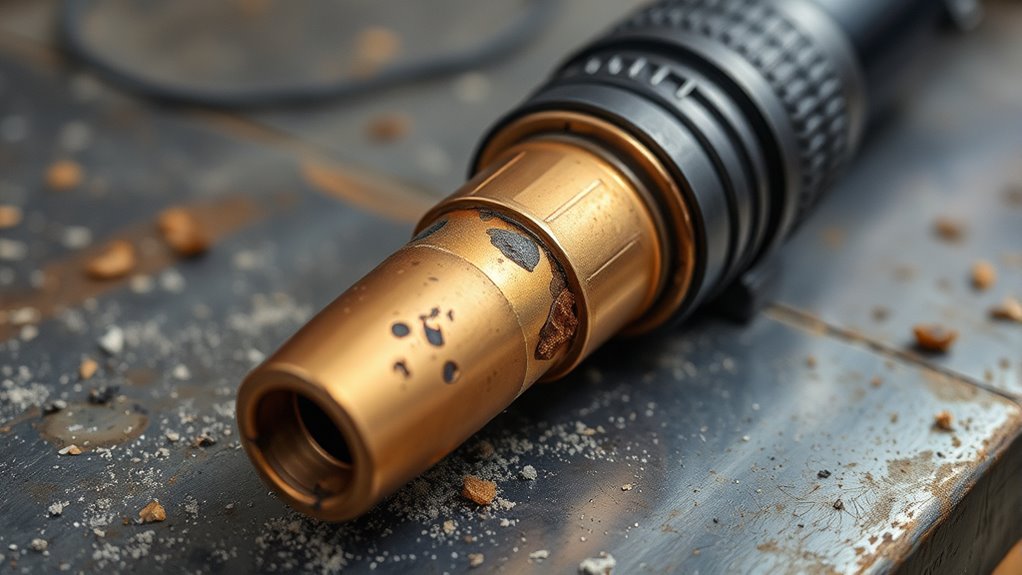
A worn plasma cutter nozzle usually shows up in the orifice first. Instead of a clean round opening, you may see an oblong opening, a larger hole, rough edge damage, or heat discoloration. That shape change lets the arc wander and hurts cut quality fast.
Compare the nozzle to a new one if you have one nearby. Fresh tips have crisp edges, while worn tips round off, enlarge, or burn at the opening. Do not trust a quick glance alone; surface cloudiness can hide damage. Rotate the tip under light and look for brown or black discoloration, spatter stuck near the opening, or a hole that is no longer centered.
Keep monitoring it on a regular schedule because a degraded nozzle is a leading cause of dross, bevel, and wide kerfs. Correct cutting speed parameters can also reduce wear and help consumables last longer.
Electrode Wear Signs to Look For
You should also inspect the electrode because the nozzle and electrode work together. A fresh nozzle paired with a worn electrode can still give you poor starts, weak piercing, and unstable cuts.
Look for arc color changes, hard starts, blue or black heat discoloration on the copper, a deep hafnium pit, and crater widening at the electrode center. Also inspect the torch tip area for ovality and spatter bridging, since blocked or bridged parts can interrupt gas flow and arc stability.
Arc Color Changes
One quick way to spot trouble is by watching the plasma arc color during operation. A stable arc on a known setup should look consistent from cut to cut. If the color, brightness, or sound changes suddenly, stop and inspect instead of pushing through the job.
- Orange or purple arc: check for contamination, wet air, wrong pressure, incorrect settings, or worn consumables.
- Green or burnt-looking arc: stop and inspect the nozzle and electrode immediately.
- Fading or unstable color: check air delivery, consumable seating, and ground clamp contact.
- Repeated color changes: record the material, amperage, air pressure, and consumable age so you can find the pattern.
Do not use color as the only test. Use it as a live warning, then confirm by inspecting the nozzle and electrode.
Hafnium Pit Depth
Hafnium pit depth is one of the most useful wear indicators on many plasma cutter electrodes. As the electrode wears, the pit in the center gets deeper. A common shop rule is to replace the electrode when the pit is around 1 mm, or about 0.04 inch, deep, but your torch manual is the final authority.
Inspect the hafnium pit depth often because deeper erosion can make the arc harder to start and less stable. If the copper body turns blue or black, treat it as a heat warning and check whether the amperage, air flow, pierce technique, or nozzle match is wrong.
Track the pit’s shape and size during routine checks. Consistent inspection protects cut quality and helps you replace parts before they damage the torch.
Crater Widening Signs
A widening crater at the electrode center is a clear sign of electrode wear. When the crater spreads, the arc may no longer transfer cleanly, and the torch can begin cutting with less power and more instability.
- Check for a center crater that keeps expanding.
- Measure or compare the hafnium pit against your manual’s limit.
- Look for blue or black discoloration from overheating.
- Watch for orange, purple, or sputtering arc behavior.
You can catch this early by inspecting the electrode before long jobs. Replace the electrode as soon as you confirm advanced wear, especially if the nozzle is also damaged.
When to Replace the Nozzle or Electrode
You should replace the nozzle when the orifice turns oblong, grows oversized, chips, melts, or loses its sharp edge. You should replace the electrode when the hafnium pit is too deep, the crater widens, or the copper shows clear overheating. If your cuts degrade after setup checks, replace the worn component before it damages the torch or wastes more metal.
Regularly monitor tip orifice size so the nozzle still matches the amperage and material you are cutting.
| Symptom | Likely Cause | What to Do |
|---|---|---|
| Oblong or oversized nozzle hole | Worn nozzle | Replace the nozzle |
| Deep center pit in electrode | Electrode erosion | Replace the electrode using your manual’s limit |
| Heavy dross after clean previous cuts | Worn consumable or incorrect speed/height | Check setup, then replace worn parts |
| Hard starts or arc sputtering | Electrode wear, wet air, poor ground, or loose consumables | Inspect air, ground, torch assembly, and electrode |
| One-sided bevel or wandering cut | Damaged nozzle, wrong torch angle, or incorrect standoff | Check torch angle, height, and nozzle condition |
Products Worth Considering

Package Including: 15pcs Electrode + 15pcs Tip + 2pcs Shield Cap + 3pcs Spacer Guide + 2pcs Swirl Ring , Plasma Tip Diameter: 0.8mm or 0.031''.

⚡【Precision Compatibility】 Exact fit for YESWELDER CUT 55DS Pro & 65DS (2019-2024 models). Replaces OEM# IPT40-55DS/65DS.

Fit for: SG-55 AG-60 plasma cutter torch head.
Spotting Nozzle Wear
Spotting nozzle wear starts with a close look at the orifice. If it turns oblong, the nozzle has worn enough to replace, since that shape will degrade cut quality. Also watch for rounded edges, a larger opening, burns, chips, and cloudiness that hides damage.
- Check the nozzle under bright light.
- Compare the edge profile to a new tip.
- Replace any nozzle with an oversized or off-center orifice.
- Repeat inspections consistently to catch wear early.
A sharp nozzle keeps the arc focused and your cuts clean. Do not rely on a single glance; worn tips can look acceptable while quietly lowering precision.
Electrode Pit Depth
The electrode’s hafnium insert tells you when the torch is reaching its limit. If the pit depth exceeds the replacement limit in your manual, replace the electrode. Deep erosion can cause poor starts, unstable arc transfer, and poor cut quality.
Check electrode pit depth during routine inspections and do not wait for total failure. A burnt or heavily eroded tip means the electrode can no longer sustain a stable arc.
Keep torch height consistent and verify the nozzle at the same time because wear on either part can weaken performance. Use a gauge, visual reference, or a new electrode for comparison so your replacement decisions are consistent.
Replace Based On Cut Quality
When cut quality starts slipping, replace the nozzle or electrode after you rule out setup problems. The warning signs in the cut include jagged edges, excess dross, spatter, wider kerfs, and bevel that was not there before.
Inspect the nozzle opening. If it is oblong or the edge has rounded, your arc will not stay tight. Check the electrode too. A deep hafnium pit, burnt insert, or widening crater means you should replace it.
- Uneven kerf
- Heavy dross buildup
- Rounded nozzle edges
- Excessive spatter
- Hard starts or failed pierces
Do not wait for the torch to fail. Replace the worn part, restore arc control, and keep your cutting process clean and efficient.
False Alarms That Look Like a Worn Tip
Not every bad cut means the tip is worn out. Several setup problems can copy the same symptoms, so check these before throwing away good consumables.
- Wet or dirty air: moisture and oil in the air line can make the arc unstable and shorten consumable life.
- Poor ground clamp contact: paint, rust, or a loose clamp can cause sputtering and weak arc transfer.
- Wrong travel speed: moving too fast leaves incomplete cuts; moving too slowly creates heavy dross.
- Wrong amperage: too much current overheats the nozzle; too little current can leave slag and slow piercing.
- Wrong consumables: mixing fine-cut, drag, shielded, or amperage-specific parts can ruin cut quality.
- Bad torch angle: leaning the torch can make one edge more beveled than the other.
- Wrong pierce height: piercing too close can blast molten metal back into the nozzle.
If all of those checks pass and the cut still looks bad, the nozzle or electrode is much more likely to be the problem.
Pro Tip: Keep one new nozzle and one new electrode in a labeled bag. When cut quality drops, compare the used parts against the new parts under bright light. The difference is often obvious.
How to Make Plasma Tips Last Longer
To make plasma tips last longer, control heat, air quality, torch height, and cleanliness during every cut. Use the consumable size and amperage listed for your torch. Do not exceed the nozzle rating, and do not pierce too close to the work unless your torch is designed for that method.
Keep consumables clean. Wipe dirt and grease off before assembly so contamination cannot trigger premature failure. Inspect tips often for rounded edges, an enlarged orifice, or spatter around the opening. Tracking average tip life in your shop can help you plan replacements and avoid downtime.
Follow the plasma cutting speed chart or manufacturer cut chart for your material, thickness, amperage, and torch setup.
| Control | Target | Result |
|---|---|---|
| Torch height | Use the manual or cut chart | Cleaner arc and less nozzle damage |
| Amperage | Match the nozzle rating | Lower heat stress |
| Air supply | Clean, dry, correct pressure | Fewer unstable cuts |
| Piercing | Use correct pierce height and delay | Less molten blowback |
| Clean assembly | No dirt, grease, or loose parts | Longer consumable life |
Consumables are small parts, but they control the shape and stability of the plasma stream. Treat them as precision parts, and your cutter will reward you with cleaner cuts and fewer failed starts.
Frequently Asked Questions
How long do plasma cutter tips last?
Plasma cutter tip life varies widely. Some light shop users may get a few hours of arc-on time from a nozzle, while heavy piercing, wet air, high amperage, and poor torch height can ruin a tip much faster. Replace tips by inspection and cut quality, not by hours alone.
What are the signs of a worn out cutting tip?
A worn cutting tip shows an enlarged or oblong nozzle orifice, rounded edges, burn marks, spatter buildup, rough cuts, heavy dross, wider kerfs, and arc wandering. If the electrode is also worn, you may see hard starts, crater widening, and a deep hafnium pit.
When should you change plasma cutter tips?
Change a plasma cutter tip when the orifice is no longer round, the cut becomes rough after setup checks, or dross and spatter increase for no clear reason. Also replace the electrode when the hafnium pit reaches your manual’s wear limit or the insert looks burnt.
What is the lifespan of a plasma cutter?
A plasma cutter machine can last for years with proper care, clean air, correct power, and regular maintenance. Consumables do not last that long. Nozzles, electrodes, and shields are wear parts and should be replaced whenever inspection or cut quality shows they are past their limit.
Can a bad air supply make a good tip cut poorly?
Yes. Wet, oily, or low-pressure air can make the arc unstable and create dross, spatter, hard starts, and short consumable life. If a new tip still cuts poorly, check the compressor, filter, dryer, hose restrictions, and pressure setting.
Should you replace the nozzle and electrode at the same time?
Not always, but it is often smart to inspect them together. A new nozzle with a badly worn electrode can still cut poorly, and a new electrode with a damaged nozzle can still wander. Replace whichever part is visibly worn or past the manual’s limit.
Conclusion
When your cut starts drifting, dross builds up, spatter increases, or the arc feels less crisp, do not ignore it. You may be seeing the first signs of tip wear. Shut the torch down safely, inspect the nozzle and electrode, and check air, ground, speed, and torch height before you keep cutting. If the orifice is oblong, the edges are rounded, or the electrode pit is too deep, replace the worn consumable. A few minutes of inspection can protect your torch, save material, and bring back the clean cut you expect.
Sources
- OSHA 1910.133 Eye and Face Protection — backs up eye and face protection requirements and plasma arc cutting shade guidance.
- Plasma Cutting Overview — backs up the basic plasma cutting process, consumable role, electrode wear, and cut-quality variables with cited research references.
- Electrode Wear in an Air Plasma Cutting Torch — backs up electrode wear, crater formation, and hafnium insert behavior.
- Cutting and Shield Gases Pressure Effects on Plasma Cutting Quality — backs up gas pressure and cut-quality relationship.
- The Fabricator: Making Plasma Cutting Easier — backs up practical plasma cutting setup and cut-quality context.